134 | 12 Effects
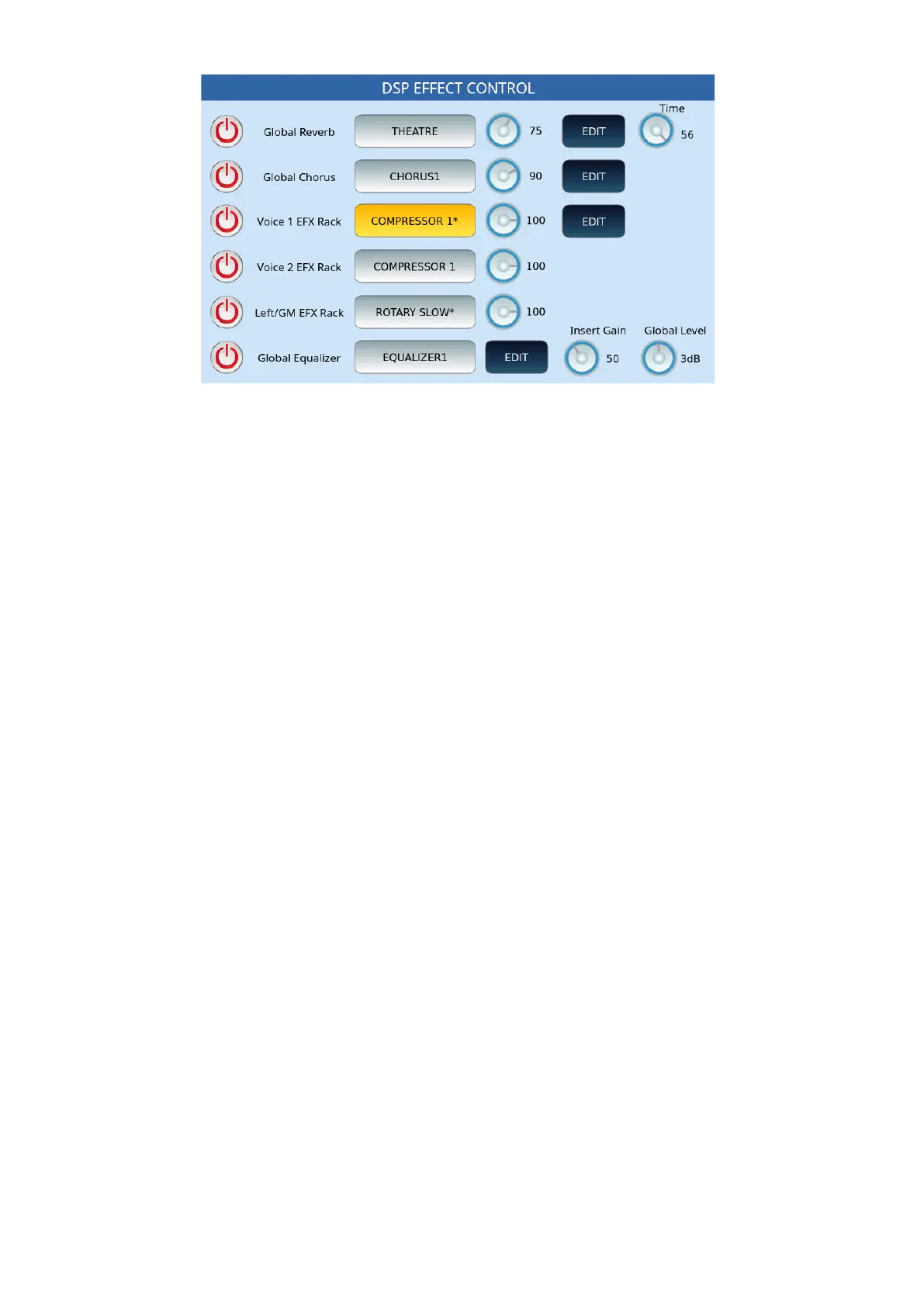
On the left, in the column, six buttons on the screen manage the activation (ON/OFF) of the
effects to which each part is assigned, otherwise select an effect preset and then touch EDIT
button next to it to change its parameters.
Options:
• Global Reverb: Press this button to change the type of global reverb, rotate the
knob to adjust the send (SEND) and time. Otherwise, press EDIT to calibrate the
parameters.
• Global Chorus: This series of controls follows the logic just described but acts on
the global Chorus of the instrument.
• Voice 1 EFX Rack: Do the same for the Insert effect on the VOICE1 part.
• Voice 2 EFX Rack: Do the same for the Insert effect on the VOICE2 part. Editing is
not available.
• Left/GM EFX Rack: Do the same for the Insert effect on LOWER and GM parts.
Edit not available.
• Global Equalizer: Touch button to open the search through the stored EQ
settings.
• Insert Gain: Turn the knob to adjust the input gain to the INSERT chains.
• Global Level: Control the maximum volume of the instrument.
EDIT | GLOBAL REVERB EDIT
On the DSP EFFECT CONTROL page on the screen, pressing the EDIT button, next to
GLOBAL REVERB, you get this page where you can act on the parameters of the effect you
have assigned to the DSP.
Note: The values of the effect parameters depend on the selected preset. In the following
example, THEATRE, each effect can have different and specific parameters.



 To Next Page