10 Creating your own styles | 117
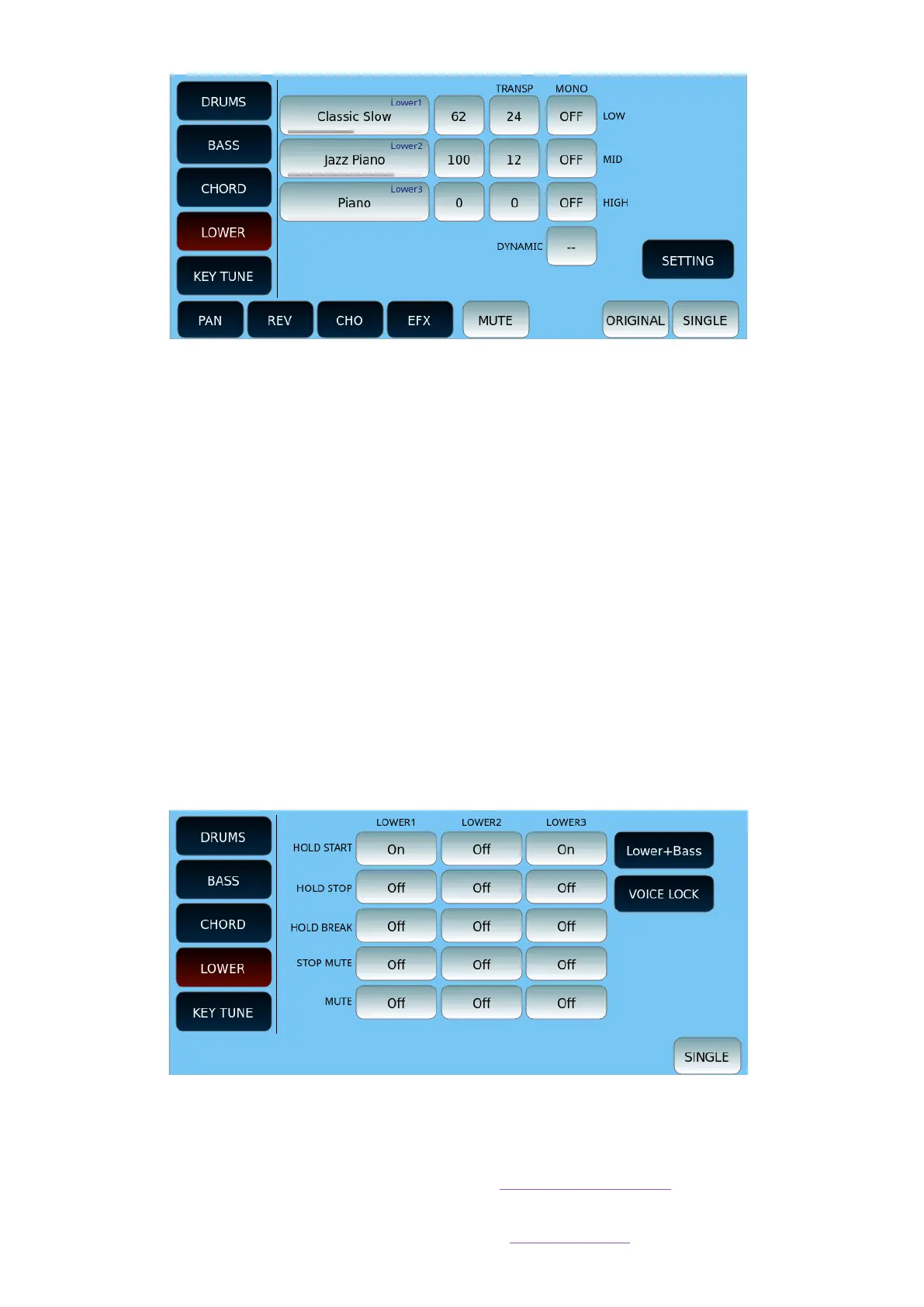
On this page you can customize the LOWER part of the style.
• You can assign a different tone to each of the three LOWER parts.
• Touch an option and then move the UP/DOWN buttons to open the search page
among the many available patterns in each category.
• Each part comes with the volume level button.
o First, set the volume level.
o Second, set the transport of the tone.
o Third, the MONO mode allows you to make the sound monophonic rather
than polyphonic. For example, you can assign a trombone sound to the
LOWER1part, aLOWER 2trumpet and aLOWER 3saxophone to simulate a
refined horn section in which each instrument performs a single note.
• DYNAMIC: Determine the dynamics level of the LOWER parts by entering a value
between 0 and 100.
Below is an example of the SETTING page of the CHORD part (all other on-screen buttons
are illustrated in the general description above).
Press the EXIT button on the panel to return to the previous page.
KEY TUNE
Information on how to manage Key Tune files is in dedicated paragraph. Here we see how
to associate a Key Tune file with a style. The KEY TUNE column lists the files that you have
created according to the procedure described in the MENU chapter.



 To Next Page