12 Effects | 139
• Drive: Sets the intensity of the distortion effect. Higher values will increase the
level of distortion.
• LP: Low Pass filter (value between 0 and 127).
• Level: Sets the output level of the distorted sound. Higher values will increase
distortion. A value of 0 disables the distortion effect.
• Advanced: touching this button opens the possibility to configure three different
situations (STAGE 1, STAGE2 and STAGE3) where to configure a specific type of
distortion, Low Pass filter and Drive.
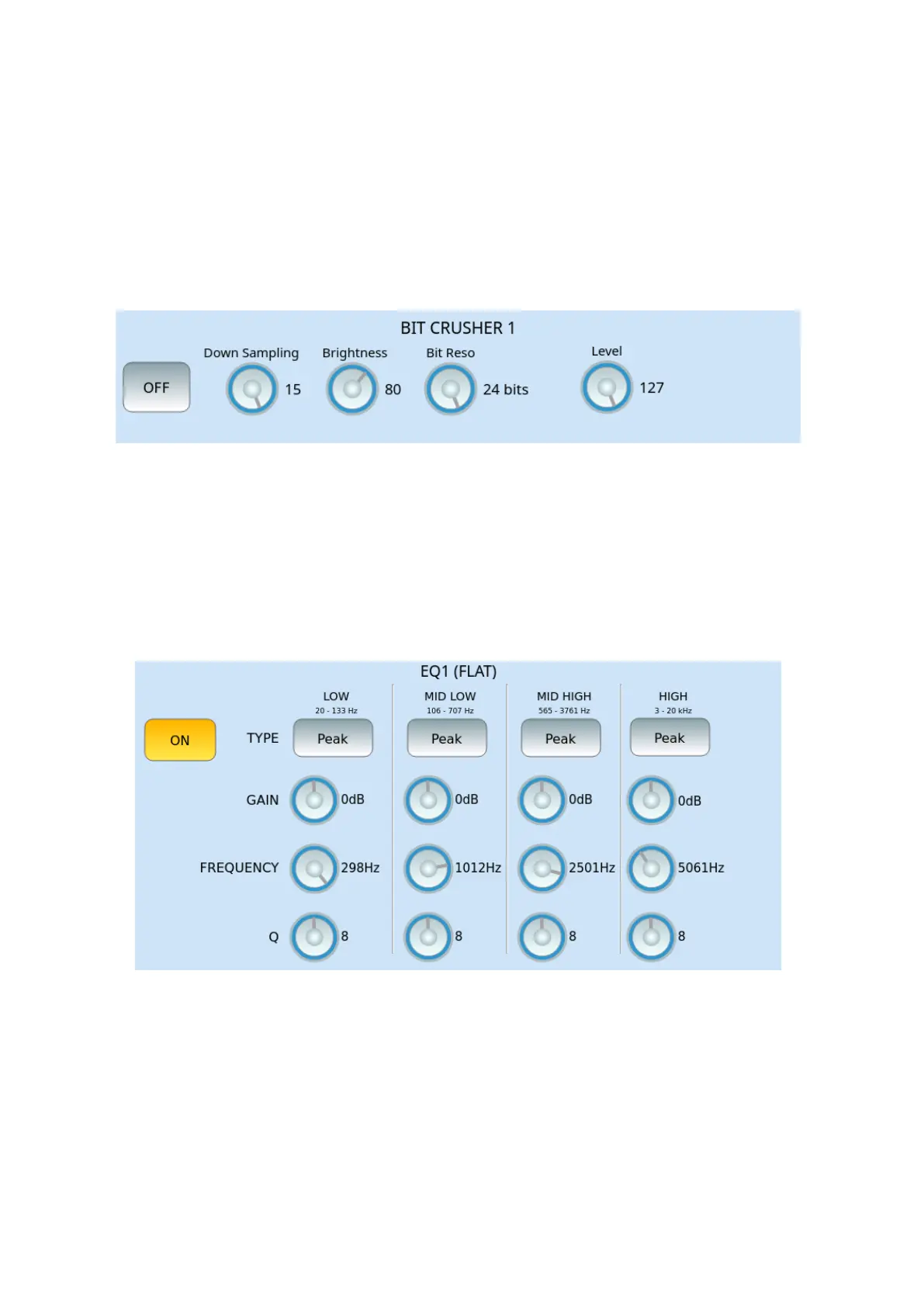
BIT CRUSHER parameters:
• ON/OFF: Enable or disable.
• Down Sampling: Reduction of the sampling rate.
• Brightness: Values from 0 to 127.
• Bit Return: Sound Resolution Bit Depth
• Level: Sets the output level.
EQ parameters (FLAT, BRIGHT, LOUDNESS, BASS, MID):
• ON/OFF: Enable or disable.
• The following parameters can be set for frequency ranges. (LOW, MID LOW, MID
HIGH, HIGH).
• TYPE: Peak, HP 6dB, HP 12dB, Low Shelf, Off.
• GAIN: From -12dB to +12dB
• FREQUENCY: Middle frequency of each band (LOW, MID LOW, MID HIGH, HIGH)
• Q: Bandwidth (from 0 to 15).



 To Next Page