03 Playing with the styles | 31
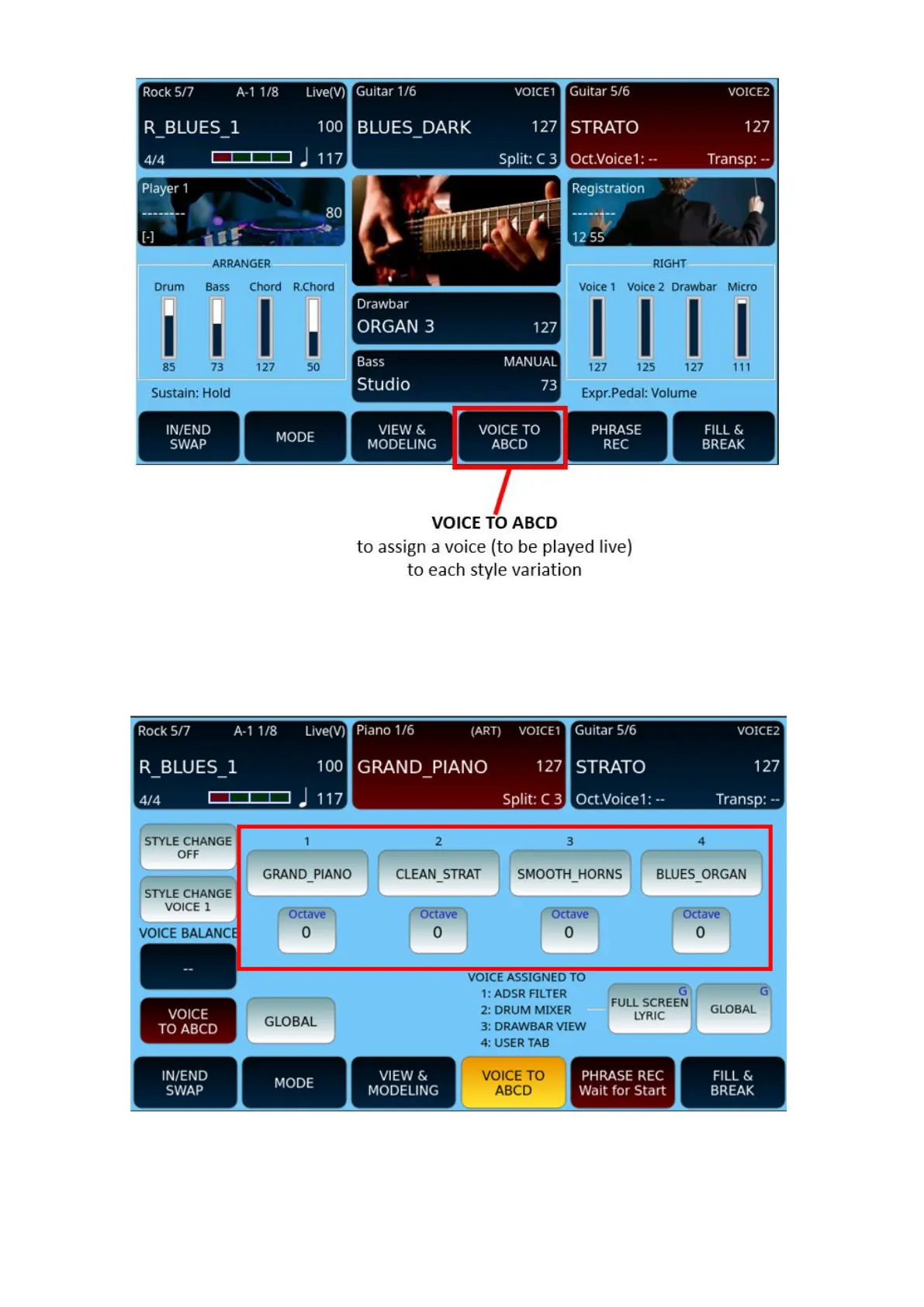
Normally, EVM allows you to play the GRAND PIANO sound for all variations, however you
have the option to associate different voices with VOICE 1 for ABCD variations. When you
change the active variation, the instrument calls up the voice you have configured when this
feature is turned on.
You can set which voices to assign to which variations as follows:
1. Select the desired style.
2. Touch the VOICE TO ABCD button at the bottom of the screen. It turns yellow.



 To Next Page