38 | 03 Playing with the styles
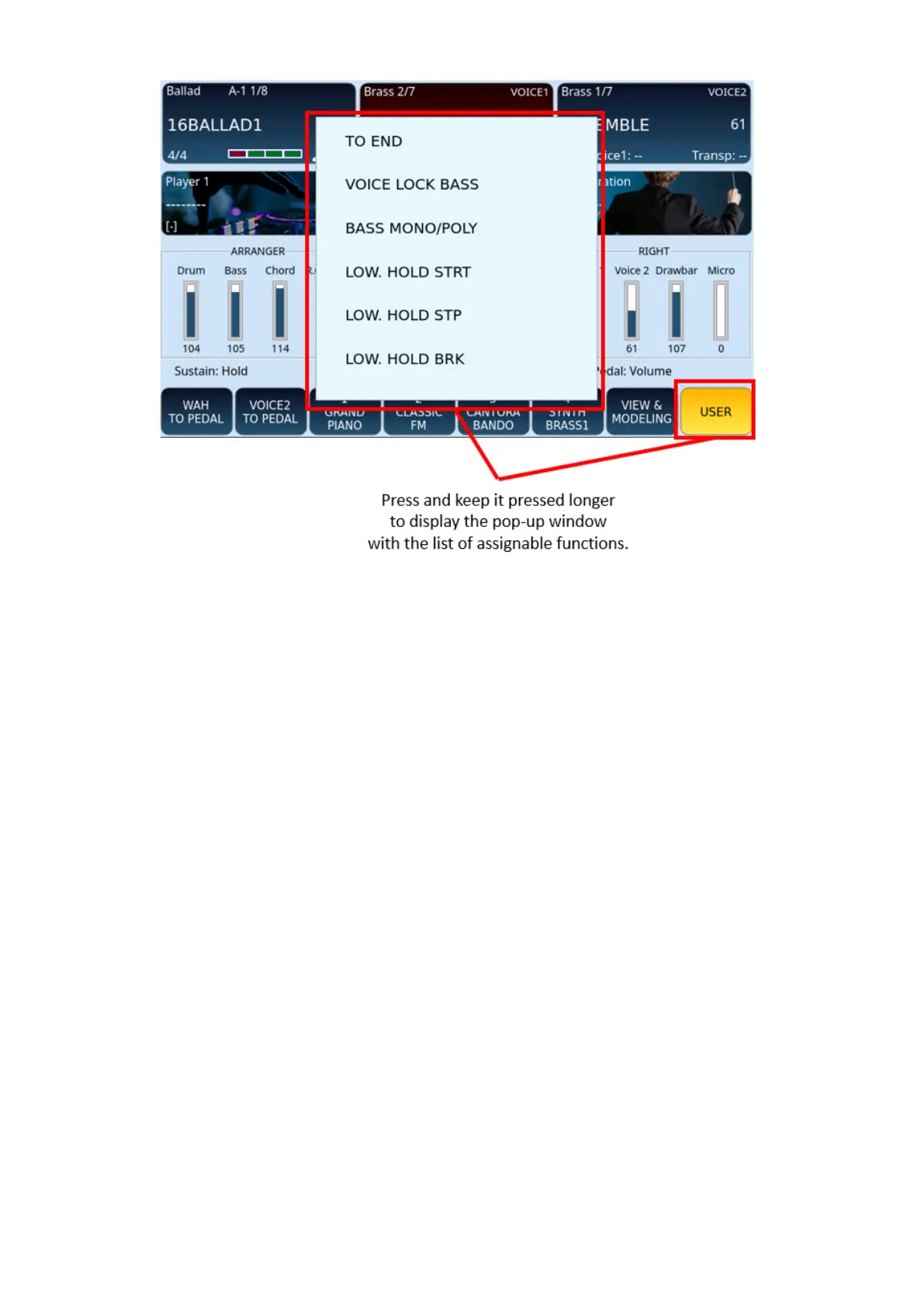
Assign a function to USER TAB buttons:
1. Enable the USER button on the screen.
2. Touch for 2 seconds any of the icons at the bottom of the screen.
3. After a few seconds, the list of possible assignable functions appears on the
screen.
4. Touch the UP/DOWN buttons until you find the desired function to assign to this
icon.
5. Touch the affected function on the list to confirm.
The number of assignable functions is extended and allows you to customize all the
parameters of the arranger while playing a style. Here is the current complete list of
programmable parameters (which can be updated later via OS updates).



 To Next Page