08 GM and Drum Restyle | 85
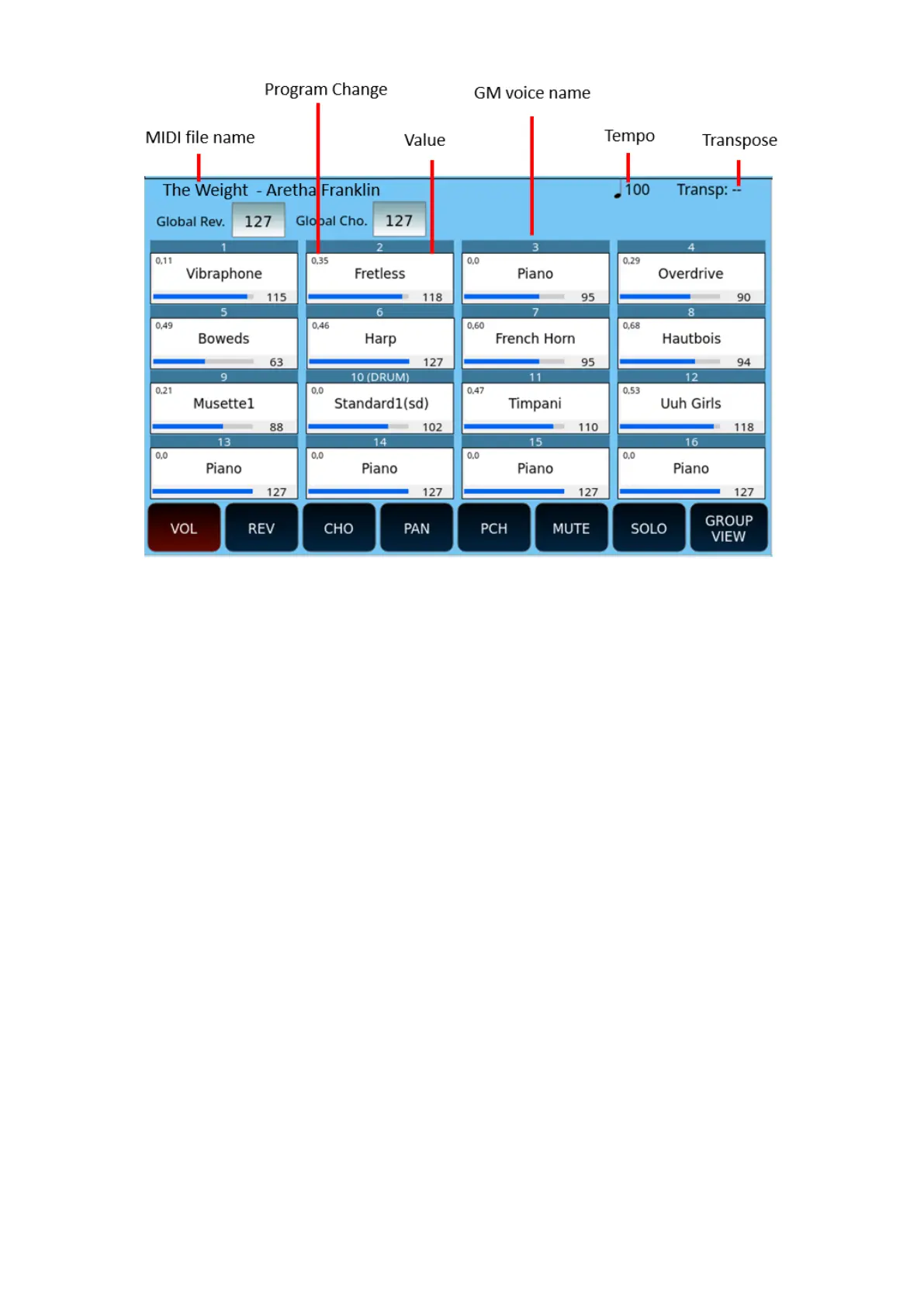
At the top of the screen, you can view and modify the values of the Global Reverb and
Global Chorus.
The buttons at the bottom of the screen control the operations:
• VOL.: Display the volume for each of the 16 tracks. Touch a track on the screen
and then use the UP/DOWN buttons to change the value from 0 to 127.
• REV.: Display the reverb level for each track. Touch a track on the screen and then
use the UP/DOWN buttons to change the value from 0 to 127.
• CHO: Display the Chorus level for each track. Touch a track on the screen and then
use the UP/DOWN buttons to change the value from 0 to 127.
• PAN: View the pan pot setting for each track. Touch a track on the screen and then
use the UP/DOWN buttons to change the value from L64 to R64. The median
value "- -" corresponds to the centre of the stereo landscape.
• PCH: Select the PROGRAM CHANGE button and then select the track you want to
test or change the sound linked to the GM VOICE SELECT page.
• MUTE: Select the MUTE button and then the track to silence (disabled tracks are
marked with "M" on the screen).
• SOLO: Select the SOLO button and then the track to play (isolated tracks are
marked with "S" on the screen).
• GROUP VIEW: First select the track, then the button GROUP VIEW to open the
dedicatd page.
• PART VIEW: Press twice the track and then the PART VIEW button to open the
detail information display page.



 To Next Page