Section 4 Windows Driver 4-10
3.2 Installation Process - Automatic
KIP Unified Windows Printer Driver (KUWPD) can be installed on Microsoft Windows NT4,
2000, XP, x64, 2003 platforms (Windows 9x platforms not supported) by using the provided
printman.exe utility or by manually
adding a port monitor (monitor.inf) and printer driver
(plotter.inf). In both cases, Local Administrative rights are necessary.
Printman Utility Installation Method:
Once the KUWPD has been downloaded and unzipped, the files can be placed directly
onto the workstation or server where it will be installed or, onto a USB drive or CD. See
Appendix A for more information on the files and structure.
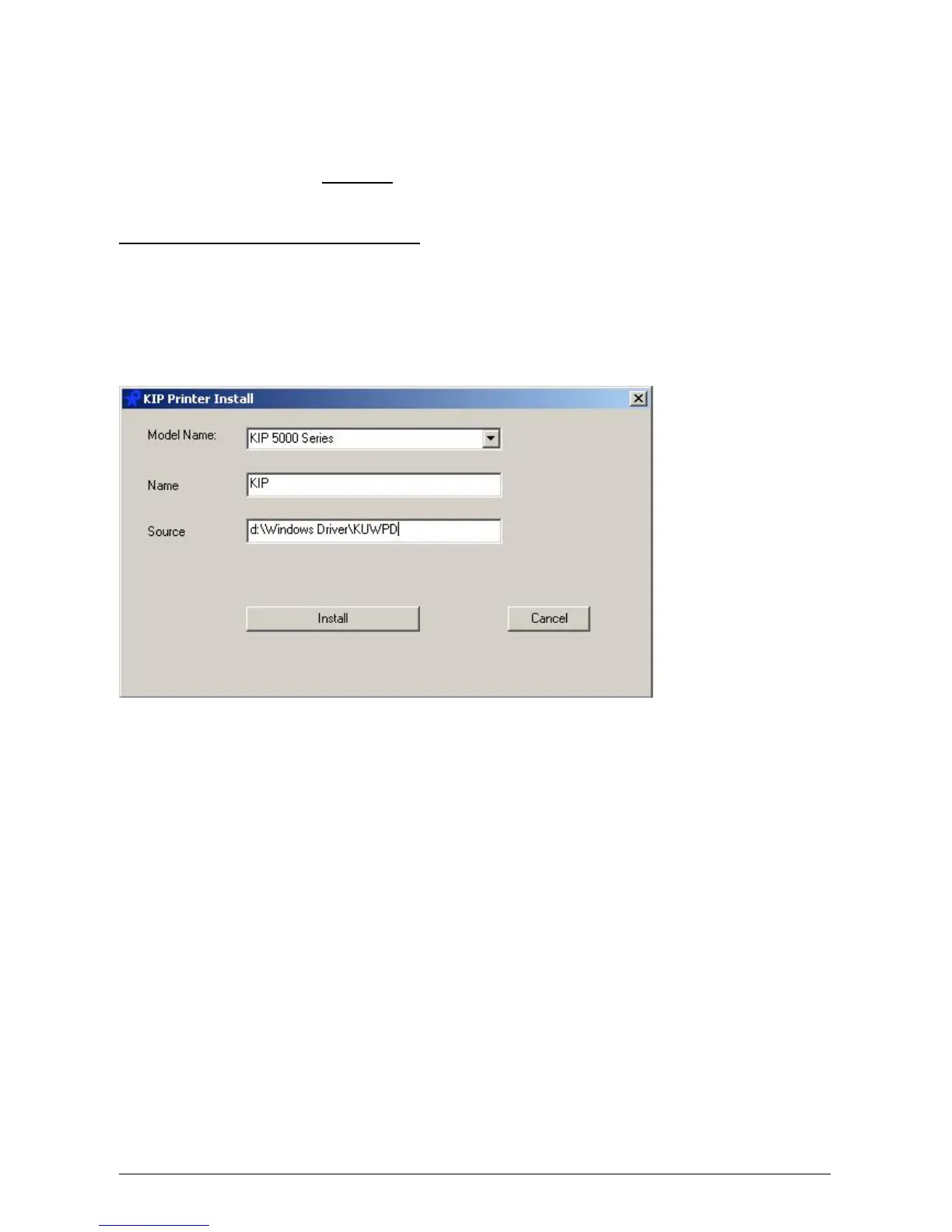
a) Execute printman.exe from a Microsoft Windows NT4, 2000, XP, x64 or 2003
operating system. An installation window is displayed:
b) Select the appropriate KIP Printer from the Model Name drop down selection (kip
5000). Do not change the Name and Source Fields.
c) Select Install. KIP printer port monitor is now installed.



 To Next Page