Section 4 Windows Driver 4-15
3.4 LPR / LPD Port
The Microsoft provided TCP/IP Port Monitor can be used as an LPR/LPD type of
port instead of the KIP0 port. During configuration of TCP/IP Port Monitor, LPR must
be used, with LPR Byte Counting enabled. LPR/LPD implementation requires a
Queue Name to be defined. Use KIP as the queue name, in all uppercase lettering.
This is the name of the printer object on the KIP IPS by default.
3.5 Upgrade Process
Obtaining the Windows Driver Information if the KIP IPS replaces another KIP
system
For your current Windows Driver Setup, please obtain the following information prior to
removing or uninstalling any component.
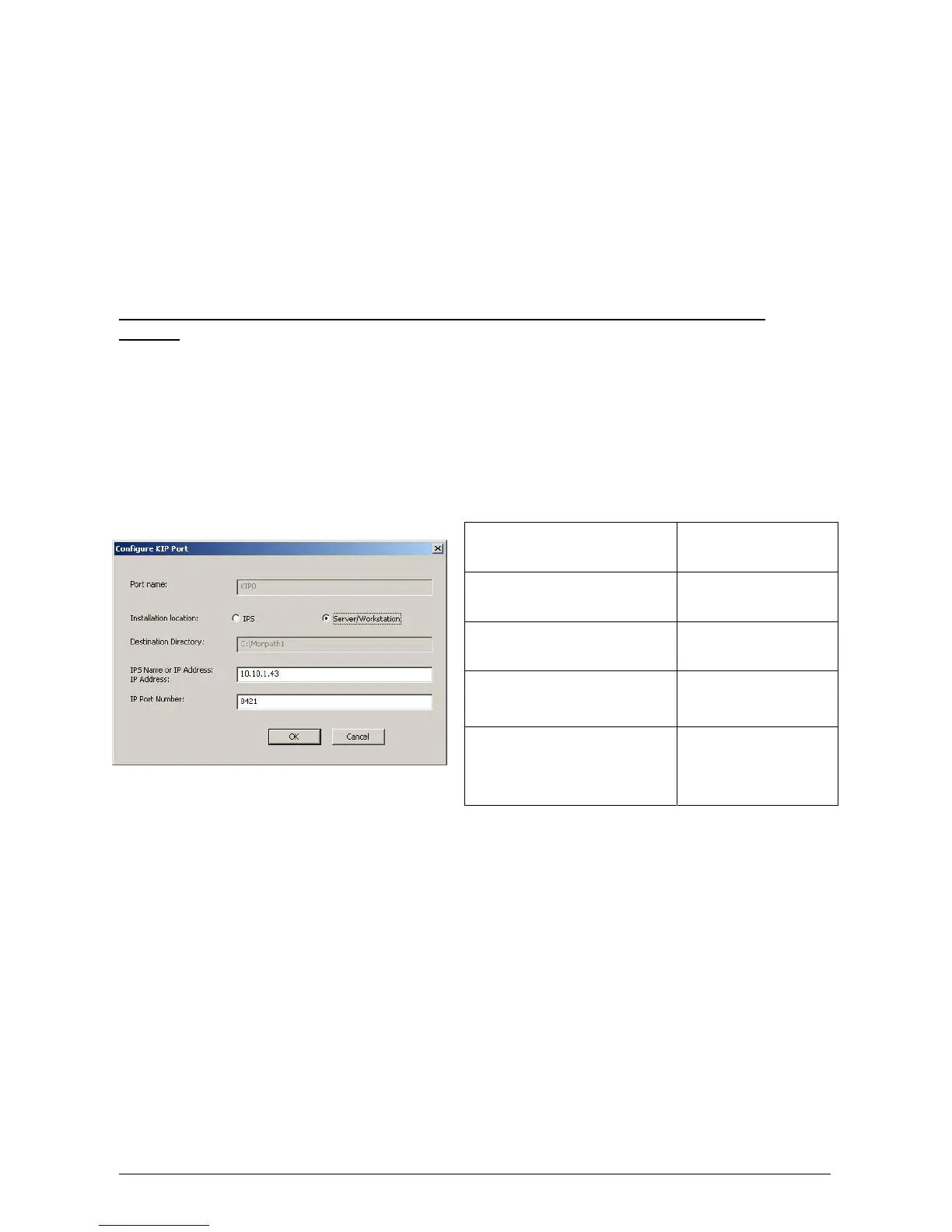
Obtain your current Windows Driver Configuration. In your Windows Driver, go to
Properties, Ports and locate your information for the KIP0 port. Complete information
within the table provided.
KIP Unified Windows Printer Driver (KUWPD) can be upgraded from previous versions of
KIP Windows Printer Drivers on Microsoft Windows NT4, 2000, XP, x64, and 2003
platforms by manually adding the new printer driver (plotter.inf) to an existing KIP0 port.
Local Administrative rights are necessary.
a) Delete existing KIP printer driver object(s) from the Control Panel - Printers menu at
the workstation(s) / server(s).
b) Once the KUWPD has been downloaded and unzipped, the files can be placed
directly onto the workstation or server where it will be installed or, on a USB drive or
CD. See Appendix A for more information on the files and structure.
Port Name
Port Location
Destination Directory
Controller Name / IP
Address
IP Port Number



 To Next Page