7-4 Section 7 KIP Print Net
2.0 Operation Details
2.1 Login Screen
To access the PrintNET host, in the address line of your web browser type in the URL of
the Server / PC that hosts the KIP Job submittal tool application. It is important to use the
syntax in the following format:
http://Host_Name
. or IP address
Please contact your network administrator for your URL to the KIP
printer as installation will differ.
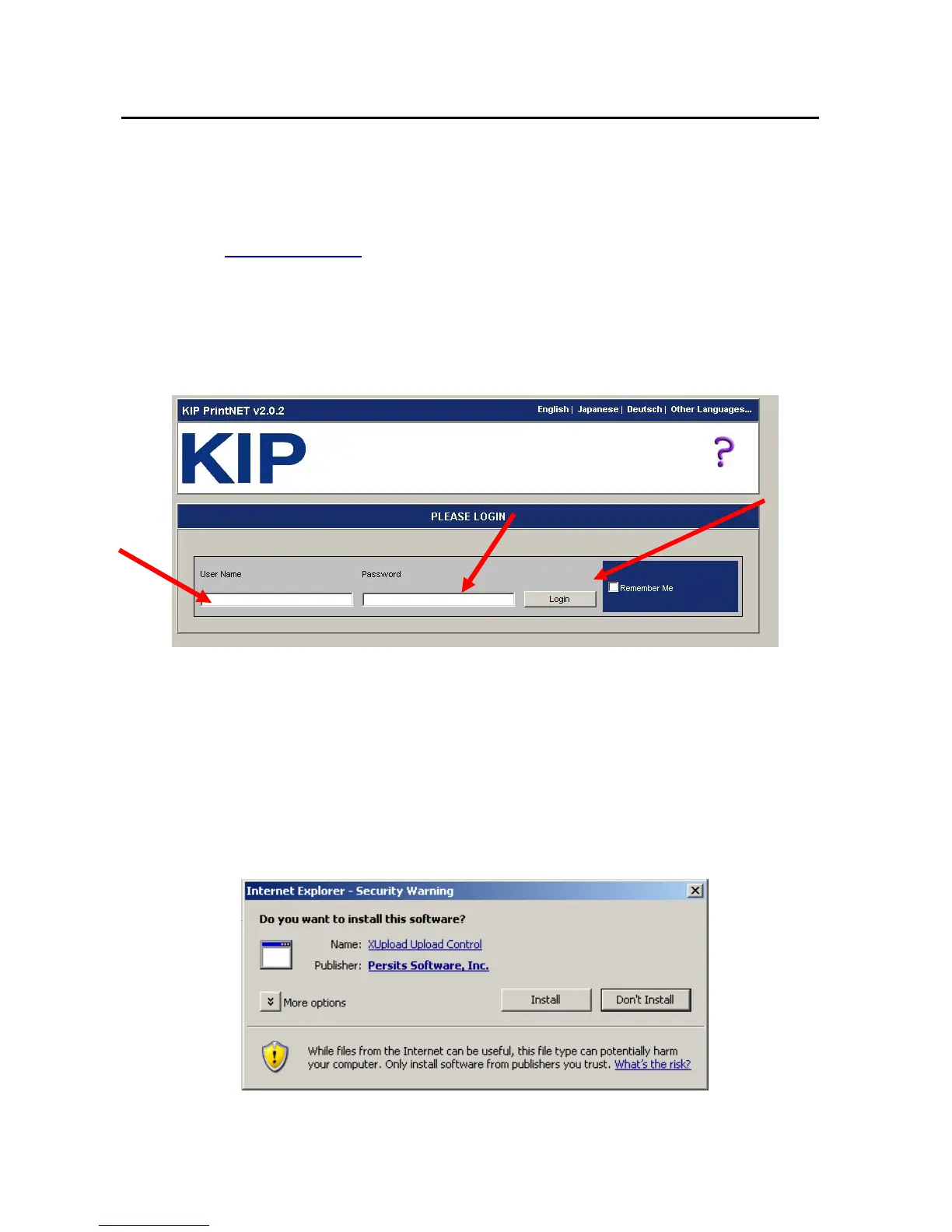
This link will take the user to the login web page.
Users are required to enter a login name and password as assigned by an
Administrator. The ‘User Name’ can be a combination of numbers and letters up to 30
characters long. Upon login, the user will be able to see the KIP PrintNET web page.
If prompted to install Persits XUpload, click Install (first time use only. If you are unable
to install this “plug in” please contact your network administrator for access)



 To Next Page