Section 1 Basic Printer Functions 1-15
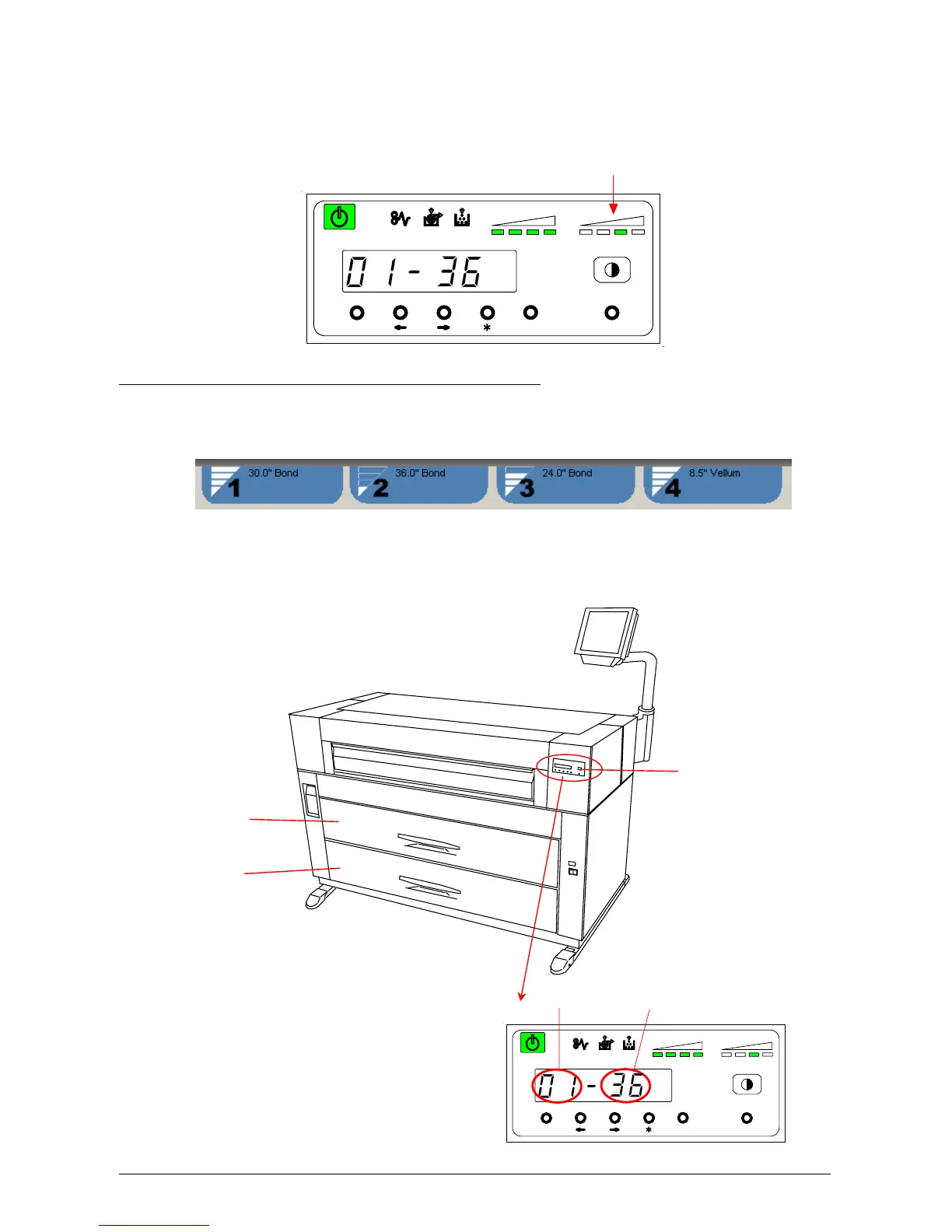
The user can also adjust the density on the printer. Any of the 4 LED’s of the Image Density
Indicator will light according to the density level you selected. Image density becomes darker when
you select LED’s further to the right.
(3) Roll Deck, the roll width and roll material currently used
The touchscreen will display the currently installed and configured media on the top of the Job Info
Screen.
The display on the Sub Display Panel only indicates the current Deck Number and the media
width. Before printing or copying, you can select which roll media to use from the workstation or the
copier user interface.
Roll 1 is selected, and 36 inches width roll
media is in the Roll 1.
MENU ENTER TEST
TONER REMAIN IMAGE DENSITY
job
Image Density Indicator
MENU ENTER TEST
TONER REMAIN IMAGE DENSITY
job
Roll Deck No. Paper Width
Operation Panel
Roll 1 (Front)
Roll 2 (Rear)
Roll 3 (Front)
Roll 4 (Rear)



 To Next Page