7-9 Section 7 KIP Print Net
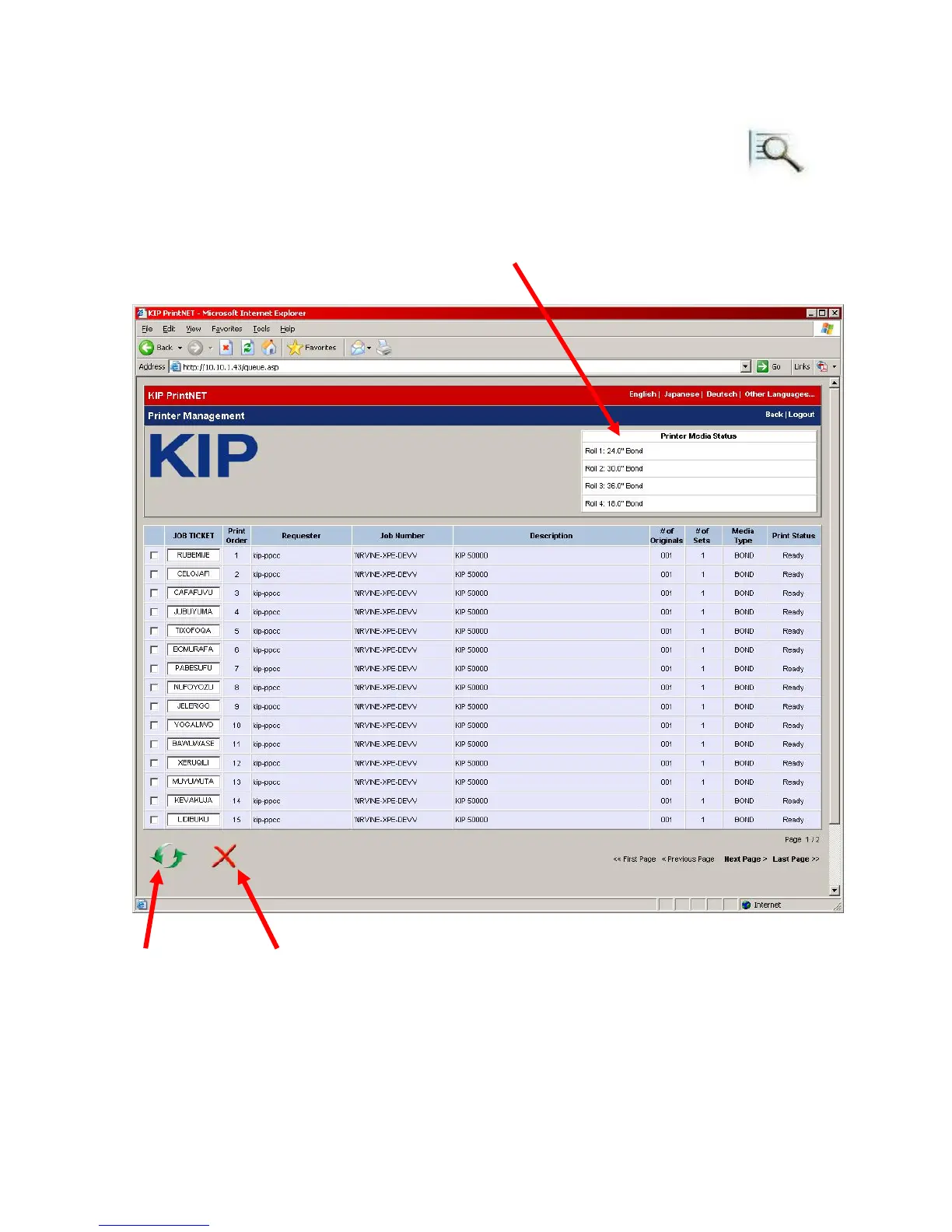
2.14 Manage Queue
To use this feature the IP or URL of the KIP 5000 must be known. That is a HOST PC
configuration can not access the print queue, only direct connection to the
KIP 5000.
Select this button to manage and view the job queue in the KIP 5000 Printer.
Printer status or installed roll information
Refresh List
Delete Job
Select the job(s) then use
this button to remove



 To Next Page