Section 8 Productivity Reports 8-4
2.0 Creating Productivity Reports
Productivity reports can be generated from KIP Request 6.x and can be very helpful in
keeping track of accounting data. These can be generated on a daily, weekly, monthly or
custom time frame.
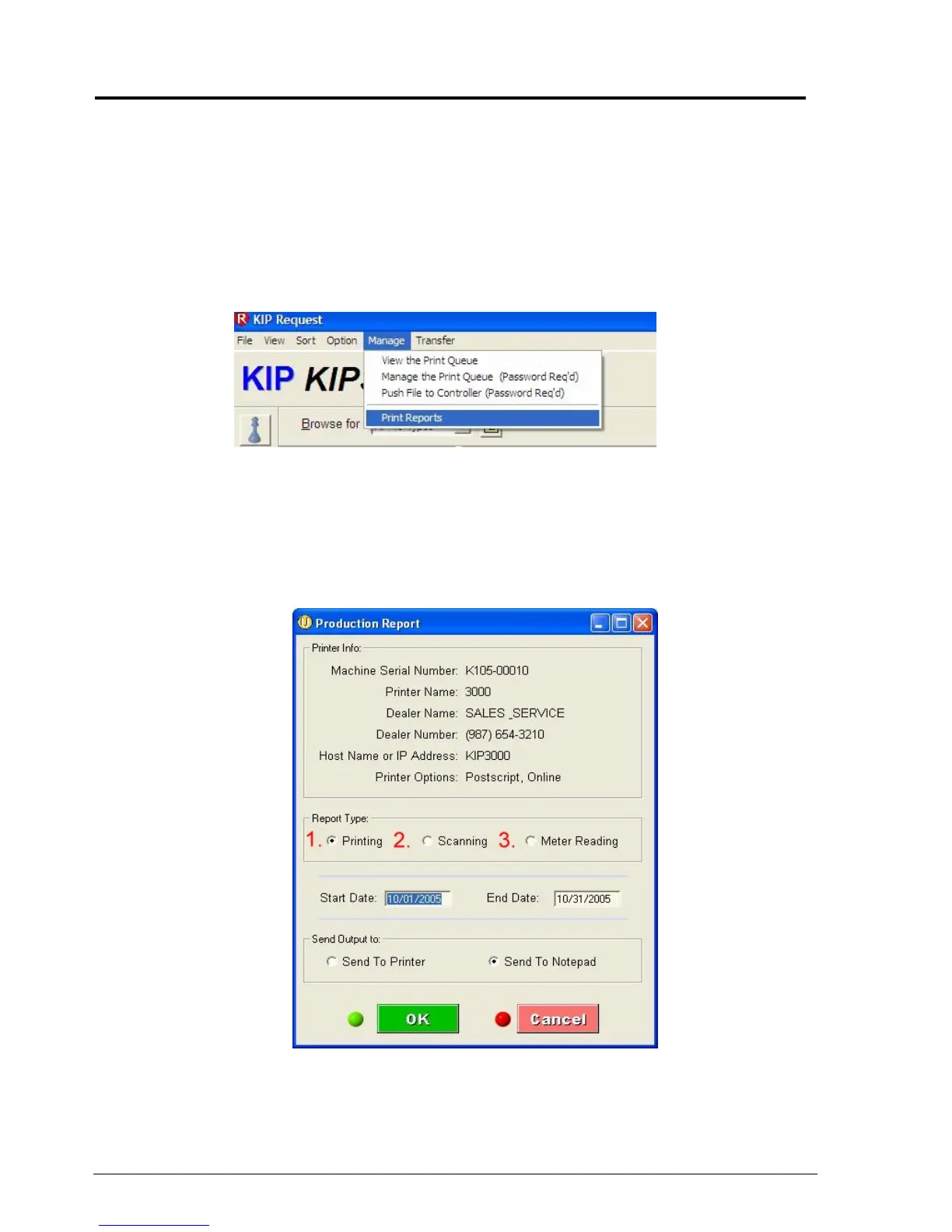
The Productivity reports can be accessed by doing the following:
a) On the Request main screen select “Manage” from the menu bar and then select “Print
Reports”
b) The Following window will appear. This is where the currently selected printer
information will be displayed. There are three different types of reports that can be
generated from this screen:
- Printing
- Scanning
- Meter Reading



 To Next Page