Appendix F
Confidence Monitoring
Clicking Confidence Monitoring from the main Web Server Control interface will
bring up the information and status screen for confidence monitoring of the unit.
This area is still under development. In the future, an extensive array of status
information for both video and audio will be presented on this screen.
Currently, this option allows you to capture a still from the video output of the unit,
and download it to your computer in .BMP format in one of four sizes (ranging from
full-screen to “postage-stamp” size).
Note that any VITS patterns active in the unit will be disabled during the image
grab. Furthermore, if the image is grabbed while the unit is displaying a test
pattern (i.e. the Test Signal Generator is active), the video output will flash while
the TSG image is downloaded.
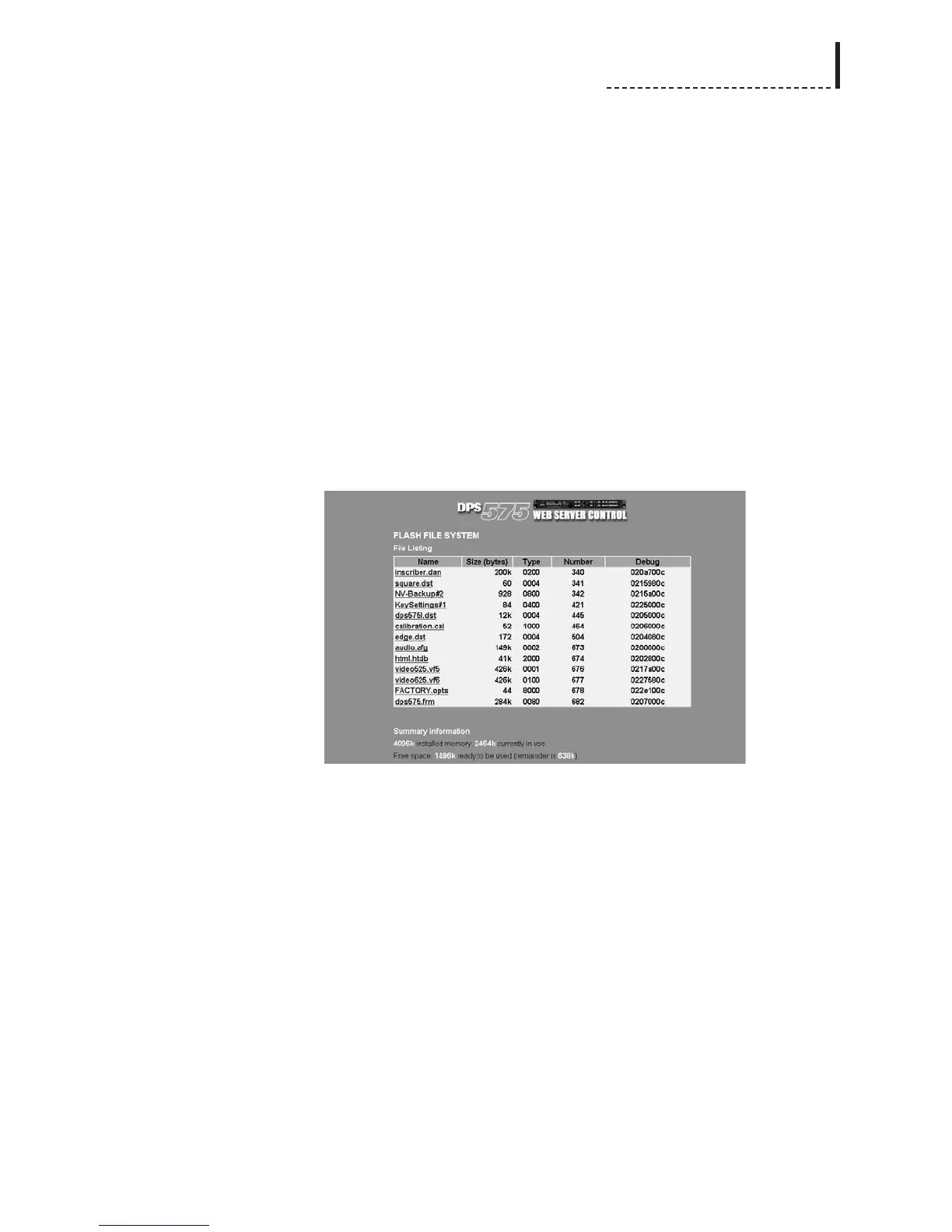
Flash File System
Clicking Flash File System from the main Web Server Control interface will present a
list of the files currently stored in the DPS-475/575.
Clicking a filename in this list will activate your web browser’s download function, to
transfer the file from the DPS-475/575 to the computer. Note that while your web
browser will allow you to rename the file during the download, you should not
change the file extension (eg. .dst, .dan). If you are running the Microsoft Windows
operating system, once you have transferred a still image or test pattern to your
computer, you can use the File Conversion feature of the Uploader software to
convert it to a standard graphics file format for use with an image editing application
(see Appendix D, “The Uploader Software” for details).
Upload File to Unit
Clicking Upload File to Unit from the main Web Server Control interface will allow
you to upload firmware upgrades, video stills and animations to the DPS-475 and
DPS-575. See Appendix D, “The Uploader Software” for a list of file types
uploadable to the unit.
If you are running the Microsoft Windows operating system and you have image files
that you wish to transfer to the unit that are not in a supported format, you will have
to convert them first using the File Conversion mode of the Uploader software (see
Appendix D).
217



 To Next Page