The User Interface
98
Display
Purpose
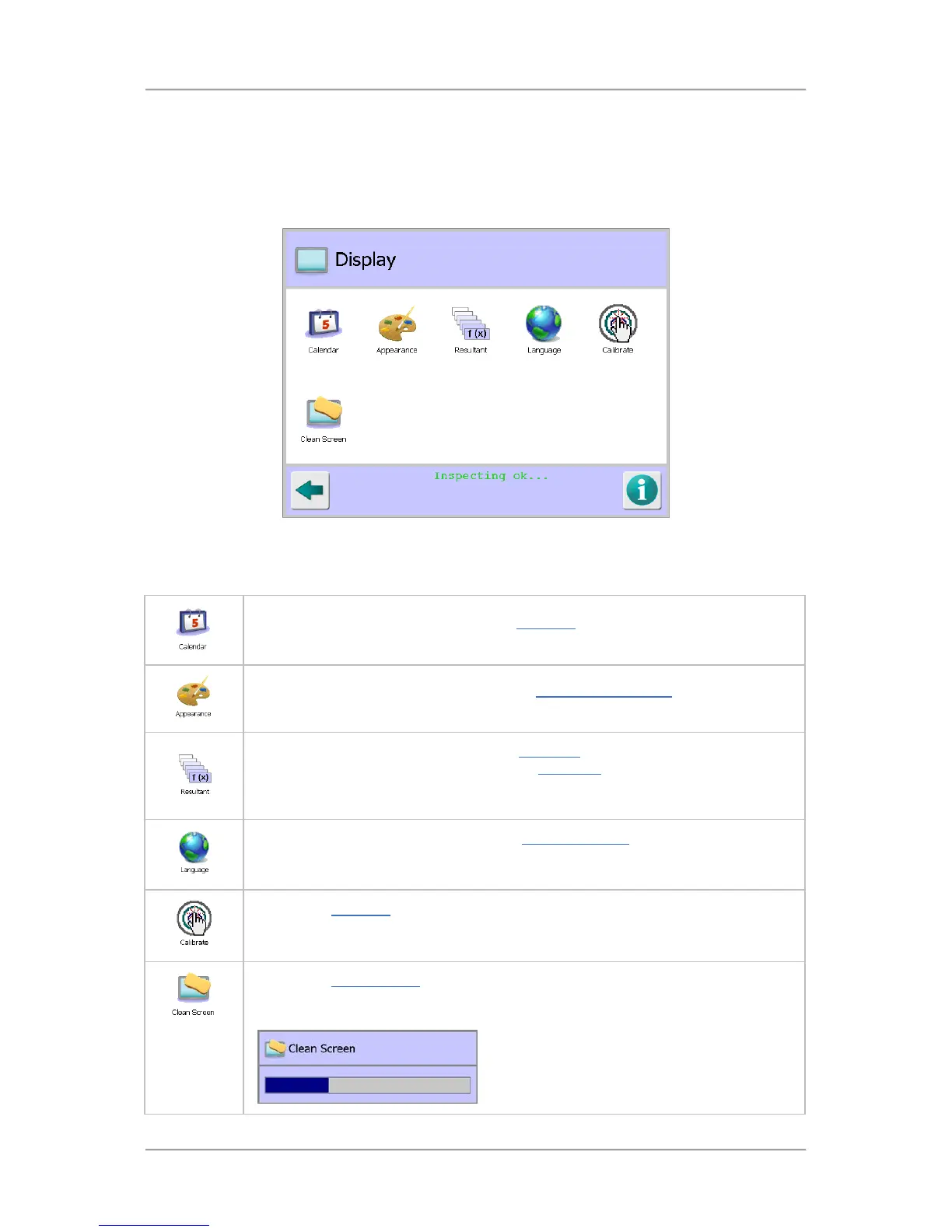
The Display screen is displayed by tapping on the Display icon in the System Settings screen.
The purpose of the screen is to provide access to screens that affect how information is displayed in
the user interface.
Screen Contents
The screen contains a number of icons described in the table below which when selected provide
access to other screens or start a process.
Tap on the Calendar icon to display the Calendar screen in which you can set the
system time and date.
Tap on the Appearance icon to display the Appearance Settings screen in which
you can change the screen colours and how information is displayed.
Tap on the Resultant icon to display the Resultant screen in which you can modify
the average signal values displayed on the Main Run screen. This is a useful
feature when operating two metal detectors side by side to align the average signal
values displayed.
Tap on the Language icon to display the Language Setup screen in which you can
are displayed in that language.
Tap on the Calibrate icon to start an on-screen interactive process to calibrate the
touch screen. This may be required from time to time to ensure that the touch
screen responds correctly when you tap it.
Tap on the Clean Screen icon if you wish to clean the touch screen with a damp
cloth or sponge. The screen is disabled for a period of time, indicated by a progress
bar, so that you can clean it.



 To Next Page