EasyManua.ls Logo

Loma IQ3+ - Learning a Product

Loma IQ3+
251 pages
Print Icon
To Next Page IconTo Next Page
To Previous Page IconTo Previous Page
Loading...
Operating Instructions
202
Learning a Product
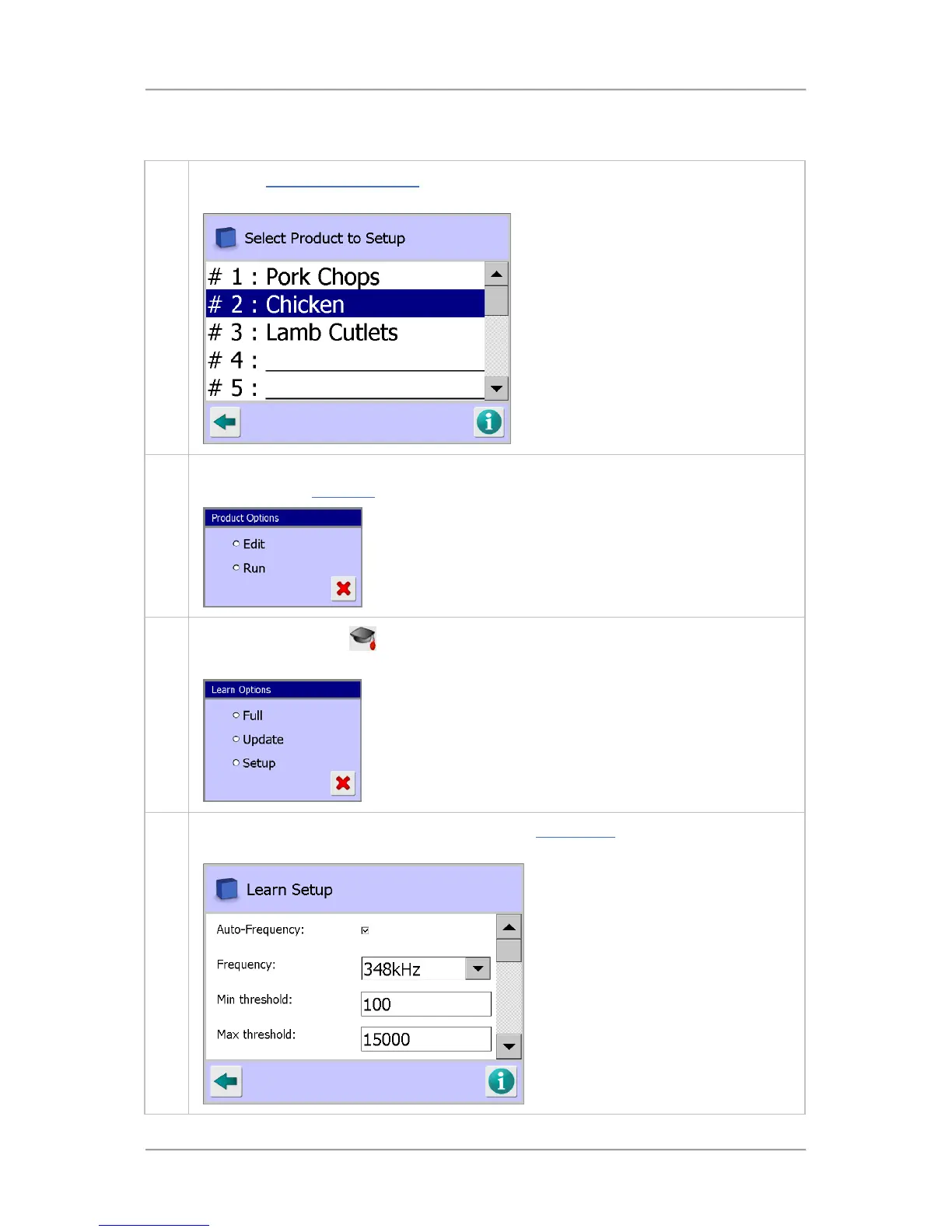
To Learn a product, proceed as follows:
1. From the Select Product to Setup
screen, tap in the list on the product that you wish to
Learn. The Product Options pop-up screen is displayed.
2.
Tap on the Run option to select it to load the product parameters. Once the parameters have
been loaded the Main Run screen is displayed.
3.
Tap on the Learn icon
in the Main Run Screen to display the Learn Options Pop-Up
screen.
4. Tap on the Setup option to select it and display the Learn Setup screen and adjust the
settings to be applied during the Learn process.

Table of Contents

Other manuals for Loma IQ3+

Related product manuals