The User Interface
160
O Max limit lock
Once the Max limit value for the product signal has been entered the value can be locked
to prevent an automatic change during a re-Learn process.
Tap in the option check box to select it.
O
Adjustment
This field is used to set a percentage by which the product signal threshold may be
changed.
Tap in the Adjustment field to display the pop-up numeric keypad screen and enter the
adjustment percentage value to be used.
O
Number of packs
This field is used to set the number of packs to be included in the Tracker calculations.
The range is 1 – 100, where 100 provides the finest control. The default value is 10.
Tap in the Number of packs field to display the pop-up numeric keypad screen and enter
the required number of packs to be used.
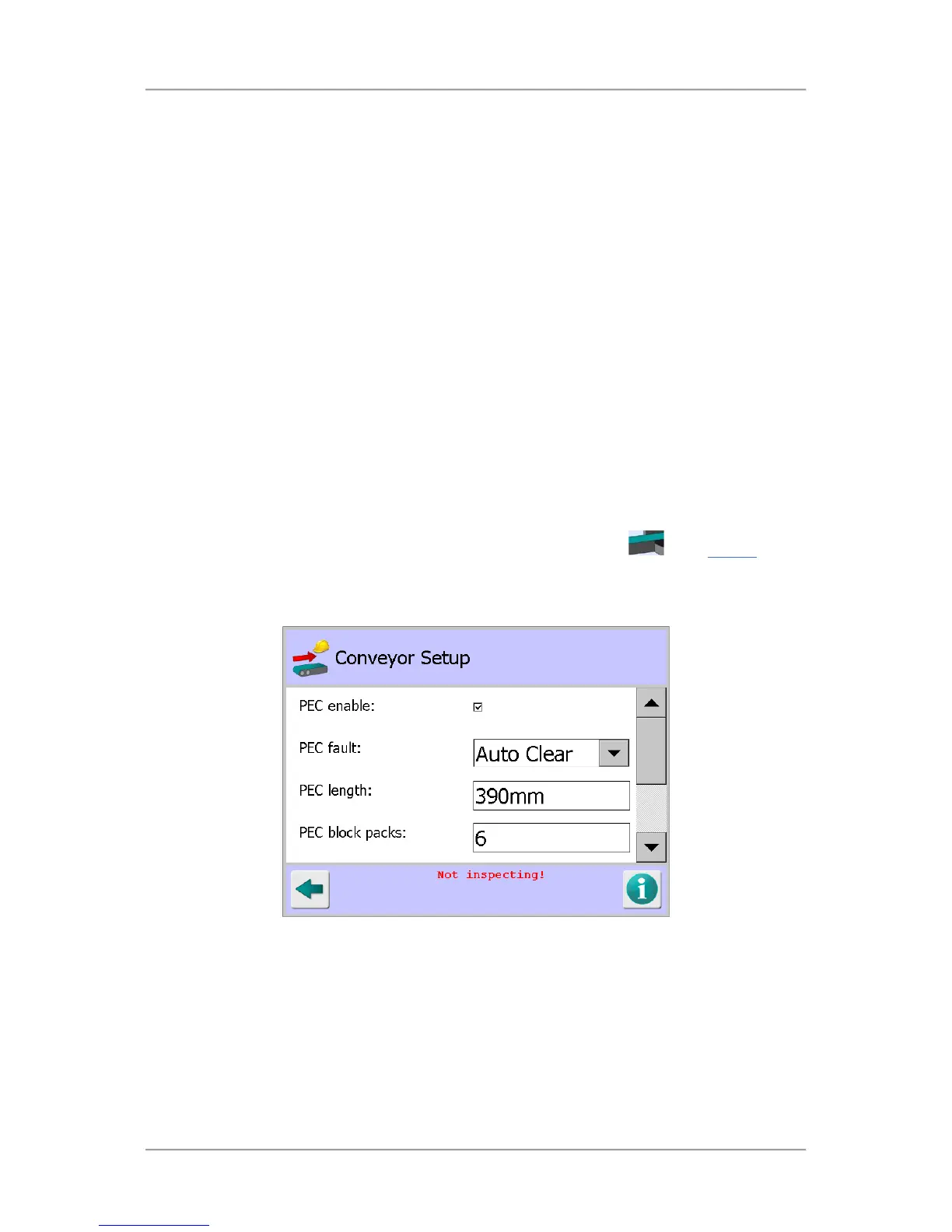
Conveyor Setup
Purpose
The Conveyor Setup screen is displayed by tapping on the Conveyor area
in the Service
screen.
The purpose of the screen is to enable you to set up the conveyor based on the optional items fitted
and its method of operation.
Screen Contents
Select or enter the appropriate parameter values in the screen as follows:
■
PEC enable
This option refers to the optional Product Registration Photo-eye that is located on the infeed of
the conveyor. When the option is enabled the photo-eye acts as a timing start point for both
correct detection and subsequent reject timing functions.
Tap in the option check box to enable or disable it.



 To Next Page