The User Interface
114
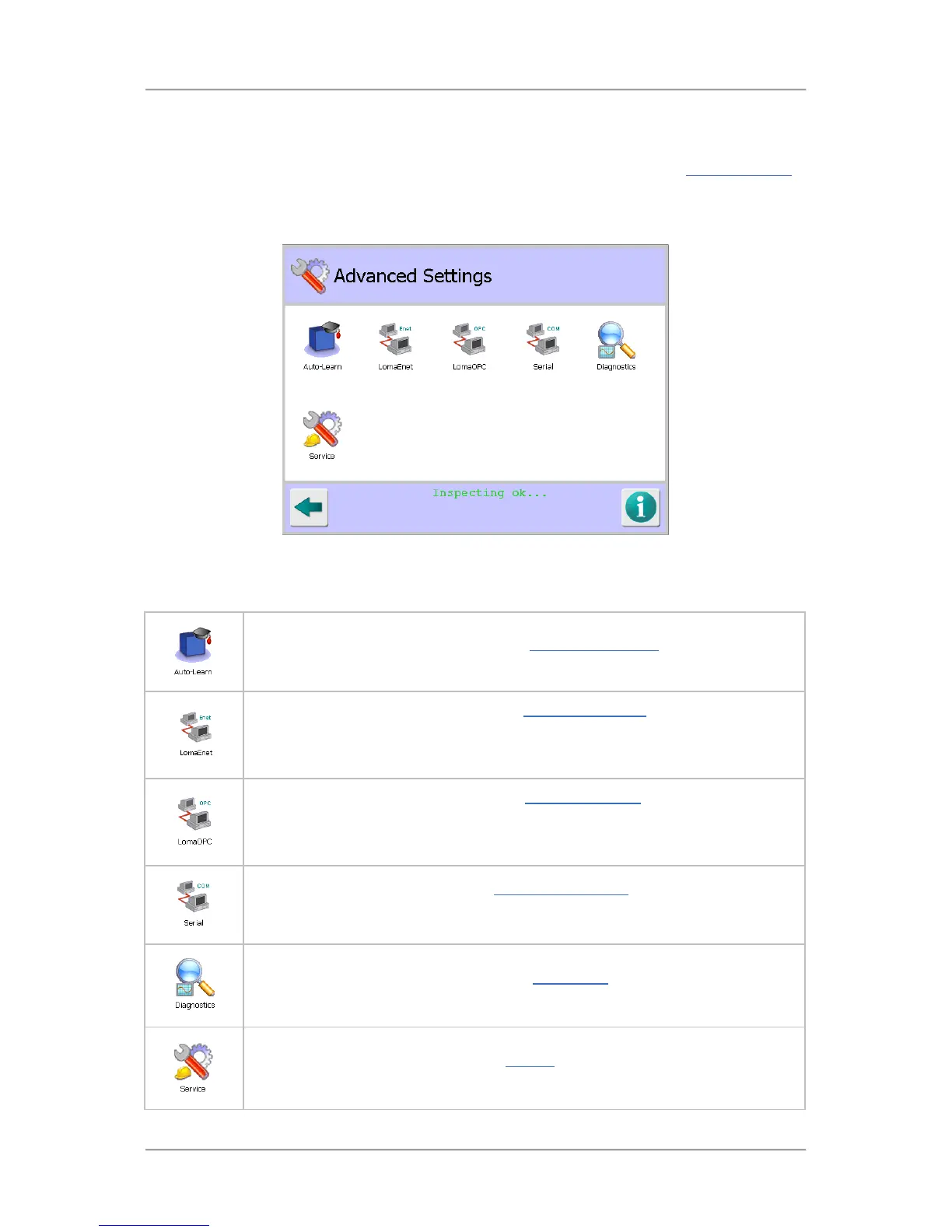
Advanced Settings
Purpose
The Advanced Settings screen is displayed by tapping on the Advanced icon in the System Settings
screen.
The purpose of the screen is to provide access to advanced areas of the system so that their related
settings can be configured as required.
Screen Contents
The screen contains a number of icons described in the table below which when selected provide
access to other screens.
Tap on the Auto-Learn icon to display the Auto-Learn Settings screen to select and
configure the options to be used for the Learn process.
Tap on the LomaEnet icon to display the LomaEnet Capture screen in which you
can view the latest report sent to the LomaEnet Capture application, enter or
change the address and communications Port number for the server and view any
diagnostic messages.
Tap on the LomaOPC icon to display the LomaOPC Server
view the latest message rece
ived from the LomaOPC application and the reply sent,
enter or change the communications Port number that the metal detector will use to
communicate with the LomaOPC application and view any diagnostic messages.
Tap on the Serial icon to display the Serial Comms Setup screen in which you can
set up a serial connection to another device for sending and receiving data from and
to the metal detector . You can also select the data type to be sent and received .
Tap on the Diagnostics icon to display the Diagnostics screen which provides
access through a number of icons to various related screens.
Tap on the Service icon to display the Service screen which provides access
through a number of icons to various related screens .



 To Next Page