Getting Started
64
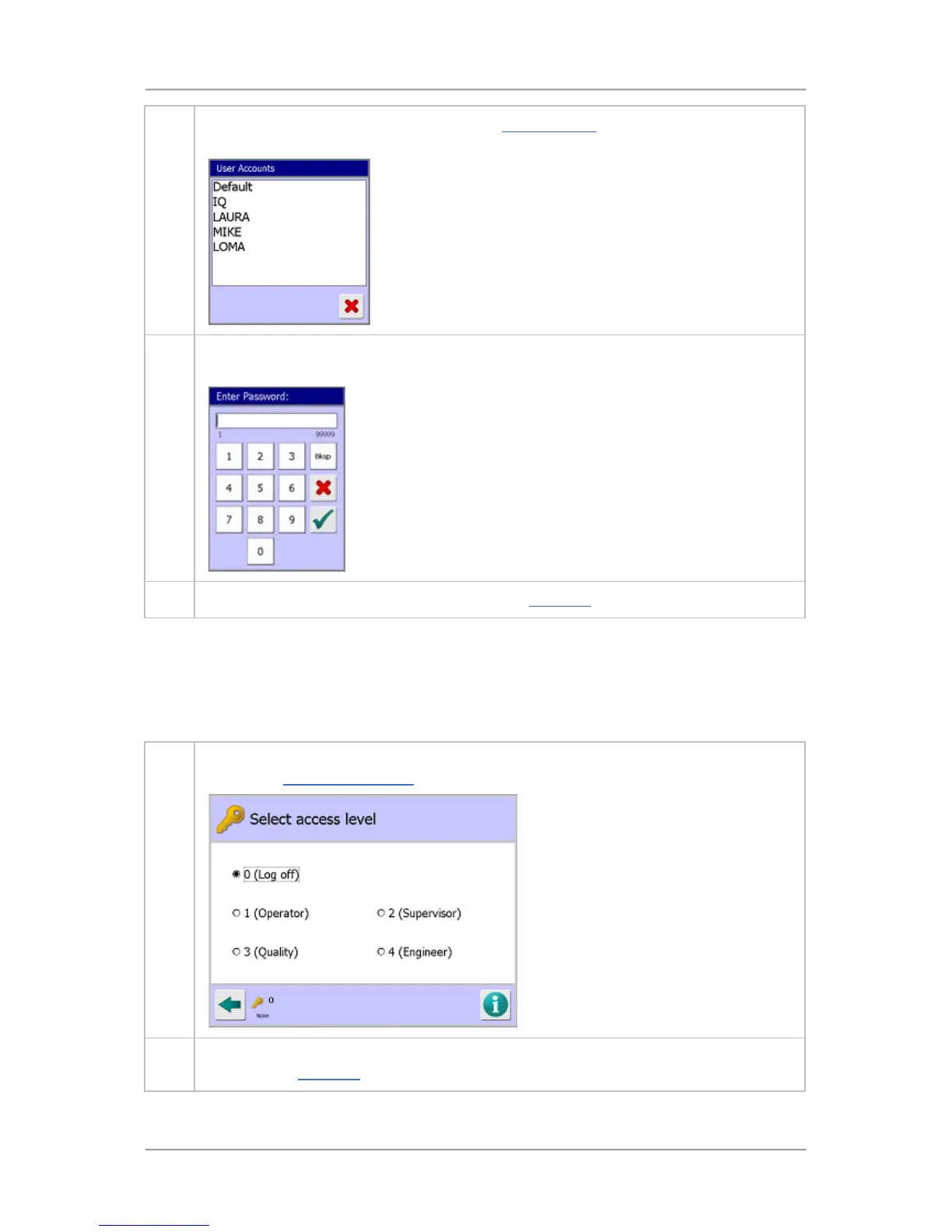
2. Select the Engineer access level option. The User Accounts screen will be displayed
containing a list of all user accounts set up at the selected access level.
3. Select your account name in the list to display the Enter Password screen. Then enter
your password number using the buttons provided and select the Tick button.
4. You are now logged in to your user account. The Main Run screen will be displayed.
Logging Out
It is recommended that you change the User level to ‘Log Off’ once you have finished using the
machine to preclude misuse of the system by untrained / unauthorised staff.
After around 10 minutes of inactivity the machine will automatically reset the user level to Log Off, but
to change it manually proceed as follows:
1. Select the Key symbol at the bottom left hand corner of the currently displayed screen to
display the Select Access Level
screen. Then select the ‘Log Off’ option.
2. Select the GoTo button in the bottom left hand corner of the screen to complete the log off
process. The Main Run
screen will be displayed.



 To Next Page