Operating Instructions
182
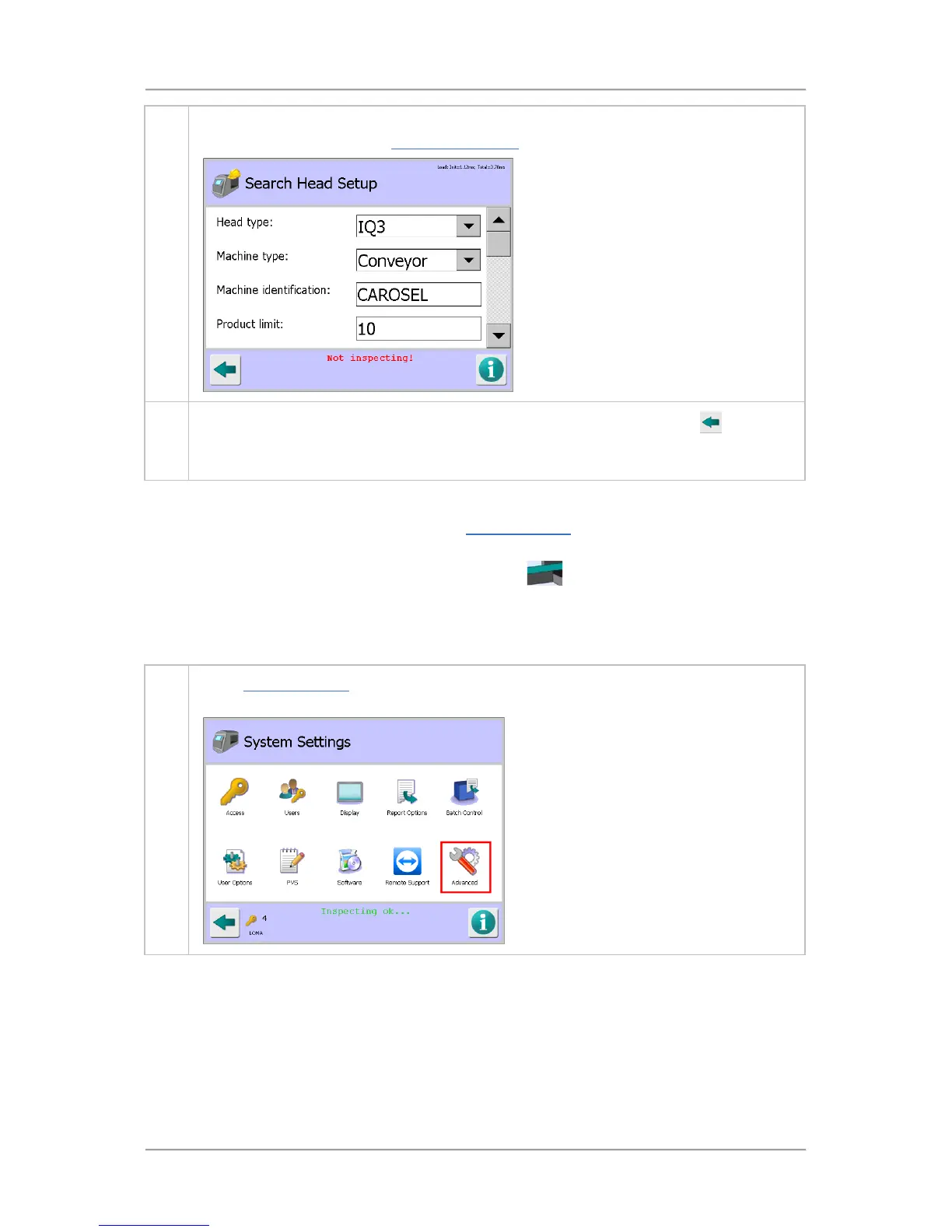
4. You can now select the required options and enter the appropriate parameter values to set
up the search head. See the Search Head Setup screen section for further details
.
5.
Once you have finished entering the required details, tap on the Back button
to display
the Save Settings pop-up screen. Then tap on the green tick 'OK' button to save the
changes.
Setting Up the Conveyor
The conveyor options are configured through the Conveyor Setup screen which provides access to
parameters controlling the conveyor.
If the screen is accessed by tapping on the Conveyor area of the mimic in the System Setup
screen, the settings will be read-only so that the user can review, but not alter, any settings.
To set up the Conveyor, proceed as follows:
1. In the System Settings screen, t
ap on the Advanced icon to display the Advanced Settings
screen.



 To Next Page