Operating Instructions
200
Adding a New Product
This section explains how to add a new product, following which a Full Learn should be carried out to
capture and save the metal detector settings for inspecting the product.
To add a new product, proceed as follows:
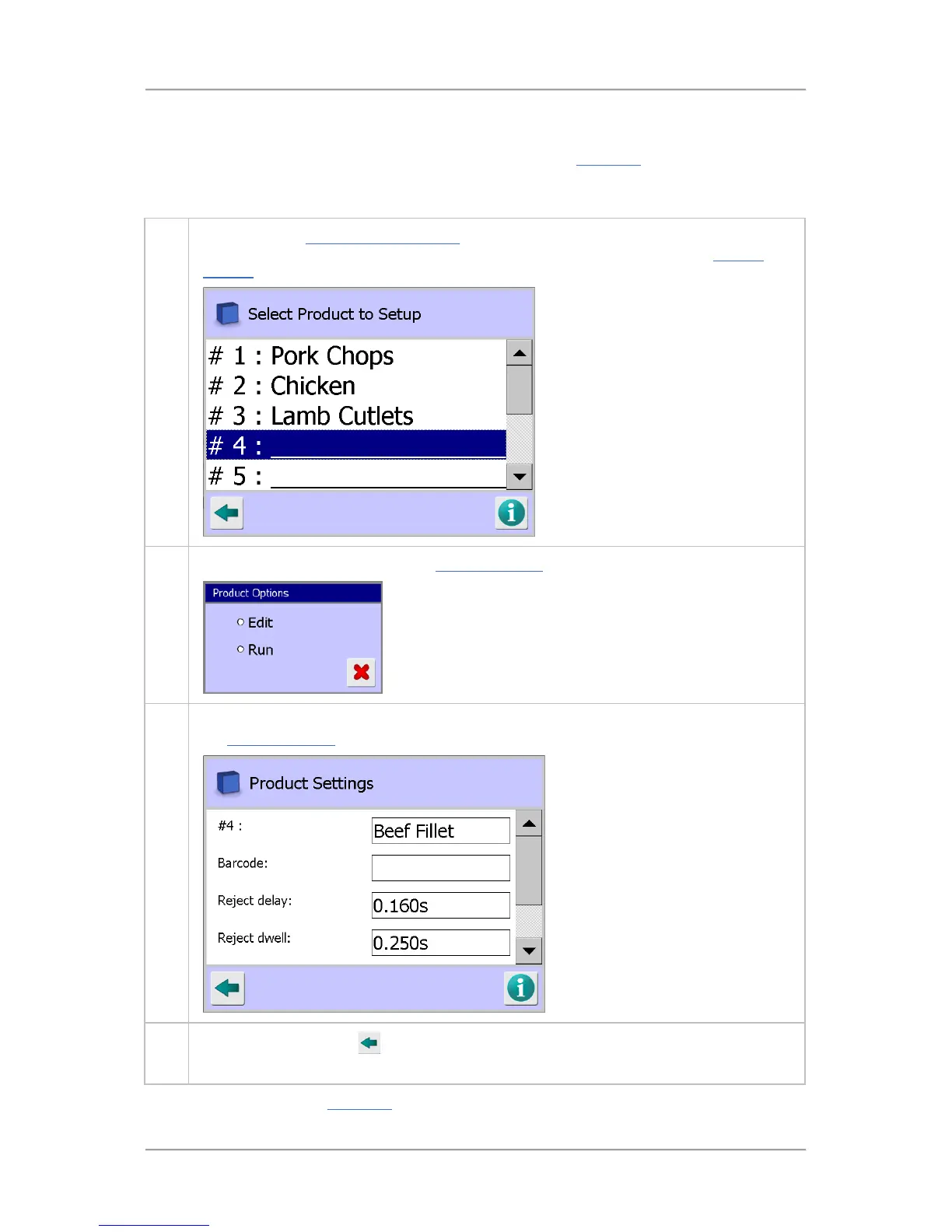
1. Navigate to the Select Product to Setup screen.
Use the scroll bar on the right of the screen
to navigate to the next empty row in the list. Then tap on the row to display the Product
Options screen.
2. Select the Edit option to display the Product Settings screen.
3. Select the required options and enter the appropriate parameter values in the screen. See
the Product Settings screen section for further details.
5.
Tap on the Back button
to display the Save Settings pop-up screen. Then tap on the
green tick 'OK' button to save the changes and close the screen.
You should now carry out a Full Learn process to capture the settings for inspecting the product.



 To Next Page