The User Interface
139
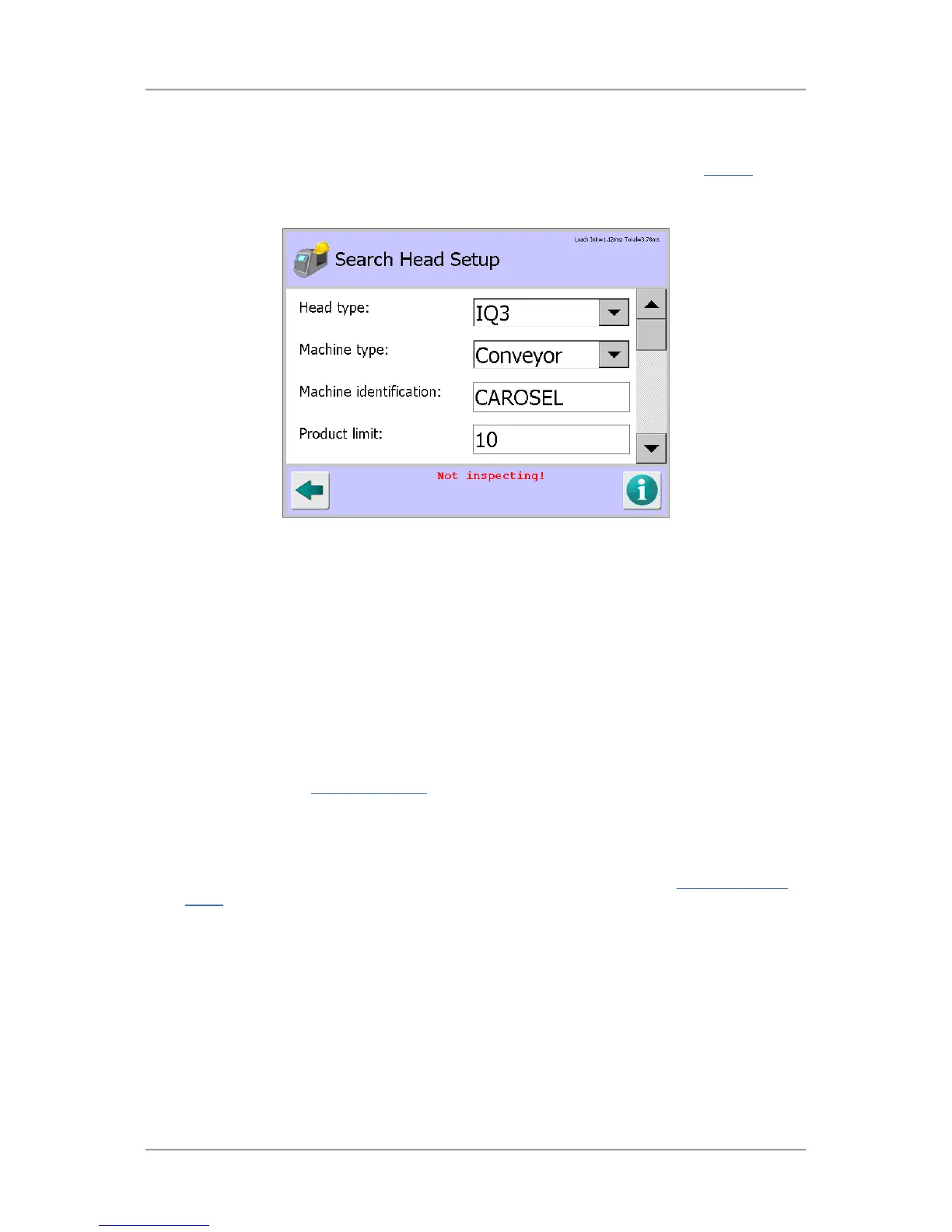
Search Head Setup
Purpose
The Search Head Setup screen is displayed by tapping on the Head Setup icon in the Service
screen.
The purpose of the screen is to configure the detector hardware settings required for the detector to
work correctly.
Screen Contents
The screen contains the following items for configuring the system hardware:
■
Head type
Tap the arrow to the right of the field to display a drop down list of options for selecting the
detector head type to be used.
■
Machine type
Tap the arrow to the right of the field to display a drop down list of options for selecting the
machine type to be used.
■
Machine identification
Tap in the field to display a pop-up keyboard, then enter a unique ID for the metal detector. The
ID is included in all Logs and Reports
generated by the system so is useful when using more
than one metal detector.
■
Product limit
Tap in the field to display a pop-up numeric keypad, then enter a product limit number. This
restricts the number of products that you can add to the system through the
Select Product to
Setup screen by only providing the number of rows to be displayed that you enter as the
product limit.
■
Boards
The type of electronic boards installed in the system are displayed. The top line refers to the
Control board. The bottom line refers to the Transmitter board.
■
Display type
Tap the arrow to the right of the field to display a drop down list of options for selecting the
display type to be used.



 To Next Page