Getting Started
65
Starting and Stopping
This section provides guidance for starting and stopping the IQ
3
+ Metal Detector, including stopping
the machine in an emergency. It is assumed that the search head is mounted on a Loma conveyor.
The following procedures should only be carried out once all installation and commissioning
activities have been completed and operators trained in the use of the machine.
Starting the Machine
To start the machine, proceed as follows:
1.
Ensure that the machine is connected to a suitable power supply
and, if a pneumatic reject
device is fitted, a suitable air supply.
2.
Turn the Isolator Switch, located on the electrical services box, in a clockwise direction.
This will switch on the electrical supply to the machine.
3.
The machine will then start to load its operating software, during which it will also calibrate
the touch screen.
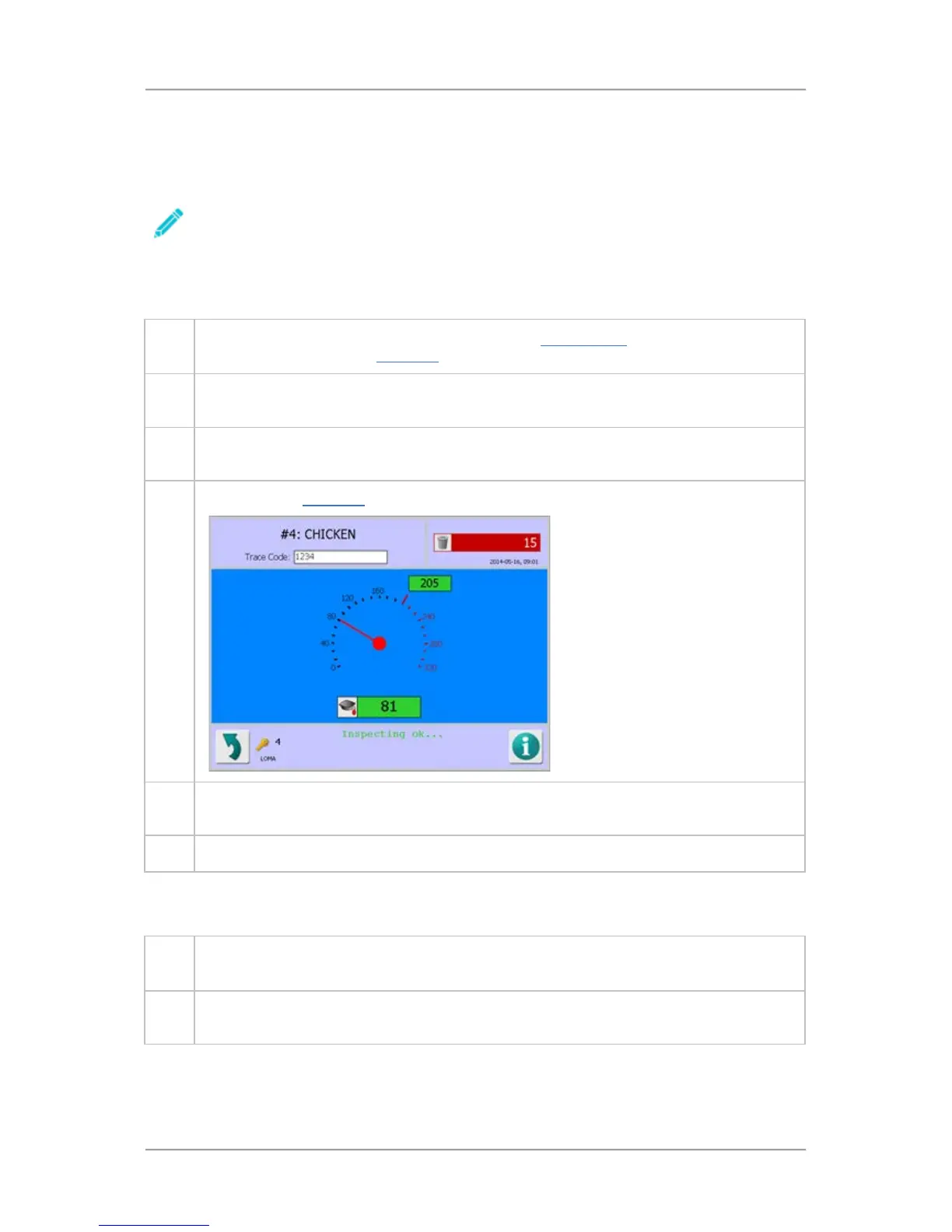
4. By default the Main Run screen is displayed, showing the operating status of the machine.
5.
Push the green section of the Start/Stop button, located on the front of the electrical
services box, to start the conveyor.
6. The machine is now ready to start inspecting the selected product.
Stopping the Machine
To stop the machine, proceed as follows:
1.
Push the red section of the Start/Stop button, located on the front of the Electrical Services
Box, to stop the conveyor.
2.
If you have finished using the machine, turn the Isolator switch in an anti-clockwise
direction. This will switch off the electrical supply to the machine.



 To Next Page