Logs and Reports
225
Screen Contents
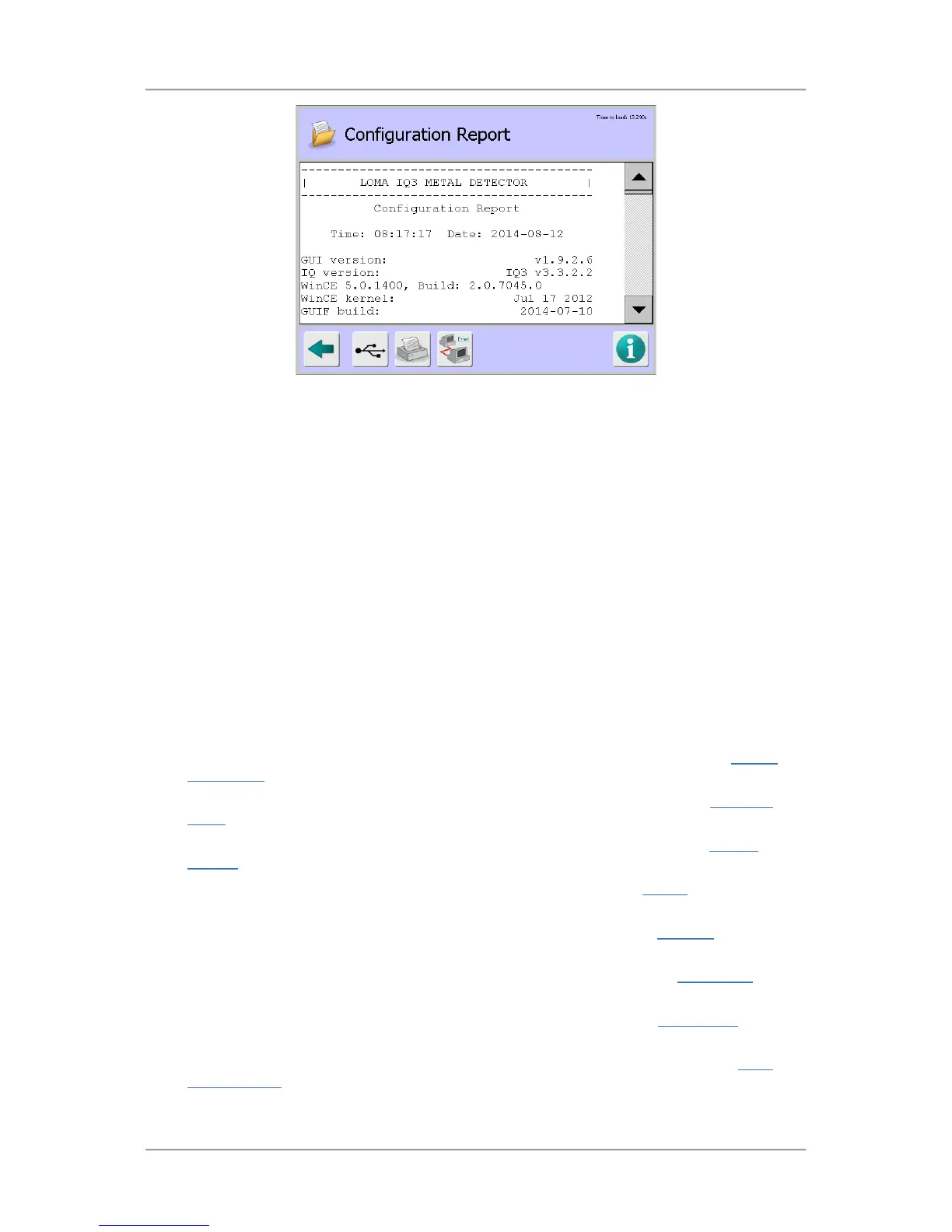
The report contains information in several sections as described below.
■
Configuration - This section contains the following general information:
O
GUI version – Displays the version of the GUI software installed.
O
IQ version – Displays the version of the IQ software installed.
O
WinCE and Build – Displays the version and build details for the installed WinCE
operating system software.
O
WinCE kernel – Displays the version date of the installed WinCE operating system
software kernel component.
O
GUIF build – Displays the build date for the installed GUIF software.
O
Ethernet adaptor – Displays details of the ethernet adaptor type installed.
O
MAC address – Displays the Media Access Control (MAC) address for the Ethernet
adaptor.
O
Machine identification – Displays the machine identification eneterd for the metal
detector.
■
Search Head Setup – This section includes a list of the parameters available in the Search
Head Setup screen and their associated values and selections.
■ Conveyor Setup – This section includes a list of the parameters available in the Conveyor
Setup screen and their associated values and selections.
■ Service Options – This section includes a list of the parameters available in the Service
Options screen and their associated values and selections.
■ GP I/O – This section includes a list of the parameters available in the GP I/O screen and their
associated values and selections.
■ VF Drive – This section includes a list of the parameters available in the VF Drive screen and
their associated values and selections.
■ VF Balance – This section includes a list of the parameters available in the VF Balance screen
and their associated values and selections.
■ Analysis – This section includes a list of the parameters available in the PQ Analysis screen
and their associated values and selections.
■ Auto-Learn Settings – This section includes a list of the parameters available in the Auto-
Learn Settings screen and their associated values and selections.


 To Next Page