The User Interface
87
■ Working lock
Enabling this option locks the Working mode setting, thus preventing the detector from
changing it during a Full Learn process.
Tap in the Working lock option check box to enable it.
System Faults Log
Purpose
System faults are classified as serious and require immediate action. When a fault is generated the
fault relay operates, permanently operating the reject device and/or stopping the conveyor transport.
This log is useful for monitoring the types of faults being generated that interrupt production and
looking for potential trends so that improvements may be made to reduce production down time.
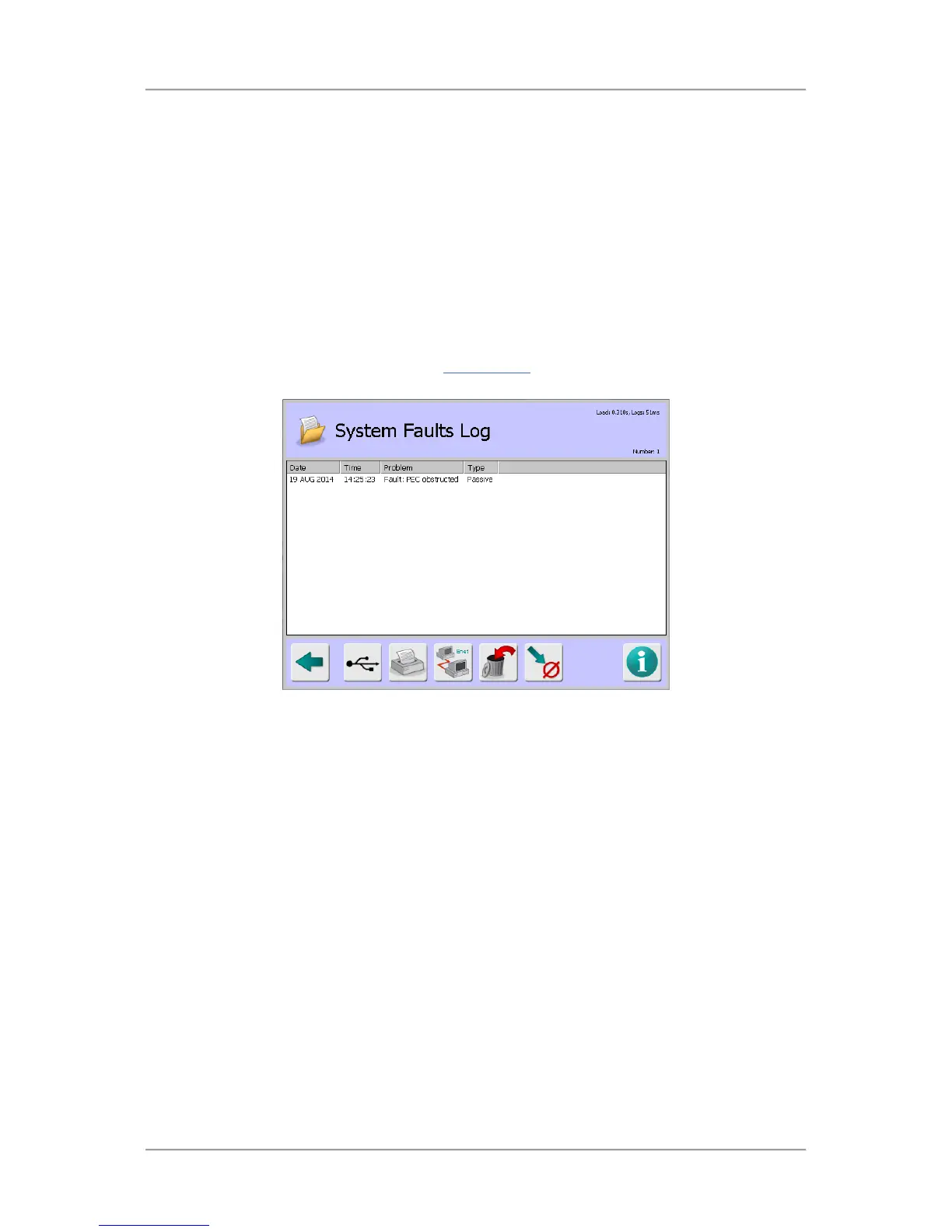
Selecting the System Faults Log option in the Logs/Reports
screen displays the System Faults Log
screen.
Screen Contents
The screen displays a list of system faults under the following column headings:
■
Date – Displays the date that the error occurred.
■
Time – Displays the time that the error occurred.
■
Problem – Displays a brief description of the reason why the error has been generated. See
Example problems below.
■
Type – This column displays the current status of the error:
O
Active – The error is current and has not been cleared.
O
Event – The error has been cleared.
O
Passive – The error has been listed for advice only
The log can hold up to 20 system fault records. If this number is exceeded and the log has not been
sent as a report, then the oldest record is deleted to provide space for a new record.
Example Problems
Some example system faults problems that may be displayed and suggested remedial actions are
listed below.
■
Problem: 5V out of spec - the 5V rail is less than 4.75V.
O Action: Contact your local Loma service centre for assistance.



 To Next Page