Operating Instructions
181
Setting Up the Search Head
Setting up of the detector search head is carried out in the Search Head Setup screen which when
selected takes the detector out of run mode so that it is not inspecting products.
The options and parameters within this screen contain basic set up data that the detector requires
before it is able to correctly function. Important data entries must be completed correctly before exit of
this screen is allowed. If data is missing then a message advising of the missing data is displayed.
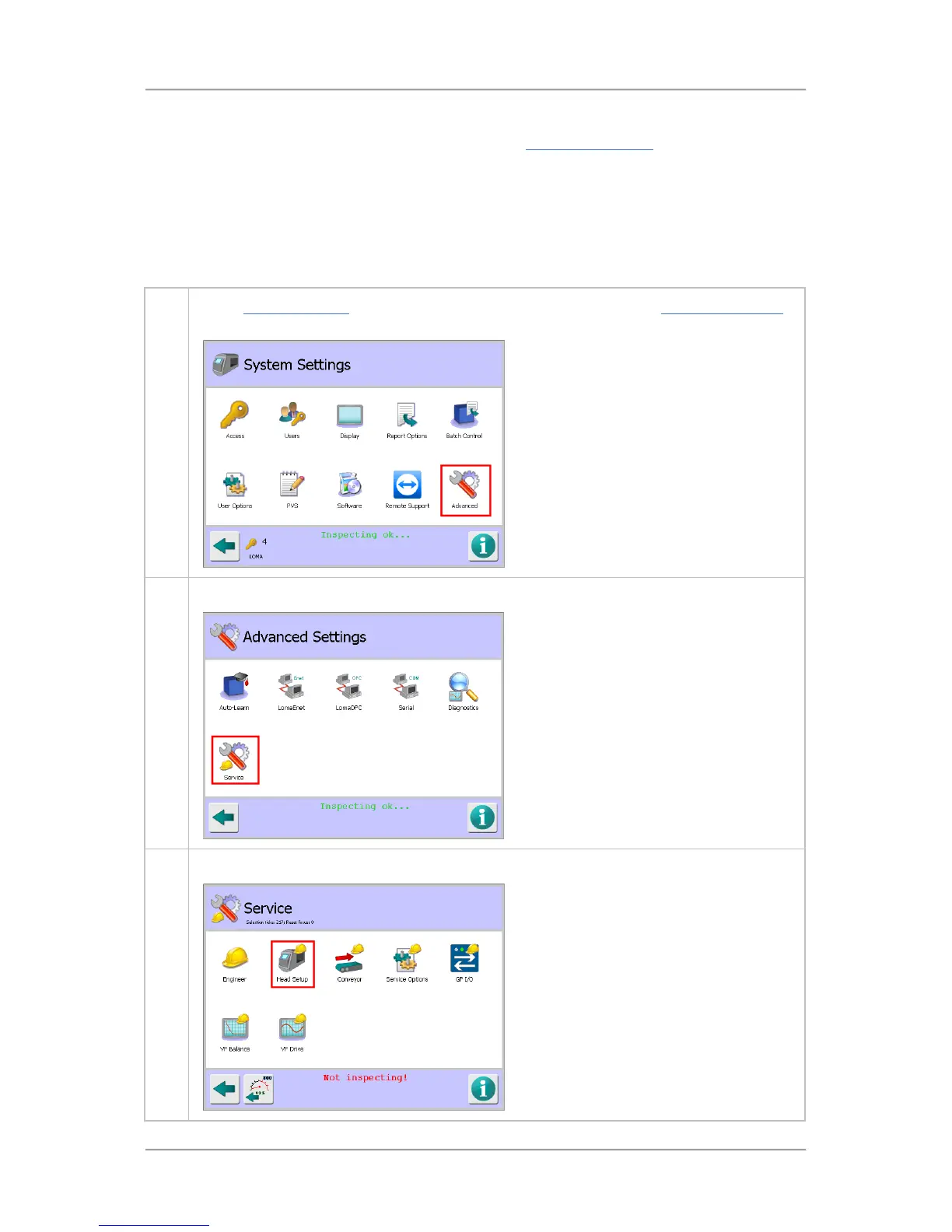
To set up the search head, proceed as follows:
1. In the System Settings screen tap on the Advanced icon to display the Advanced Settings
screen.
2. Tap on the Service icon to display the Service screen..
3. Then tap on the Head Setup icon to display the Search Head Setup screen.



 To Next Page