The User Interface
118
Message Explanation
+Head locked+
The detector is using the Gain value set for the product in the Learn Setup
screen, rather than determining it itself, as the Gain lock option has been
enabled in the Learn Setup screen.
+Mode locked+
The detector is using the Working mode option set for the product in the
Learn Setup screen, rather than determining it itself, as the Working lock
option has been enabled in the Learn Setup screen.
+Dry product+
option has been selected and locked in the Learn Setup screen.
+Calibrate
complete+
Full calibration was successful.
See the Learning Products section for further details on the Learn feature.
LomaEnet Capture
Purpose
The LomaEnet Capture screen is displayed by tapping on the LomaEnet icon in the
Advanced
Settings screen.
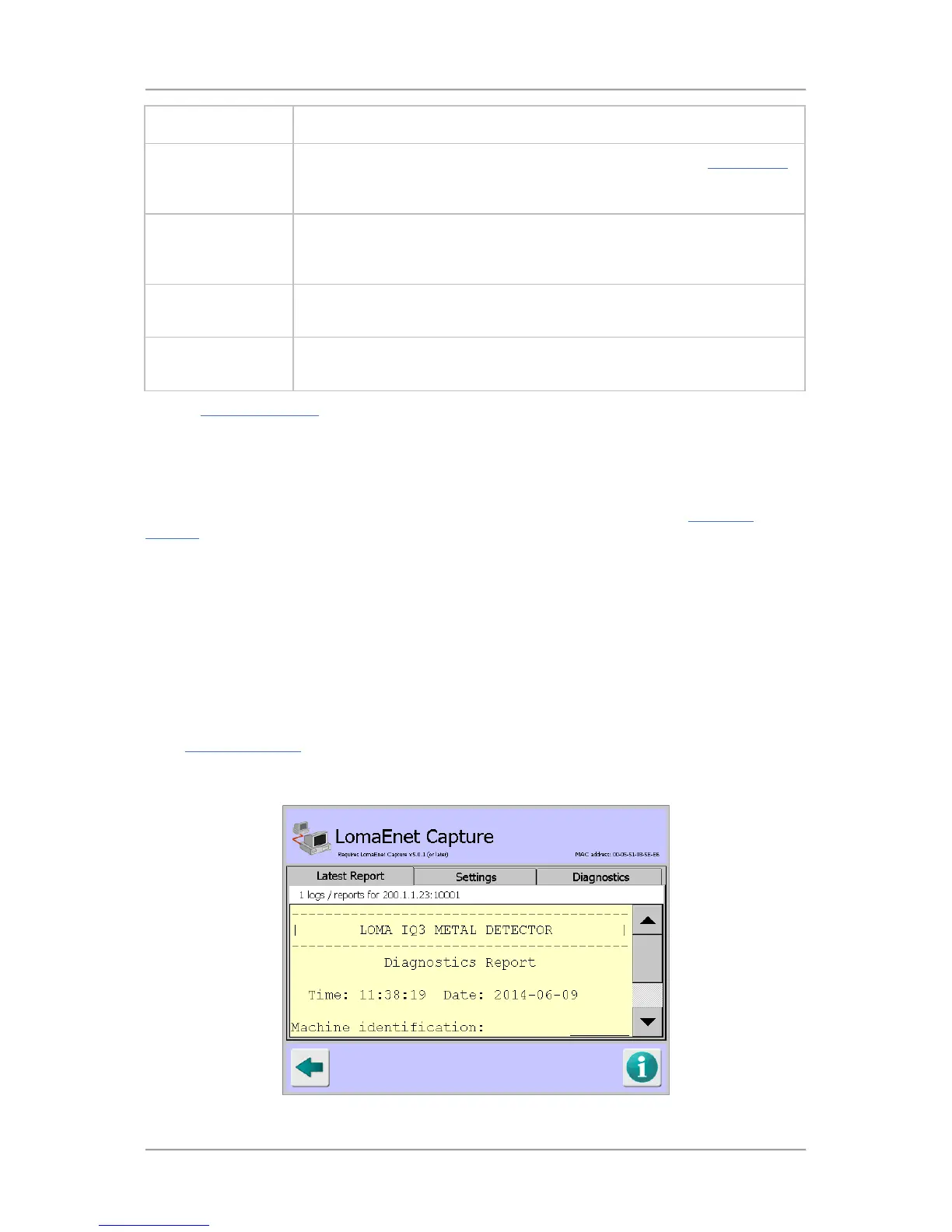
The purpose of this screen is to allow you to view the latest report sent to the LomaEnet Capture
application, enter or change the address and communications Port number for the server and to view
any diagnostic messages.
Screen Contents
The screen is divided into three tabs which are described below.
■
Latest Report
Reports can be sent manually to the server on which the LomaEnet Capture application has
been installed by clicking on the LomaEnet button provided at the bottom of the Report/Log
screen. Some reports can also be set up to be automatically sent to the application. See the
Logs and Reports
chapter for further details.
This tab displays the latest report received by the LomaEnet Capture application.



 To Next Page