Using the Metal Detector
172
Frequency Selection
This metal detector can run at a choice of seventy different operating frequencies so that the optimum
frequency can be chosen for any given product. Generally, dry products run at high frequencies, but
more conductive and non-uniform products run at low frequencies.
The frequencies are split into 10 bands as shown in the table below. This resolves any issues with
cross-talk between two metal detectors working in close proximity. By setting one detector to use the
available frequencies in a different band to the other detector they will never be operating on the
same frequency.
Band Frequencies (KHz)
Band 1
31 71 111 203 300 405 576
Band 2
33 73 115 208 319 416 600
Band 3
35 75 121 211 326 428 625
Band 4
37 77 126 217 333 441 652
Band 5
39 79 131 223 340 454 681
Band 6
41 81 136 231 348 468 714
Band 7
43 83 141 238 357 500 750
Band 8
46 85 146 242 365 517 789
Band 9
48 87 151 250 375 535 833
Band
10
52 89 156 254 384 555 882
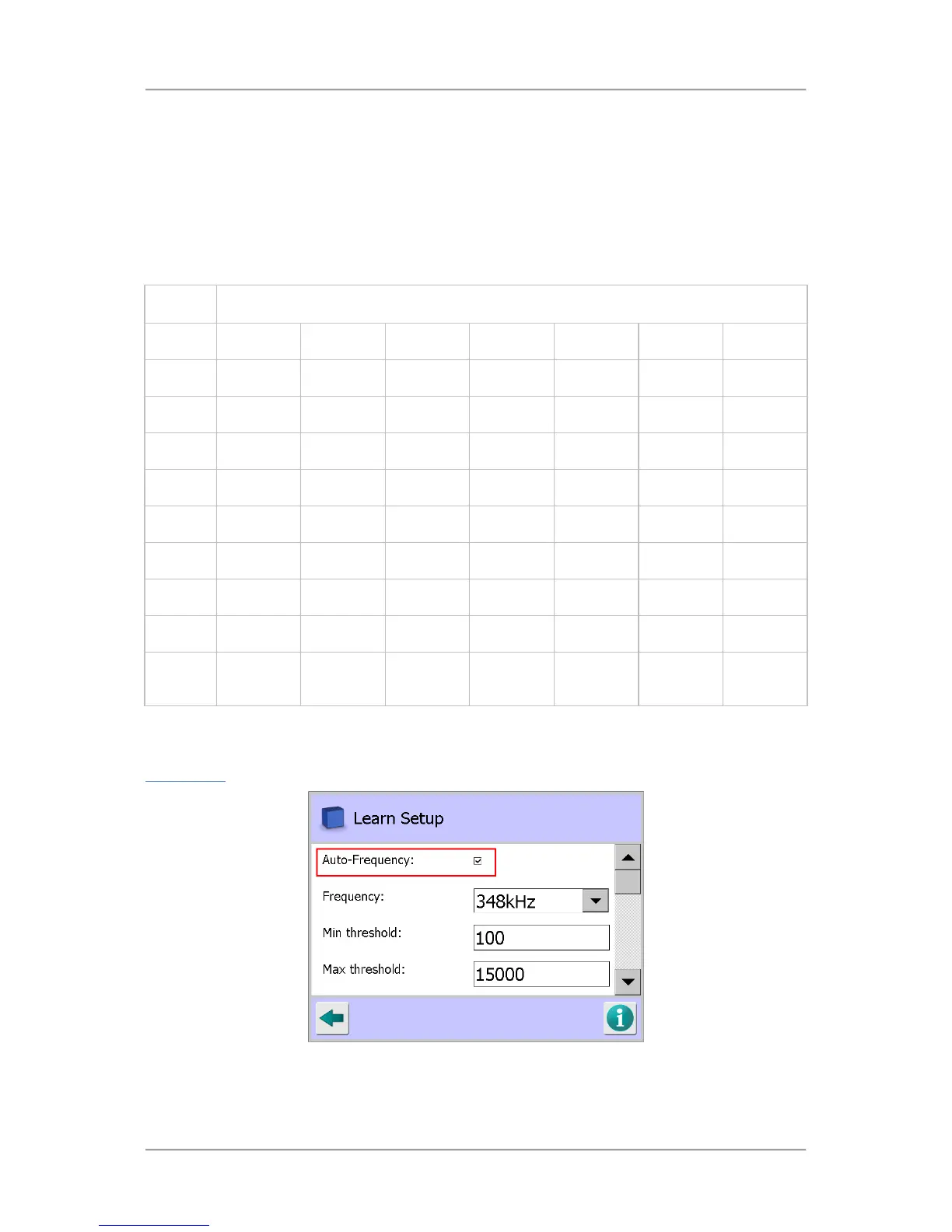
Because only the most experienced user will be able to correctly choose the optimum frequency, the
product Learn process on the metal detector will automatically select the most suitable frequency. To
allow the metal detector to select the best frequency, simply select the Auto-Frequency option in the
Learn Setup
screen.
Where several detectors are sited close together, it is essential that they do not run at the same
frequency. This is achieved by allocating them separate frequency bands, which will have been set as
part of the commissioning process.



 To Next Page