Operating Instructions
175
5. To change the time, tap on the hours, minutes and seconds value fields in turn and use the
up and down arrows to set the required values.
Also see the Calendar screen section for further details.
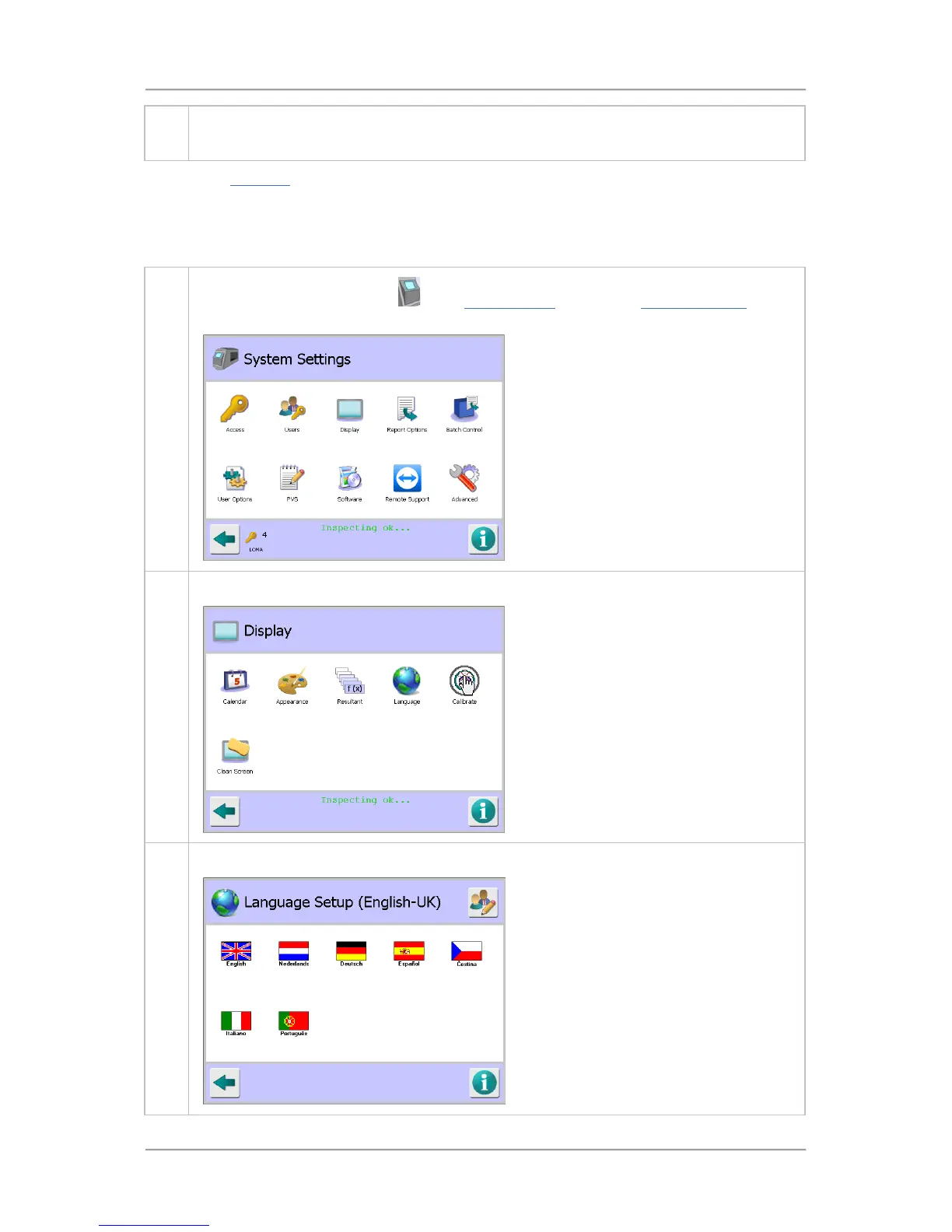
Setting the Language
The following procedure provides an example of changing the system language from English to
French.
1.
Tap on the control panel area
in the System Setup screen. The System Settings screen
is displayed.
2. Tap on the Display icon to show the Display screen.
3. Then tap on the Language icon to display the Language Setup screen.



 To Next Page