Operating Instructions
176
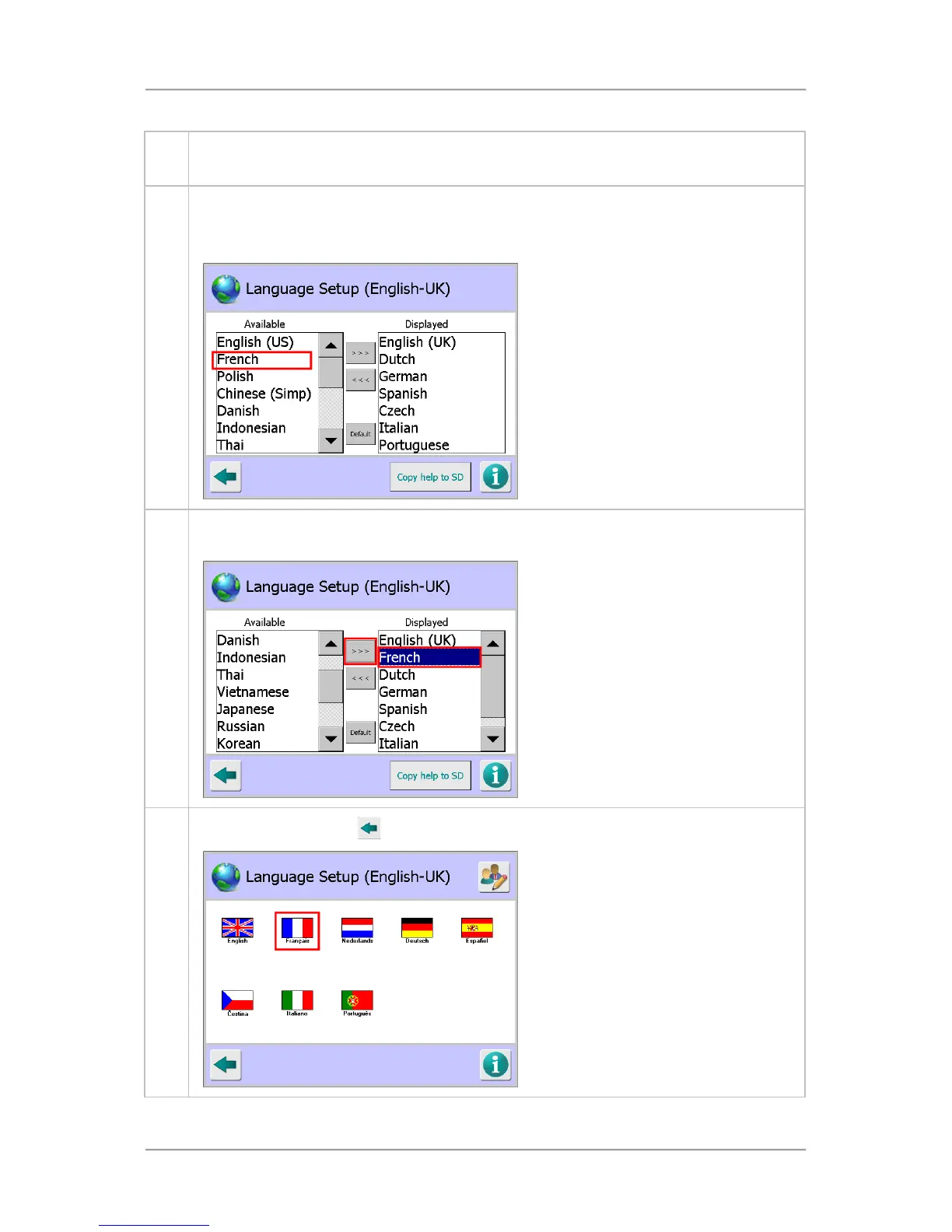
4. From this screen you can select the required language by tapping on the appropriate flag
icon to select it. We want to select the French language but a French flag is not displayed
5. Tap on the Edit button in the top right hand corner of the screen. Further options are
displayed.
Then Tap on the French entry in the Available column to select it.
6. Tap on the right arrow button in the centre of the screen to move the French entry across to
the Displayed column.
7.
Tap on the Back button
. A French flag will be displayed for selection.



 To Next Page