Operating Instructions
186
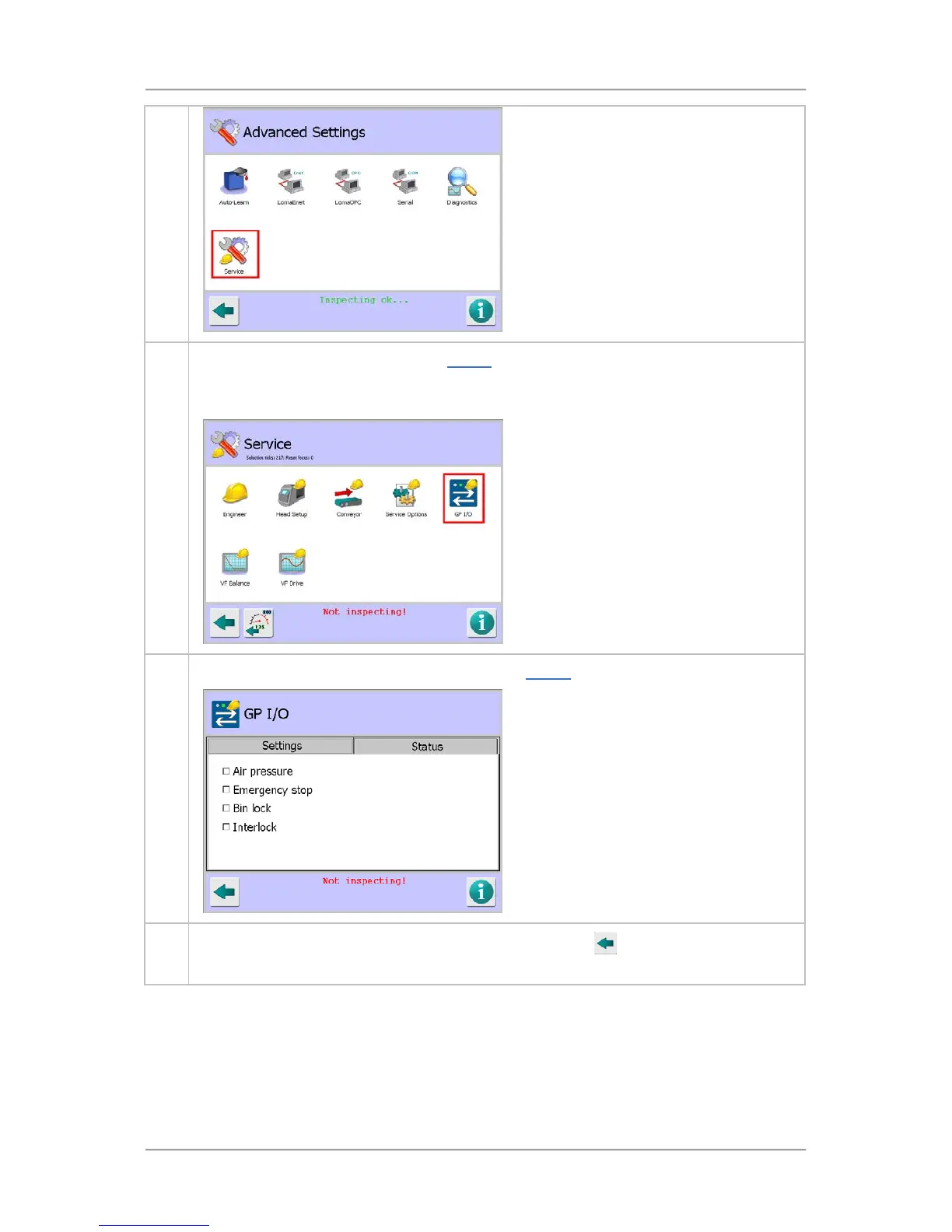
3. Tap on the GP I/O icon to display the GP I/O screen.
Note that the detector will stop inspecting whilst you are in any Service screen, as indicated
by the red message Not Inspecting!displayed at the bottom of the screen.
4. You can now select the required options. See the GP I/O screen section for further details.
6.
Once you have selected the options, tap on the Back button
to display the
pop-up screen. Then tap on the green tick 'OK' button to save the changes.
Setting the VF Balance
Setting the balance on the raw P and Q channels for all available operating frequencies to maximise
sensitivity of the detector is carried out in the VF Balance screen. This is completed during the
machine manufacturing process so should not need adjustment under normal operating conditions.



 To Next Page