Operating Instructions
190
menu requires enabling, the tick box is greyed out. If an option remains un-ticked (disabled) then any
further menus that are associated with it will remain hidden to the user.
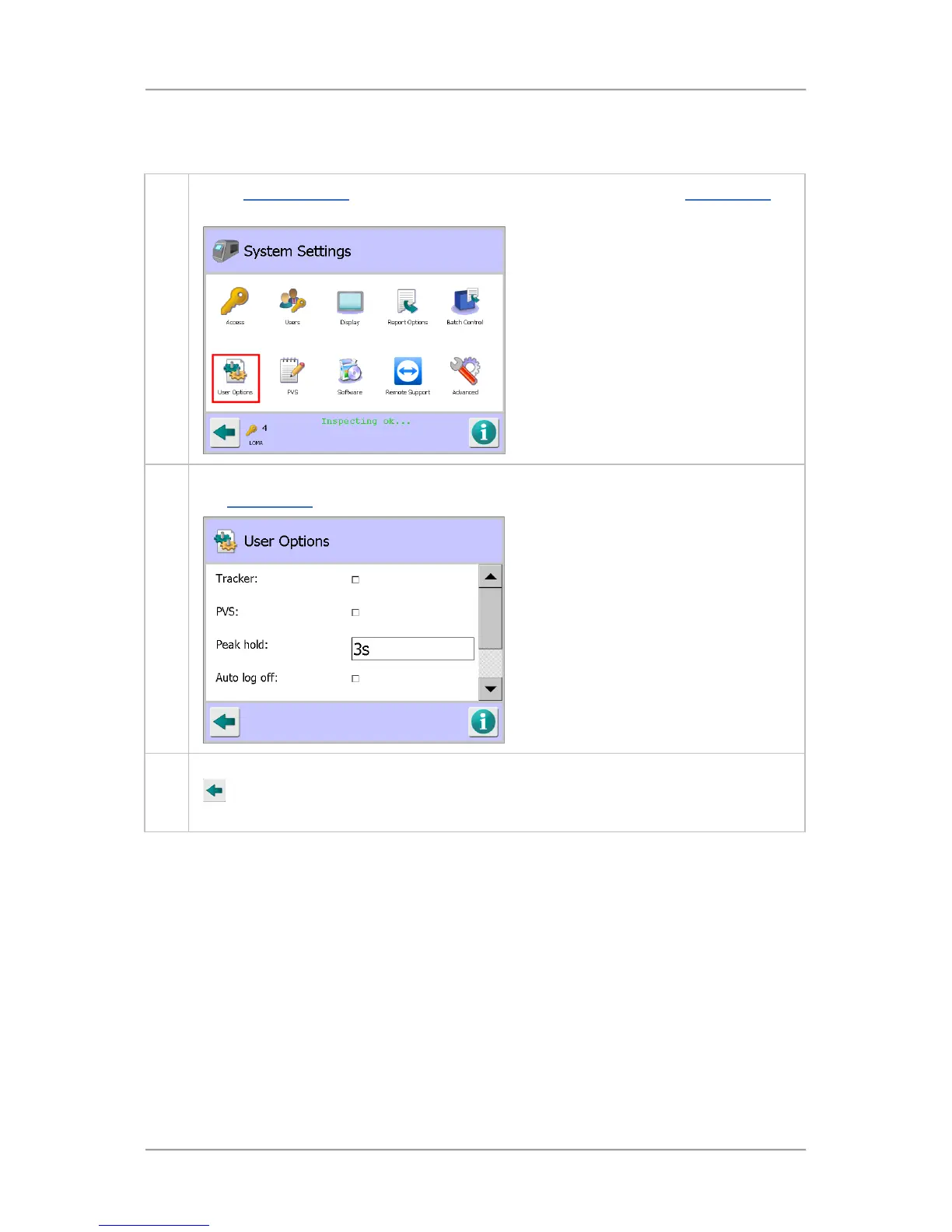
To set up the user options, proceed as follows:
1. In the System Settings screen, tap on the User Options icon to display the User Options
screen
2. Select the required options and enter the appropriate parameter values in the screen. See
the User Options screen section for further details
.
3. Once you have entered details and selected the required options, tap on the Back button
to display the Save Settings pop-up screen. Then tap on the green tick 'OK' button to
save the changes.
Setting Up Serial Links
Serial links are set up through the Serial Comms Setup screen which provides choices for the type of
data to be transmitted and/or received and how the data is communicated. To enable communications
over a serial link to function, the detector must have as a minimum the additional serial link board with
cabling. Report options will require the further addition of an Ethernet module.
To set up a serial link, proceed as follows:



 To Next Page