Operating Instructions
191
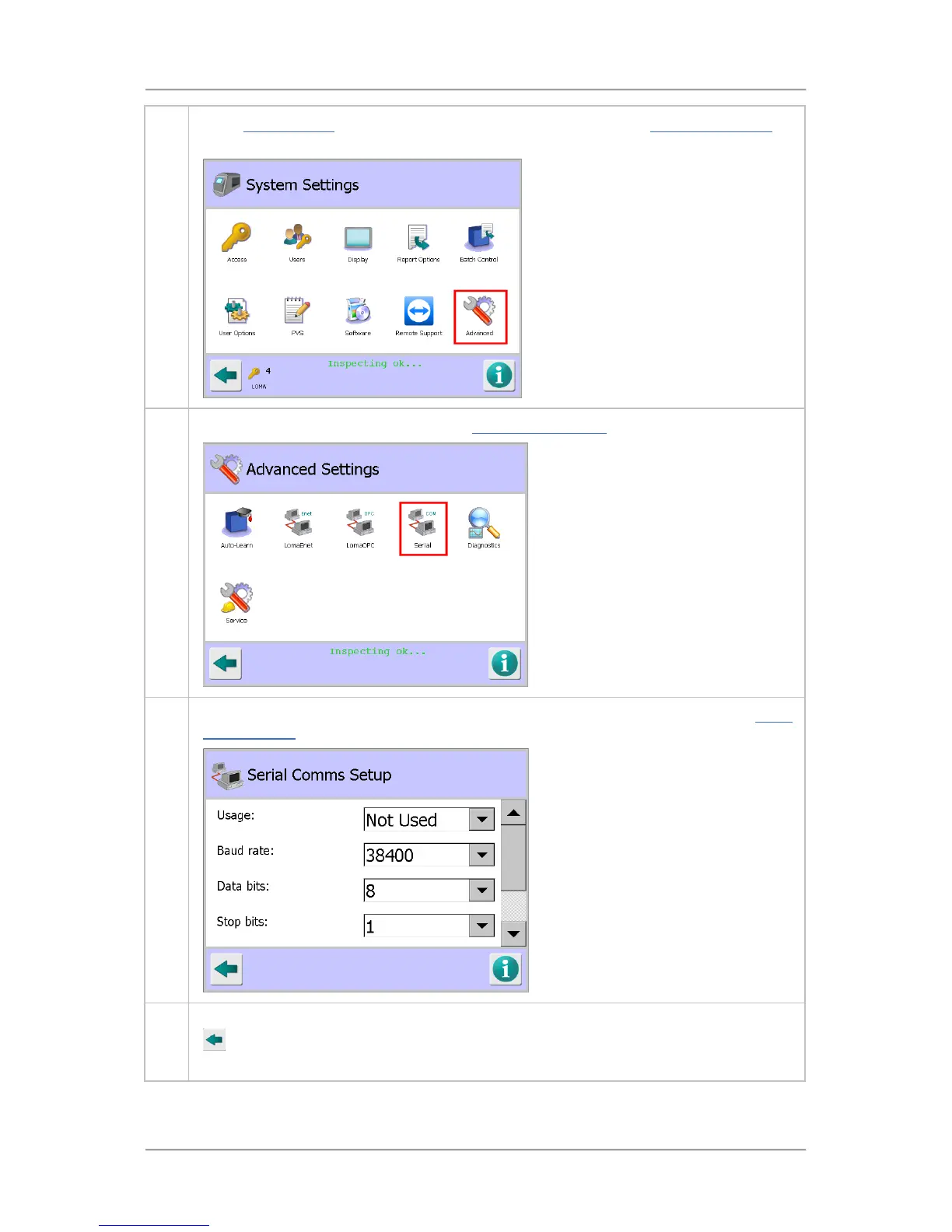
1. In the System Setup screen, tap on the Advanced icon to display the Advanced Settings
screen.
2. Then tap on the Serial icon to display the Serial Comms Setup screen.
3. Select the options and enter the appropriate parameter values in the screen. See the Serial
Comms Setup screen section for further details.
3. Once you have entered details and selected the required options, tap on the Back button
to display the Save Settings pop-up screen. Then tap on the green tick 'OK' button to
save the changes.



 To Next Page