Logs and Reports
216
Screen Contents
The screen displays a list of inspection records where contaminants were detected under the
following column headings:
■
Date – Displays the date that the error occurred.
■
Time – Displays the time that the error occurred.
■
Number – Displays the product number.
■
Threshold – Displays the threshold value set for the product inspected.
■
Signal – Displays the actual signal value received
The log can hold up to 20 records. If this number is exceeded and the log has not been sent as a
report, then the oldest record is deleted to provide space for a new record.
Batch Log
Purpose
The Batch Log contains a record of completed batch information. Batches can be compiled on a time
basis or a count basis where the Production Registration PEC is fitted.
This log is useful for monitoring and analysing batch reject rates per product so that improvements
may be made to reduce production costs.
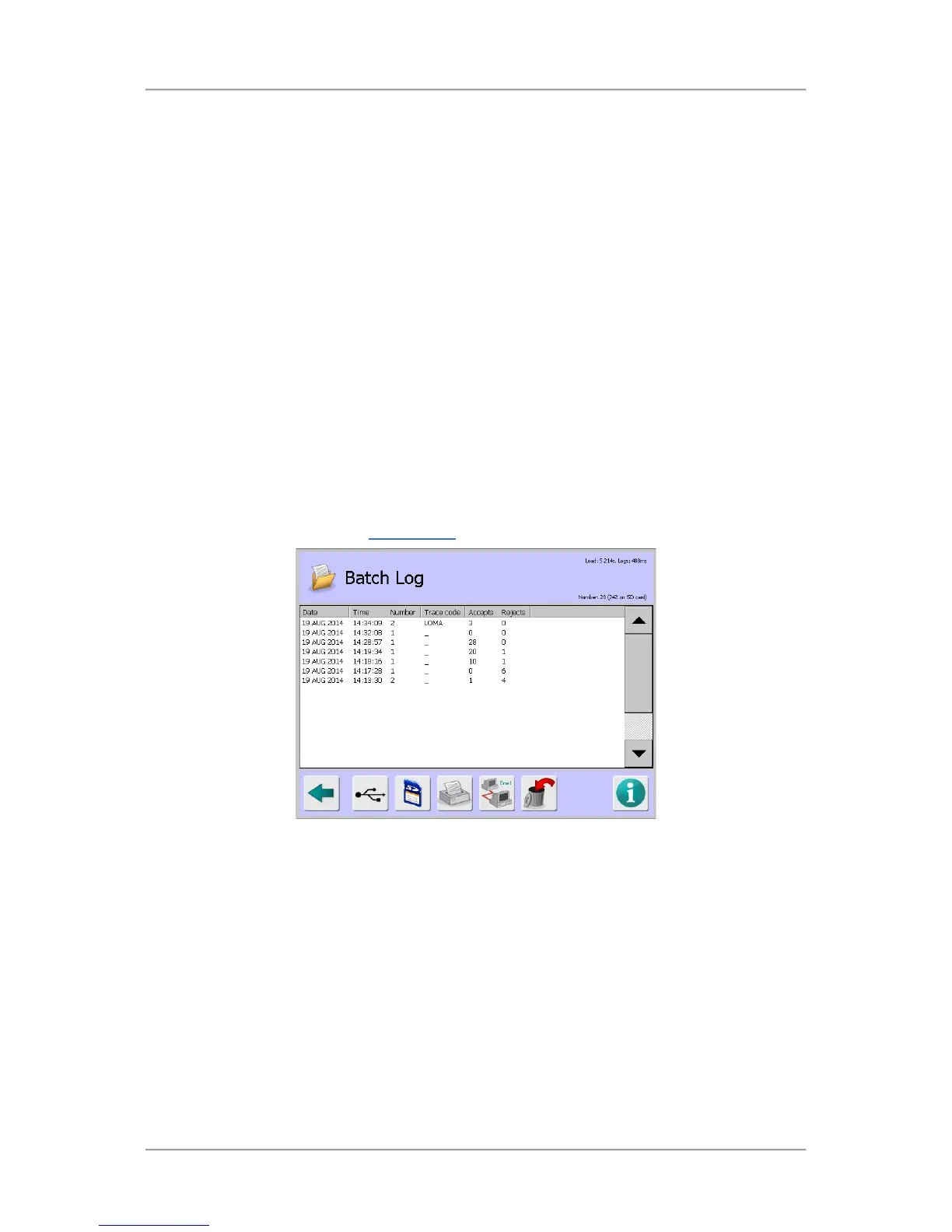
Select the Batch Log option in the Logs/Reports
screen to display the Batch Log screen.
Screen Contents
The screen displays a list of system faults under the following column headings:
■
Date – Displays the report date.
■
Time – Displays the report time.
■
Trace Code – Displays the Traceability code assigned to the batch, available if this option has
been enabled in the Batch Control screen.
■
Accepts – Displays the number of accepted products inspected, available if the Product
Registration PEC is fitted to the conveyor.
■
Rejects – Displays the number of rejected products.
The log can hold up to 20 system fault records. If this number is exceeded and the log has not been
sent as a report, then the oldest record is deleted to provide space for a new record.



 To Next Page