Safety First
15
Test reports can be automatically or manually sent directly to a printer or networked PC via LomaEnet
when the metal detector is connected to a network. Alternatively the report may be saved to an SD
card if fitted or to the flash disk.
The test log file in .csv format may also be downloaded onto a memory stick via the USB port and
then opened for analysis in Microsoft Excel.
Manual Testing
When testing is carried out manually, the results must be manually recorded and should include the
following:
■ Line or detector identification
■
Date and time of the test
■
Details of the sample(s) used.
■
Identification of the operator/tester
■
Results of the test (pass / fail)
■
Corrective action taken if the result was failure
Learn Feature
The Learn feature incorporated into the metal detector completely automates the configuration of the
detector settings for a product. Two Learn process options are available.
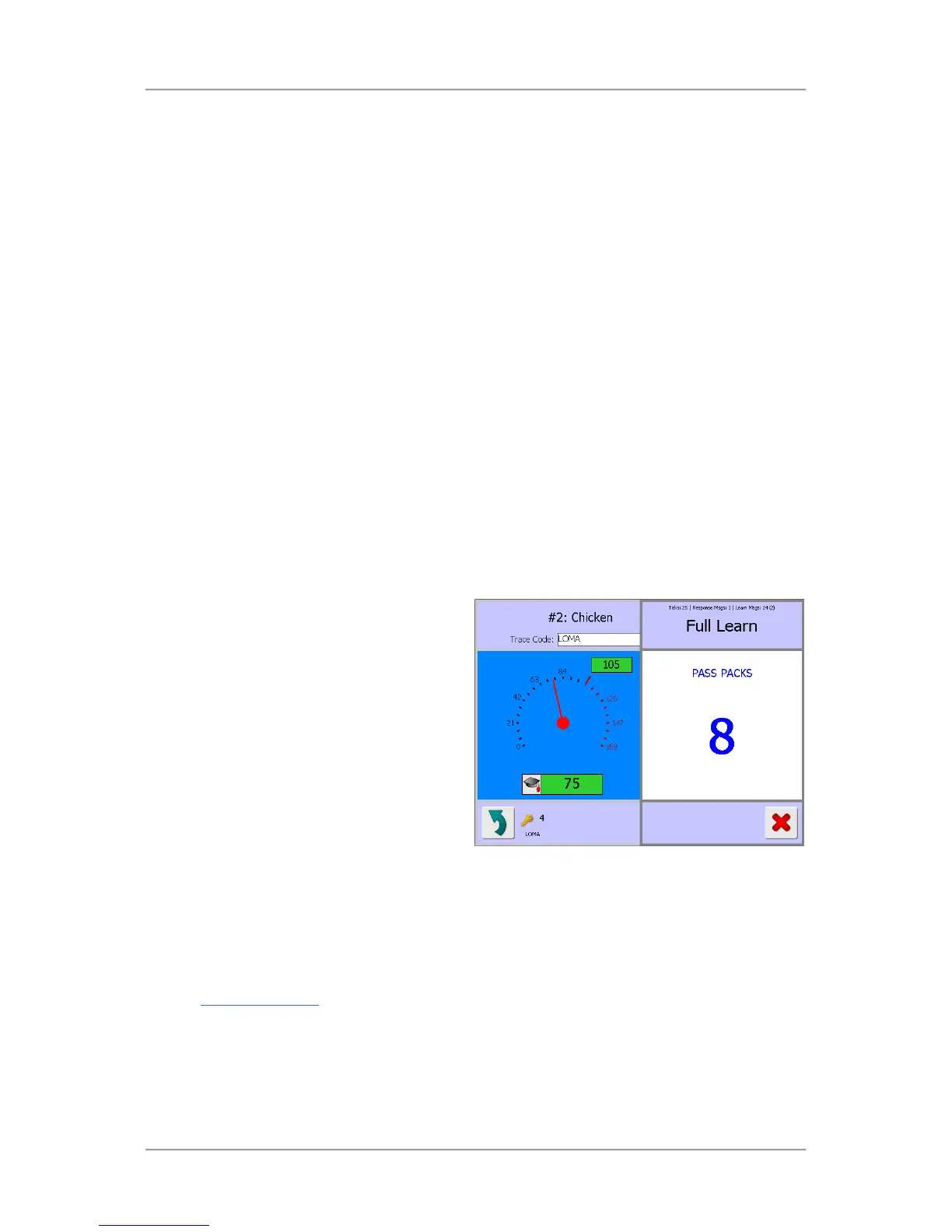
Full Learn
The Full Learn process consists of following
on-screen instructions to pass a number of
product samples through the detector
aperture.
The product samples used during any Learn
to be run and known to be free from metal
contamination.
Normally at least eight product samples will
be required. By using more than one sample
the detector can make adjustments if
necessary for differences that may occur
across the samples used.
A single product sample could be repeatedly
passed through the detector but the resulting
Learn may not be as good and require an
update when the product line is run .
The best results will be obtained by passing the product samples in succession through the detector
in the time period dictated by the on-screen instructions. If possible you should Learn the product on a
running line so that the detector learns a product as it would normally be run.
See the Learning Products
section for further details.



 To Next Page