Logs and Reports
217
Configuring a Batch Log
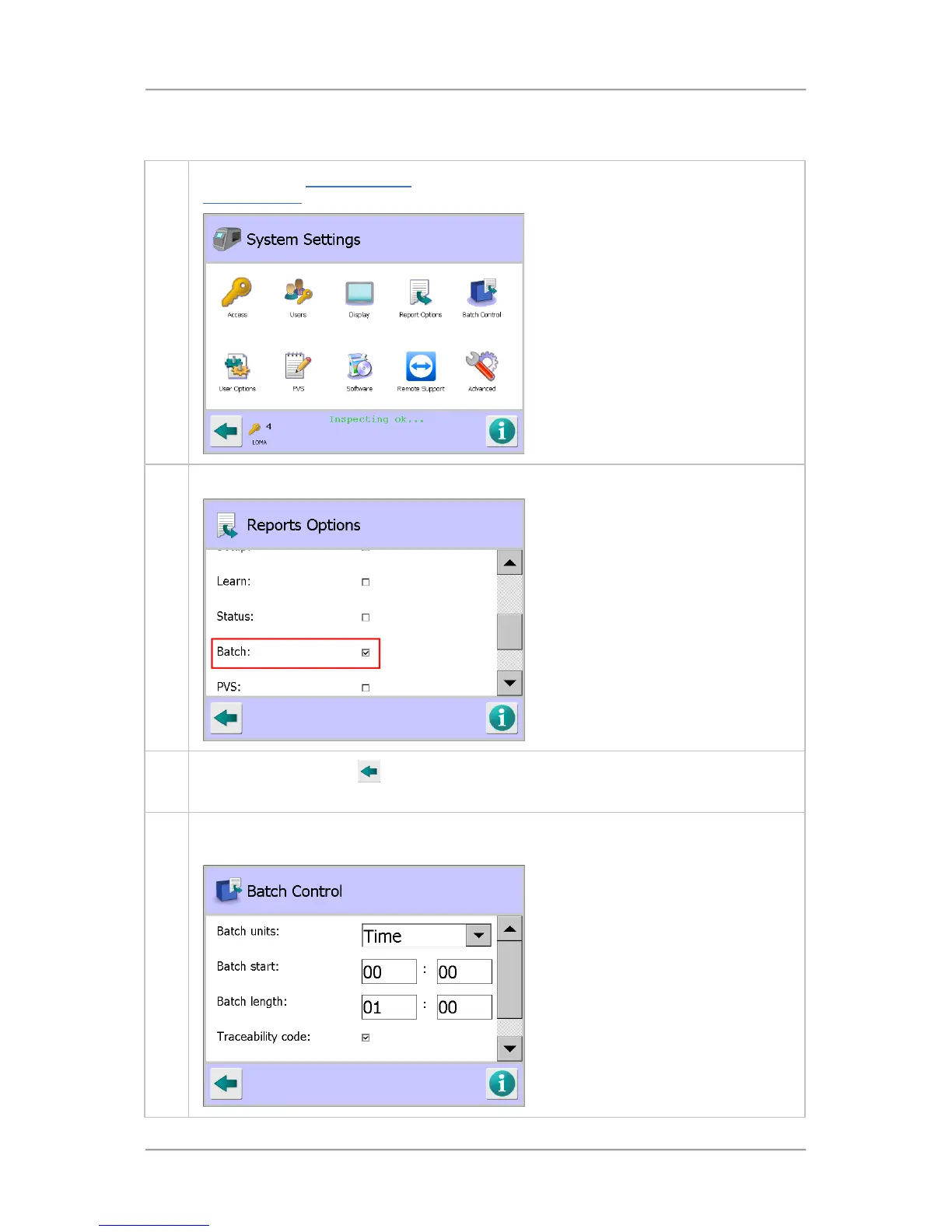
To configure a batch log, proceed as follows:
1. Navigate to the System Settings
screen. Then tap on the Report Options icon to display the
Report Options screen
2. Use the scroll bar to navigate to and select Batch option.
3.
Tap on the Back button
to display the Save Settings pop-up screen. Then tap on the
green tick 'OK' button to save the changes and close the screen.
4. Tap on the Batch Control icon in the System Settings screen to display the Batch Control
screen.



 To Next Page