Operating Instructions
178
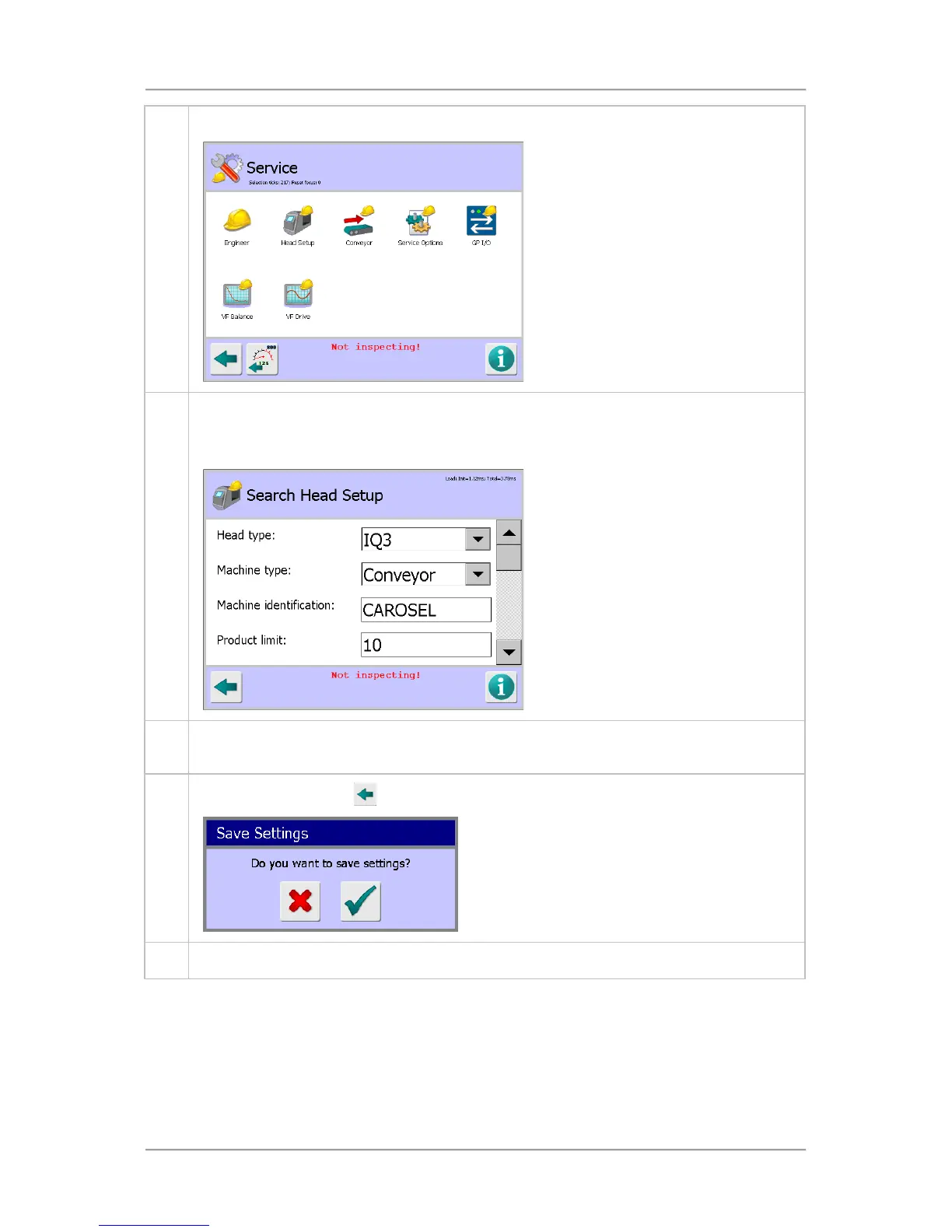
3. Then tap on the Service icon to display the Service screen.
4. Tap on the Head Setup icon to display the Search Head Setup screen.
Note that the detector will stop inspecting whilst you are in any Service screen, as indicated
by the red message Not Inspecting!displayed at the bottom of the screen.
5. Tap in the Machine identification field to display a pop-up keyboard and enter a suitable
name for the Machine ID.
6.
Tap on the Back button
.. The Save Settings pop-up screen will be displayed.
7. Tap on the green tick 'OK' button to save the change.



 To Next Page