Operating Instructions
194
6.
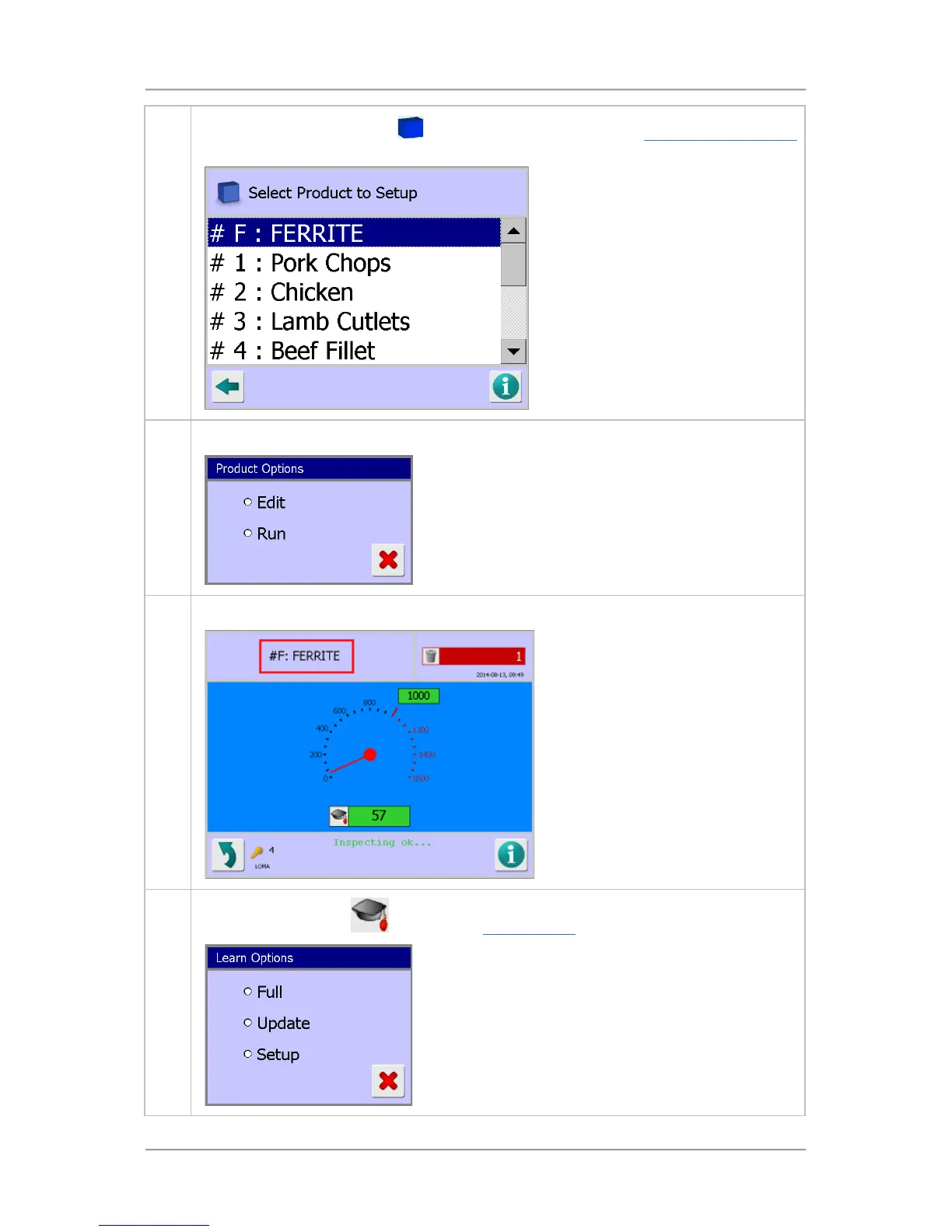
Then tap on the product area
to display a list of products in the Select Product to Setup
screen and tap on the FERRITE product.
7. The Product Options screen is displayed. Select the Run option.
8. The Main Run screen is displayed with the FERRITE product selected to run.
9.
Tap on the Learn icon
to display the Learn Options screen and select the Full option.



 To Next Page