Operating Instructions
197
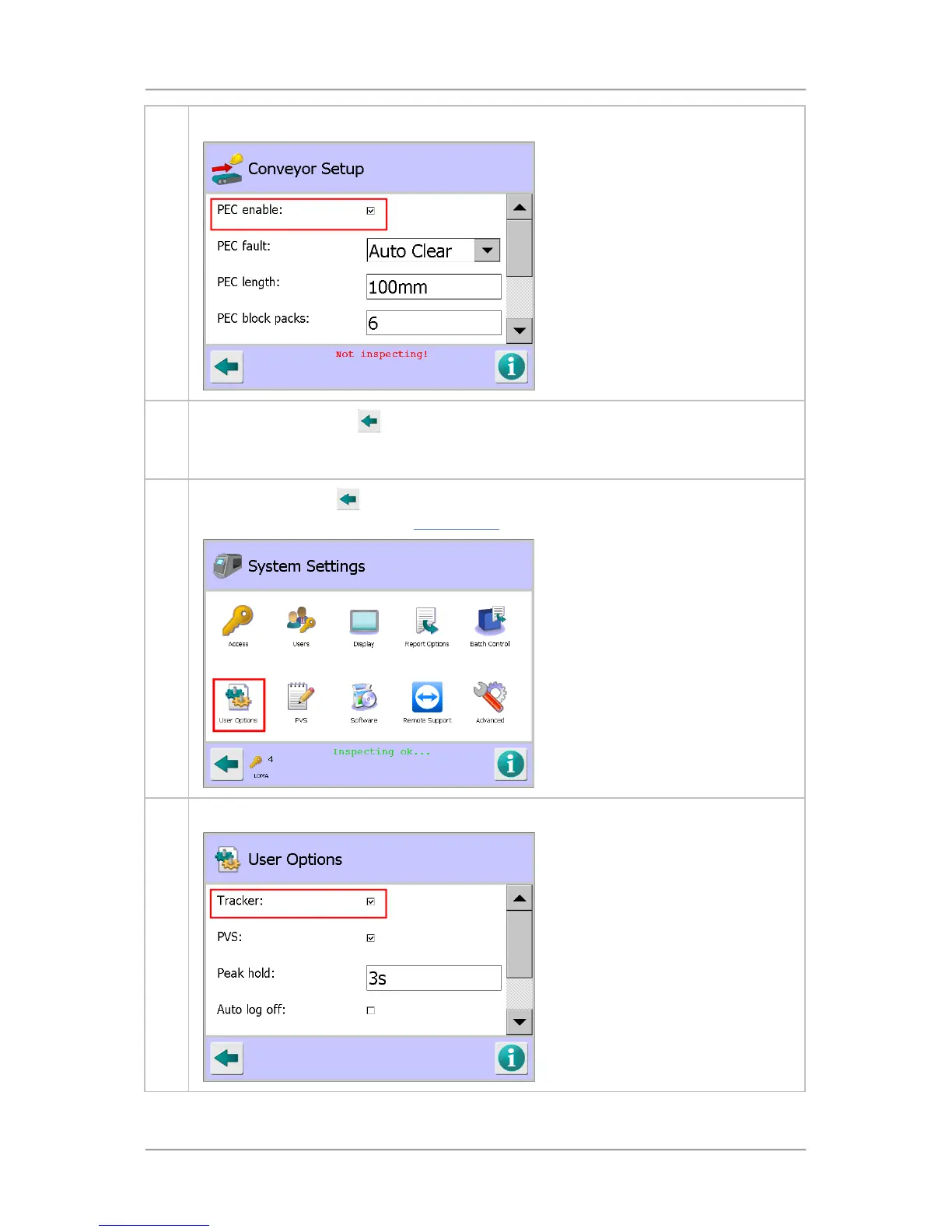
4. Tap on the PEC enable option check box to select it.
5.
Tap on the Back button
to display the Save Settings pop-up screen. Then tap on the
green tick 'OK' button to save the changes and close the screen. The Service Screen is
displayed.
6.
Use the back button
to navigate back to the System Settings screen and then tap on the
User Options icon to display the User Options Screen.
7. Tap on the Tracker option check box to enable it.



 To Next Page