214713 92 Revision A
5.2 Installing Drawbar Hitch Adapter
IMPORTANT:
The hitch adapter is compatible with Class 2 and Class 3 hitches only. Class 4 hitches are too big. Do NOT attempt
to modify a Class 4 hitch or hitch adapter to make them fit together.
CAUTION
Shut off tractor, engage parking brake, and remove key before working around hitch.
1011574
A
B
C
D
E
F
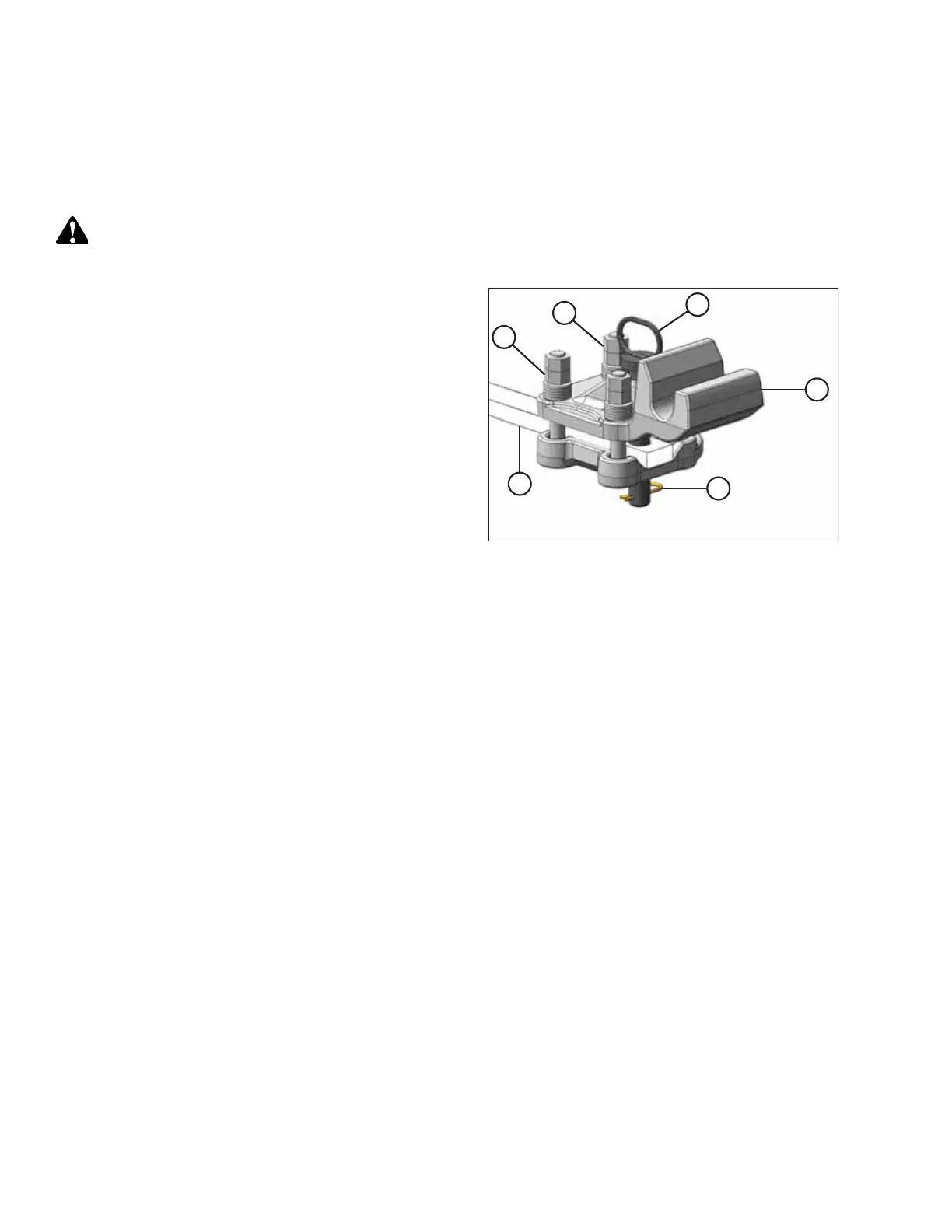
Figure 5.2: Drawbar Hitch Adapter
1. Remove hairpin (A) and pin (B).
2. If necessary, loosen four top jam nuts (C), and then
loosen four lower nuts (D) so that hitch adapter (E) will
slide onto tractor drawbar (F).
3. Align hole in adapter (E) with hole in drawbar (F) and
install pin (B). Secure with hairpin (A).
4. Gradually tighten the four nuts (D) to 540 Nm
(400 lbf·ft).
NOTE:
Ensure hardened washers and Class 10 nuts (supplied
with adapter) are used.
5. Tighten four jam nuts (C).
SETTING UP THE TRACTOR





 To Next Page