214713 69 Revision A
4.3.2 Installing Two-Point Hitch (Cat. II) Adapter
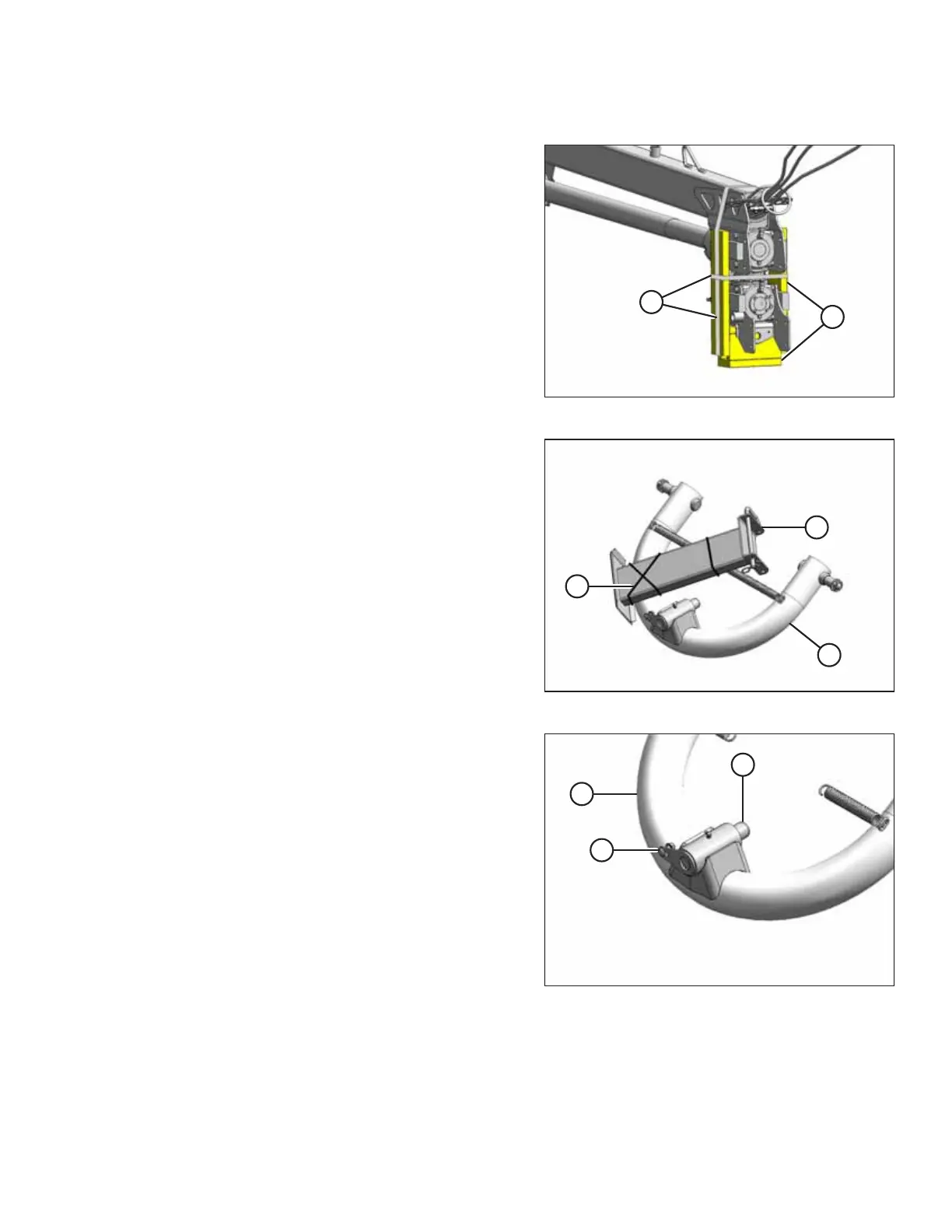
Figure 4.32: Hitch Packing
1. Remove shipping wire or banding (A) securing shipping
blocks (B) at front of hitch, and remove blocks.
2. Swivel lower gearbox until the input shaft is
facing forward.
Figure 4.33: Two-Point Hitch Packing
3. Retrieve two-point hitch adapter shipment.
4. Remove shipping wire (A) and material from stand (B),
and remove stand from hitch adapter (C).
Figure 4.34: Two-Point Hitch Adapter
5. Remove strapping that secures pin (A) to adapter (B).
Do NOT remove other strapping.
6. Remove pin (A) from adapter, and remove bolt (C) and
nut from pin (A).
ASSEMBLING THE DISC MOWER (FACTORY-INSTALLED TRANSPORT)





 To Next Page