214713 181 Revision A
9.3.2 Installing Conditioner Drive
This procedure describes the installation of conditioner drive components on a machine that was originally supplied
with no conditioner.
If installing a conditioner on the R1 Series Pull-Type Disc Mower, refer to 9.3 Installing the Conditioner, page 178.
Retrieve bag from conditioner shipment containing the following parts:
• Shaft key
• Pulley
• Bushing with three M10 bolts
• Tensioner assembly
• M16 hex head bolt
• M16 nut
• Two M10 nuts
• Eye bolt
• Hardened washer
• Spring
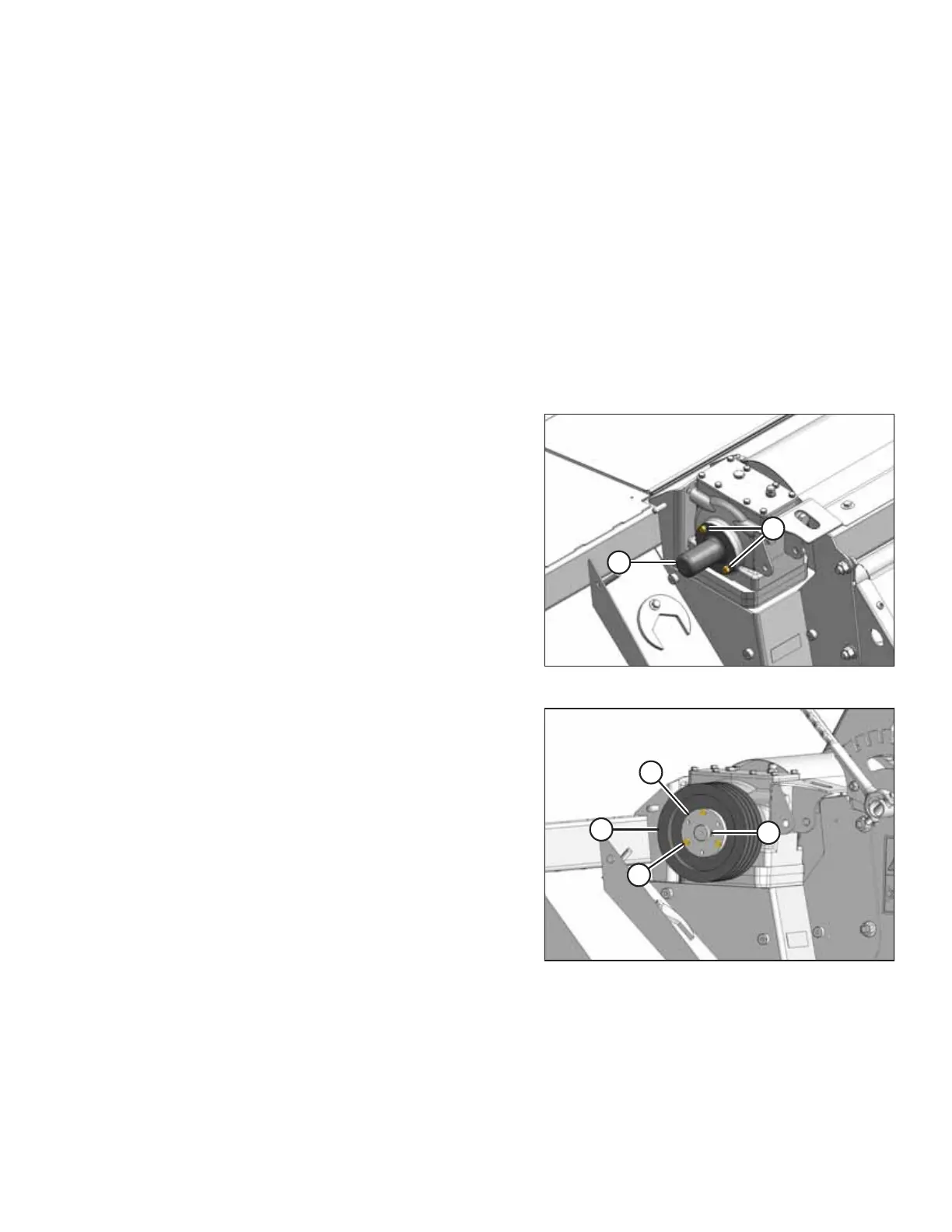
Figure 9.22: Shaft Cover
1. Remove two screws (A) from cover (B), and remove
cover from gearbox shaft. Retain parts for future use.
Figure 9.23: Drive Pulley
2. Assemble pulley (A) and bushing (B) onto gearbox shaft
with key (C).
3. Install three M10 hex head bolts (D) through
bushing (B) into pulley (A).
CHANGING THE CONDITIONER





 To Next Page