214713 134 Revision A
7.7 Checking and Adding Conditioner Roll Timing Gearbox
Lubricant
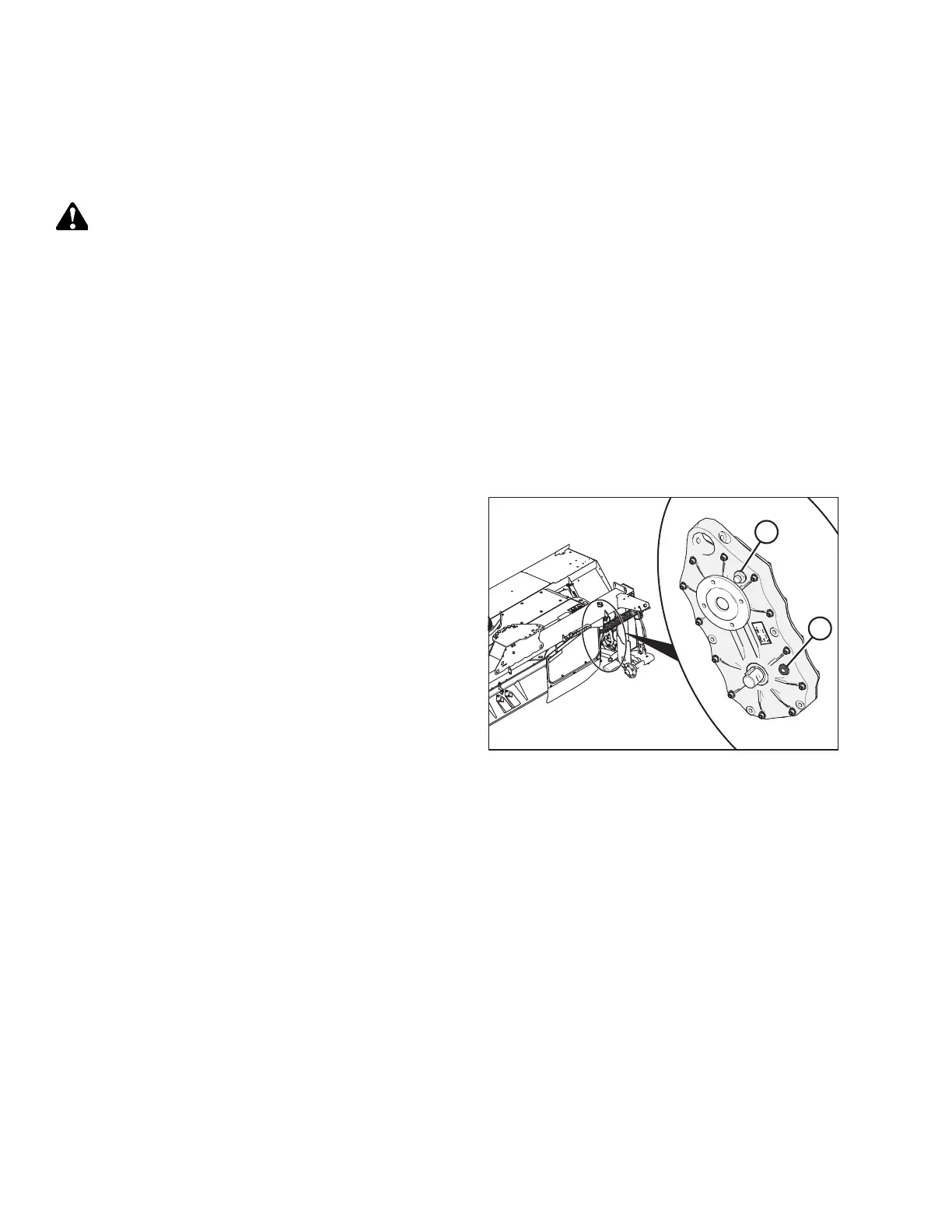
The conditioner roll timing gearbox is located inside the drive compartment at the right side of the disc mower.
DANGER
To avoid bodily injury or death from unexpected startup of the machine, always stop the engine and
remove the key from the ignition before leaving the operator’s seat for any reason.
IMPORTANT:
Check the conditioner roll timing gearbox lubricant level when the lubricant is warm. If the lubricant is cold, idle the
machine for approximately 10 minutes prior to checking.
1. Lower disc mower to the ground, and adjust header angle with center-link so that cutterbar is level. Turn off the
engine, and remove key.
2. Open a cutterbar door. Refer to 11.1 Opening Cutterbar Doors, page 203.
3. Use a spirit (bubble) level and check that cutterbar is level in fore-aft direction. Adjust header angle as required.
4. Open the right driveshield. Refer to 6.1 Opening Driveshields, page 119 .
1018371
A
B
Figure 7.12: Roll Timing Gearbox
5. Clean around lubricant sight glass (A) and breather
plug (B) on inboard side of the conditioner roll
timing gearbox.
6. Ensure that the lubricant level is at the top of the
sight glass. If necessary, add lubricant through plug (B).
Refer to 11.5 Recommended Lubricants, page 207 for
lubricant information.
7. Replace plug (B) and tighten.
8. Close right driveshield. For instructions refer to 6.3
Closing Driveshields, page 126.
9. Close the cutterbar door. Refer to 11.4 Closing
Cutterbar Doors, page 206.
PERFORMING PREDELIVERY CHECKS




 To Next Page