214713 85 Revision A
Installing Light Assembly
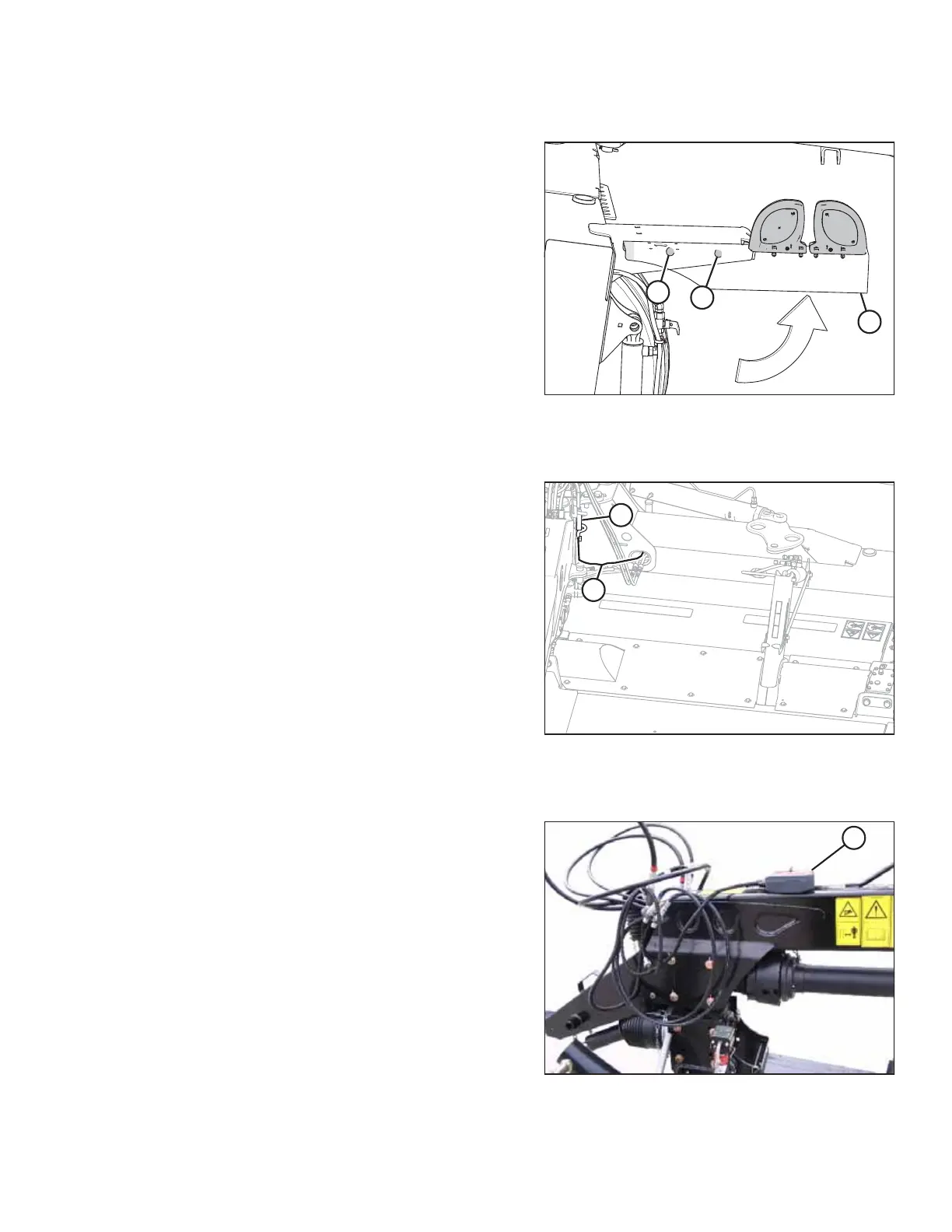
Figure 4.70: Left, Rear End of Mower
1. Locate right side light assembly (A).
NOTE:
When the mower is in field position, the right light
assembly is located on the left, rear side of the mower.
When the machine is being towed, it will be on the
right side.
2. Loosen bolt (C). Rotate the light assembly (A) up to
position shown at right.
3. Install bolt (B).
Connecting Transport Lighting Module
Figure 4.71: Transport Lighting Module
1. Connect harness (A) to transport lighting module (B).
Installing Remote Control
Figure 4.72: Remote Control on Top of Hitch
1. Retrieve remote control (A) with wiring harness.
2. Place remote control (A) on hitch temporarily.
ASSEMBLING THE DISC MOWER (FACTORY-INSTALLED TRANSPORT)




 To Next Page