214713 180 Revision A
9.3.1 Installing Cutterbar Deflectors
DANGER
To avoid bodily injury or death from unexpected start-up or fall of a raised machine, stop engine, remove
key, and engage header lift cylinder lock-out valves before going under machine for any reason.
IMPORTANT:
To avoid damage, cutterbar deflectors must NOT be used with the finger conditioner option.
1. Raise disc mower fully, shut down tractor, and remove key from ignition.
2. Close lift cylinder lock-out valves.
3. Clean debris from ledge and the six mounting holes along aft edge of cutterbar.
1008467
A
B
C
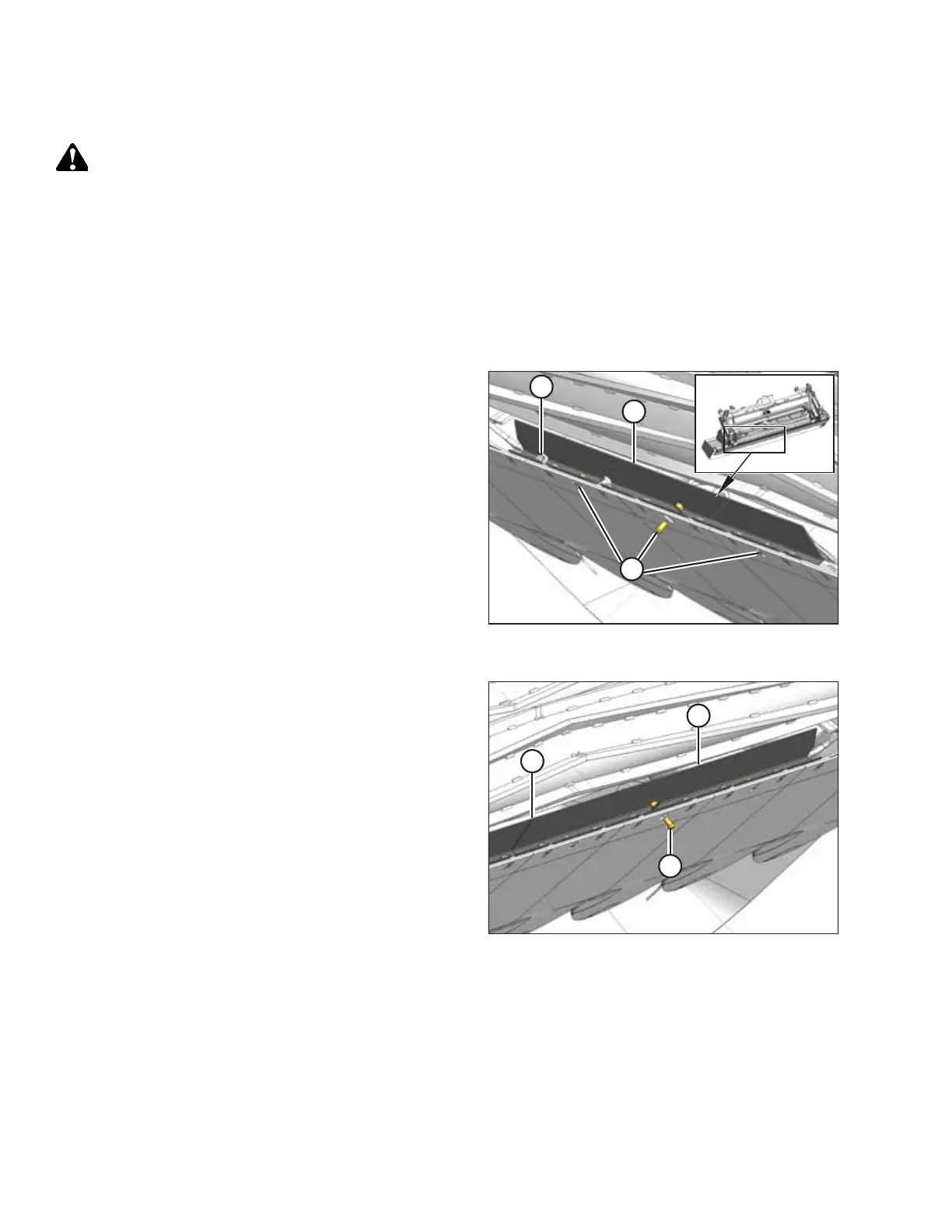
Figure 9.20: Left Cutterbar Deflector Viewed
from Underside of Cutterbar
4. Position left deflector (A) (with cut-out for cutterbar drain
plug [B]) on top of ledge along the outboard end of the
cutterbar, and align existing fasteners and cutterbar
plug with slots in deflector (A).
5. Install three button hex head socket M10 bolts (C) with
lock nuts in the holes with the heads facing down.
1008468
A
B
C
Figure 9.21: Right Cutterbar Deflector Viewed
from Underside of Cutterbar
6. Repeat Steps 3, page 180 through Step 5, page 180 to
install right deflector (A).
7. Align deflectors at position (B) and tighten bolts (C) to
54 Nm (40 lbf·ft) with a 16 mm socket and an 8 mm
hex key.
CHANGING THE CONDITIONER





 To Next Page