214713 149 Revision A
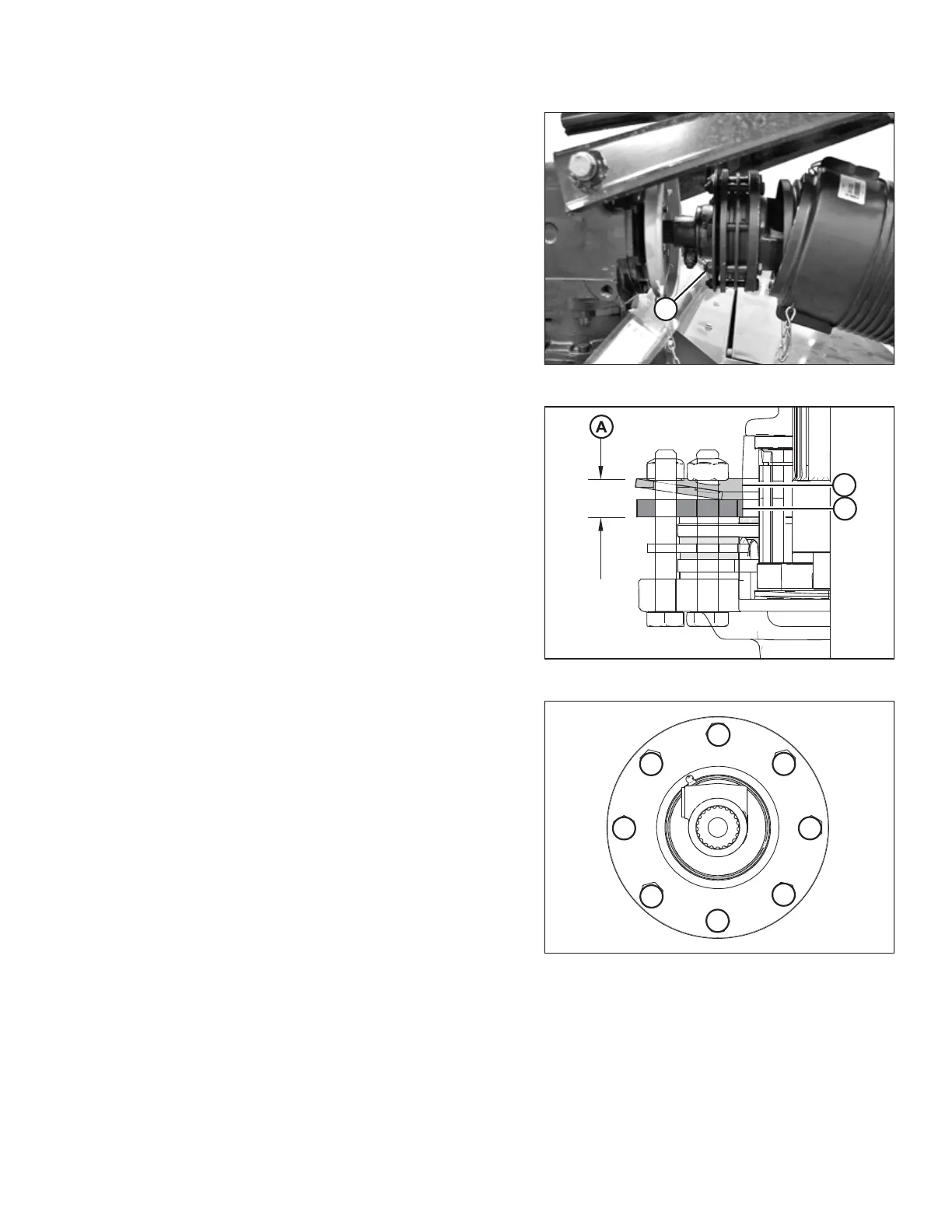
Figure 7.36: Clutch Bolts
2. Back off all pressure plate tensioning nuts (A) one and a
half revolutions.
NOTE:
If this has already been done, you are not required to do
it again.
Figure 7.37: Initial Setup Measurement
3. Measure the distance (A) between Belleville washer (B)
and plate (C) using a caliper. The distance must be
17.75 mm (0.70 in.) and must be consistent all around.
Figure 7.38: Tightening Sequence
4. Tighten nuts using the sequence shown at right. Once
the discs are nearing the 17.75 mm (0.70 in.)
dimension, check discs for looseness. Do NOT tighten
the discs excessively. Try to achieve a balance between
the clutch slipping during excessive loading and/or
shock loading and not slipping during normal
operation.
5. Test the clutch operation, and adjust evenly as required.
Refer to 7.17 Checking Clutch Operation, page 147.
PERFORMING PREDELIVERY CHECKS





 To Next Page