214713 154 Revision A
1026352
A
B
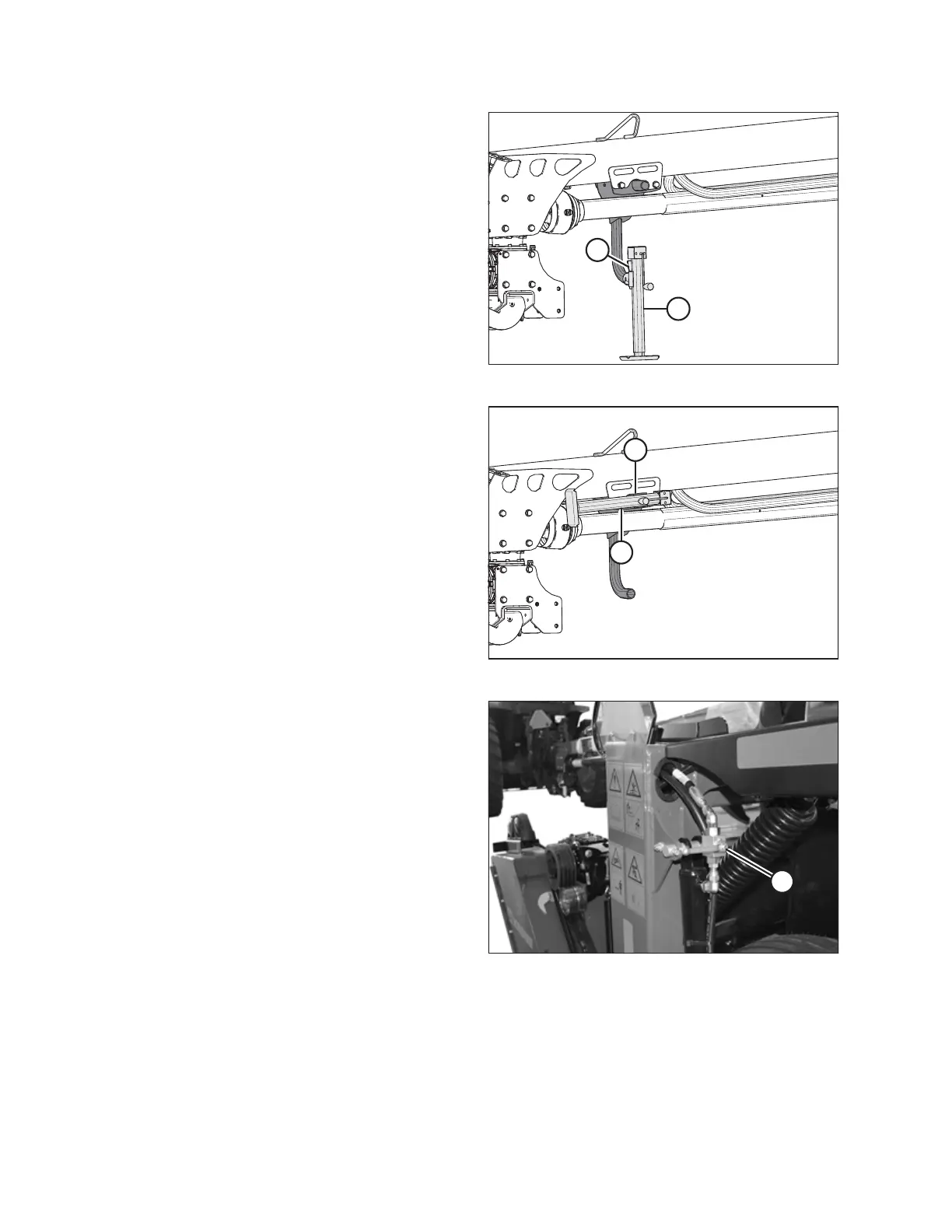
Figure 8.1: Jack in Storage Position
1. Connect the disc mower hitch to the tractor. Refer to the
disc mower operator's manual.
2. Turn the handle on jack stand (A) to raise the stand.
3. Remove pin (B) and stand (A).
1026353
A
B
Figure 8.2: Jack in Storage Position
4. Move jack (A) to storage position on side of hitch, align
the mounting holes and secure with pin (B).
NOTE:
If unit is equipped with a two-point hitch, rotate the hitch
stand to the storage position.
10237341023734
A
Figure 8.3: Cylinder Lock-Out Valve
5. Raise the disc mower fully and close the lift cylinder
lock-out valve by turning handle (A) to the closed
position (90 degree angle to the hose). Repeat on
opposite side.
TRANSPORTING THE DISC MOWER





 To Next Page