3-37
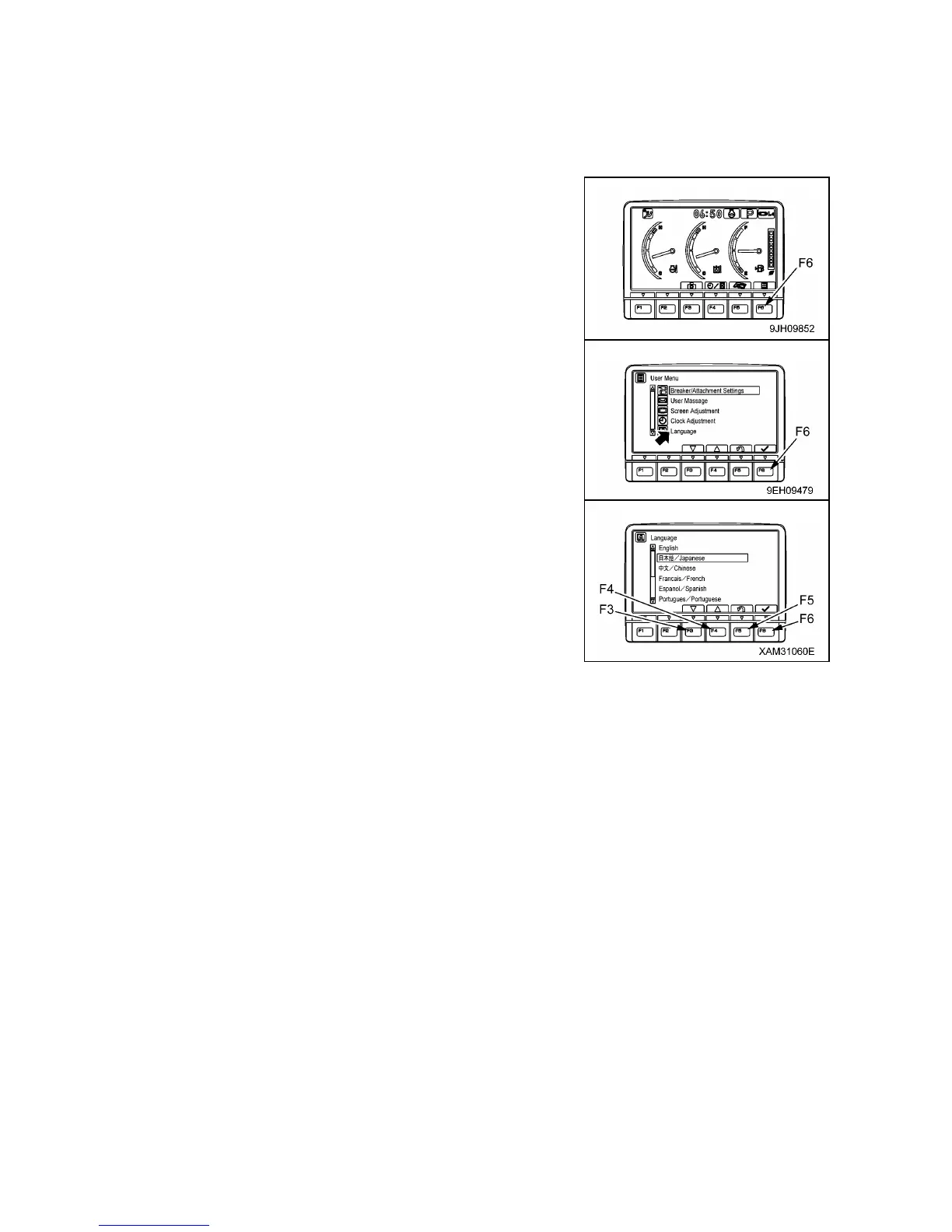
(e) Language selection
On this language selection menu, it is possible to select the language used on the monitor display.
The languages that can be selected are as follows.
• Japanese, English, Chinese, French, Spanish, Portuguese, Italian, German, Russian, Turkish,
Indonesian, Thai.
1. On the standard screen, press switch (F6).
2. Select “Language” on the user menu screen, then press switch
(F6).
The screen switches to the language selection menu screen.
3. Select the language to use for the display, then press switch
(F6). The screen display changes to the selected language.
• Switch (F3): Moves to item below.
• Switch (F4): Moves to item above.
• Switch (F5): Cancels change and returns to user menu screen.
• Switch (F6): Accepts change and returns to user menu screen.



 To Next Page