3-25
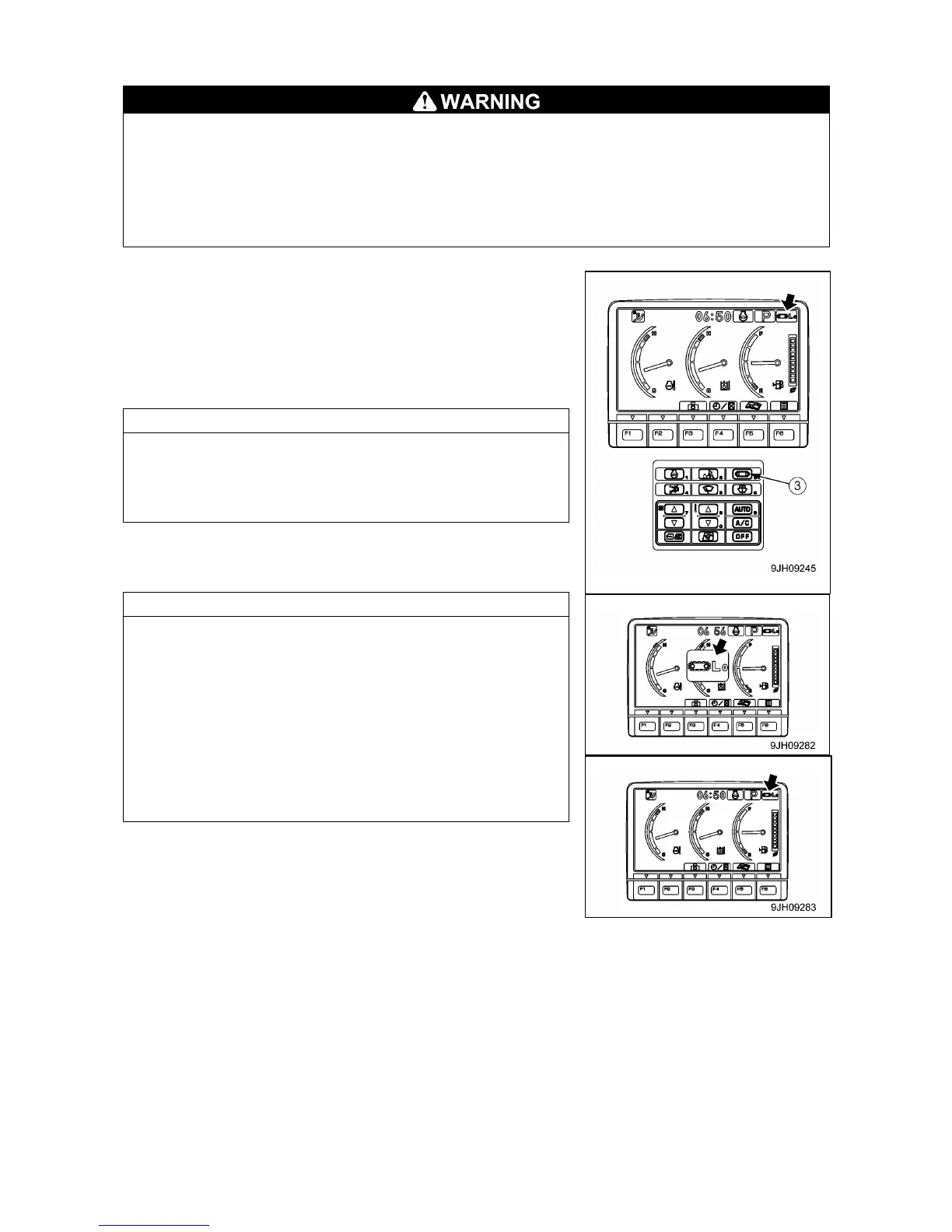
[3] TRAVEL SPEED SELECTOR SWITCH
• When loading or unloading the machine on a trailer, always travel at low speed (set to Lo).
Never operate the travel speed selector switch when traveling.
• If the travel speed selector switch is operated when the machine is traveling, the machine may
deviate to one side even when it is traveling in a straight line. Always stop the machine before
changing the travel speed.
• The area at the rear of the machine is a blind spot. Always use the rear view camera to check
the area at the rear of the machine before traveling in reverse.
This switch (3) is used to set the travel speed to 2 stages.
Each time that the switch is pressed, the display changes Lo → Hi
→ Lo in turn.
• Monitor Lo: Low –speed travel
• Monitor Hi: Hi-speed travel
When the engine is started, the speed is automatically set to Lo.
When traveling in high speed (Hi), if travel power is needed,
such as when traveling on soft ground or on slopes, the speed
automatically switches to low speed (Lo), so there is no need to
operate the switch. The monitor display stays at Hi.
• Each time travel speed selector switch (3) is switched, the
mode is displyed on the monitor display, and after 2 seconds,
the screen returns to the standard screen.
• If the moment limter displays the actual laod of 0.5 tons or more
even once, traveling in high speed is not available despite the
monitor display stays at "Hi". When traveling in high speed is
required, always keep the actual load value within 0.2 tons.
• While the boom length in the moment limiter display is 5.2
meters or less and the boom angle is 5.0 degrees or less, travel
speed selector switch can be turned to hi-speed travel,
regardless of the actual load value.



 To Next Page