3-30
[ACTION WHEN WARNING IS GENERATED WHEN DISPLAYING CAMERA IMAGE]
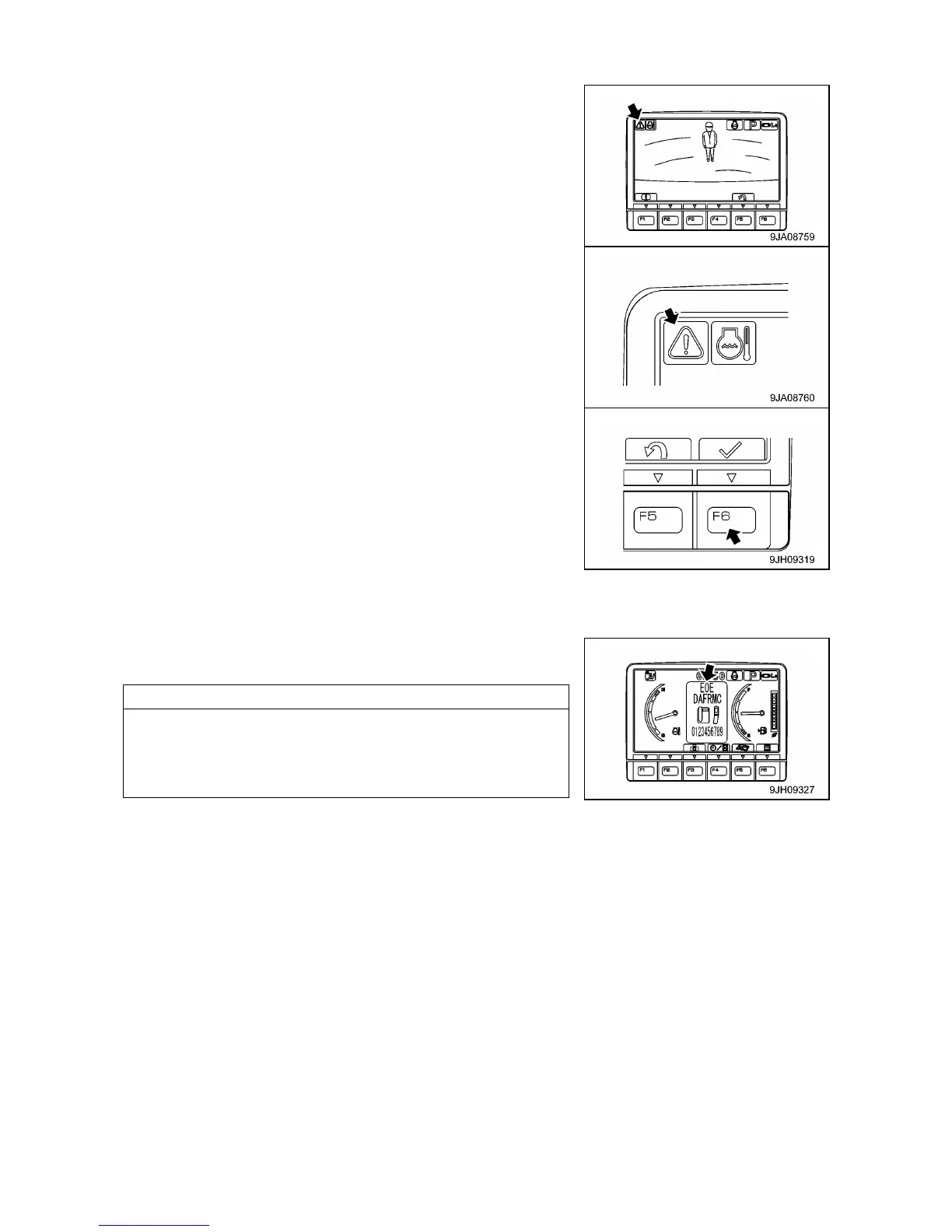
• If an error or alarm occurs while the camera image is being
displayed, the error monitor or alarm monitor is displayed at the
top left of the screen and flashes.
• If the error monitor or alarm monitor is displayed, press switch
(F6), return to the standard screen, and check the content of the
error or alarm display.
When the error monitor is flashing, if no lever is operated for more
than 10 seconds, the screen automatically returns to the standard
screen.
When the screen returns to the standard screen, the error monitor
at the top left of the screen goes out and the error or alarm is
displayed in the center of the screen.
• If an error monitor is displayed, move the machine, set it in a
safety posture, and then have inspection carried out immediately.
For details of the content of the warning display, see “Operation
2.1.4 basic Check Monitors”, “Operation 2.1.3 Caution
Monitors”, “Operation 2.1.2 Emergency Stop Monitors”, and
“Operation 10. Troubles and Actions”.



 To Next Page