Operator Maintenance 103
_______________________________________________________________________________________________
________________________________________________________________________________________________
MICROPLEX Operator’s Manual SOLID F90 HD Edition 1.0
Please go on like this:
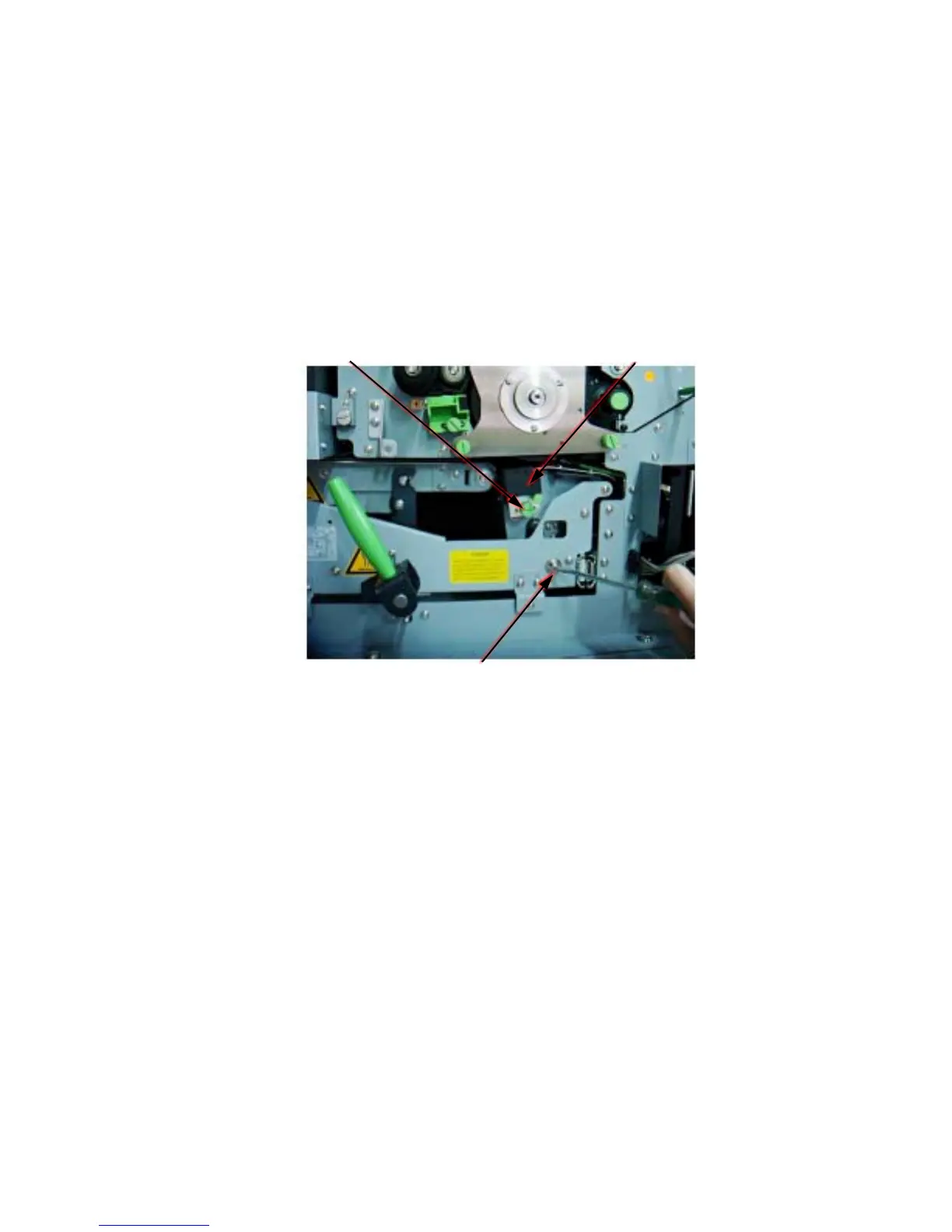
- Take a slotted screwdriver and turn the transfer elevator drive shaft
(see following figure) clockwise, for example. While doing this,
watch the movement of the transfer charger.
- If the charger has moved upwards, please turn the drive shaft
backwards now until the charger is in the down position.
-
If the charger has moved downwards, continue in turning the drive
shaft until the charger is in the deepest position.
Knurled screw Transfer charger
Transfer elevator drive shaft + screwdriver
4. Turn to loosen the knurled screw at the transfer-/separator
charger and pul
l the charger o
u
t.
5. Place the charger o
nto
a clean and level worktop.
6. Using the blower brush, remove paper dust and other
unwante
d
particles.
7. Then clean the wire using a wire cleaning tool. After having
finished this procedure the wire should be completely
smooth.



 To Next Page